See your house in any Dulux shade, before you commit
Repainting a facade is a one-shot bet of thousands of pounds on a colour you only truly see once it is on the wall. The Dulux Colour Match app names a shade from one pixel; FacadeColorizer goes further. Upload one photo and try a real Dulux UK or Farrow & Ball shade on your whole facade, or paste any HEX code, in about 30 seconds.
- No sign-up
- No card
- Result in ~30s
Your photo is private, used only to create your preview, never sold. You keep full ownership.
✓ No sign-up ✓ No app download ✓ Result in ~30s
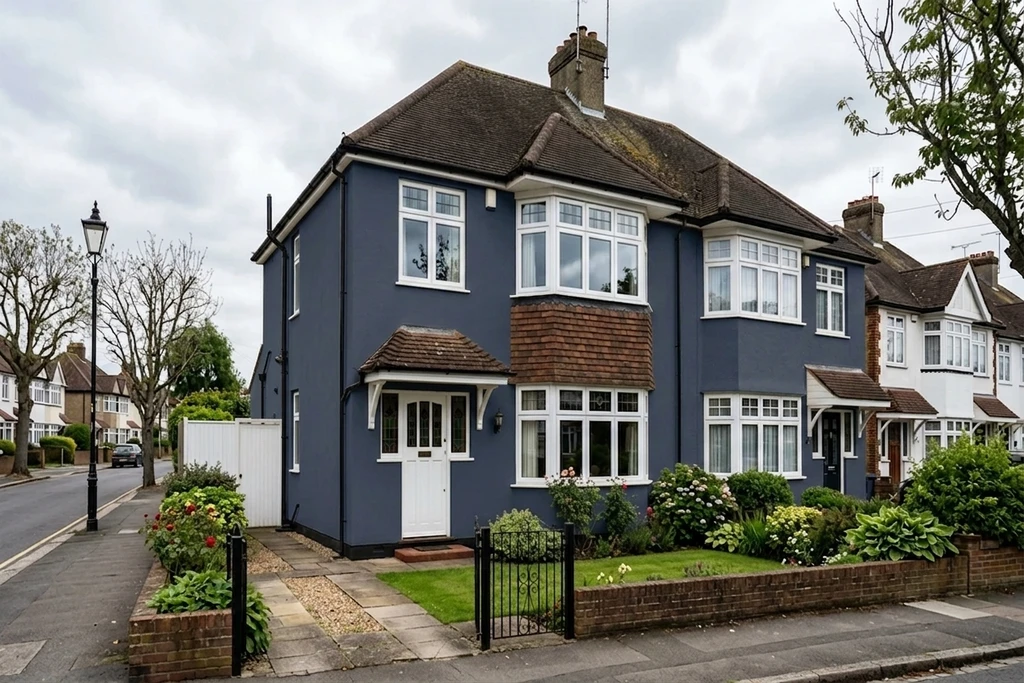
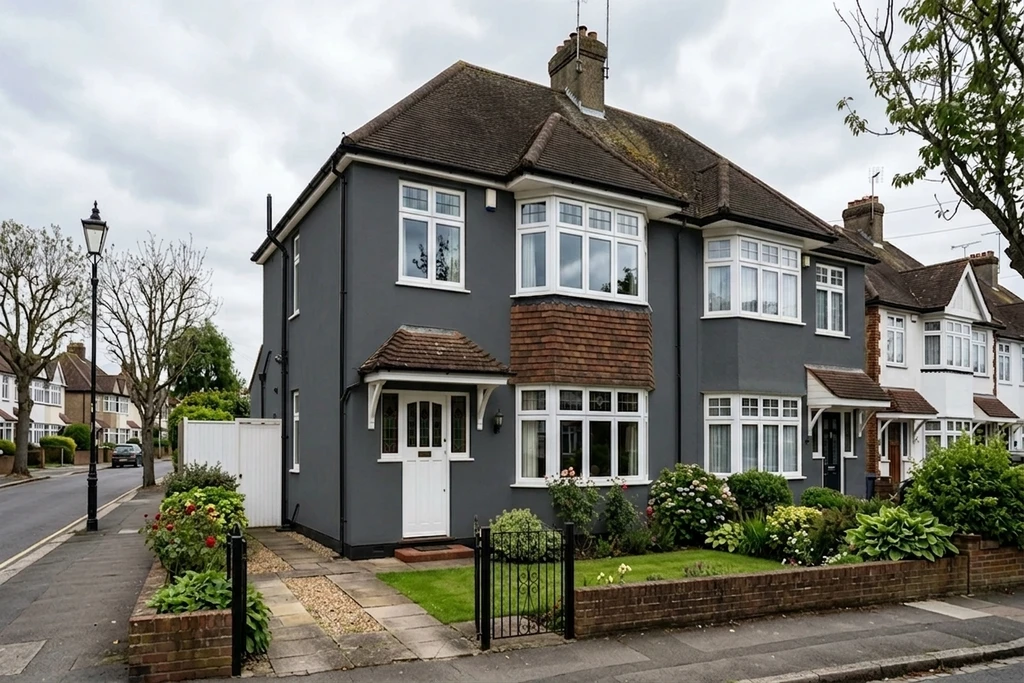
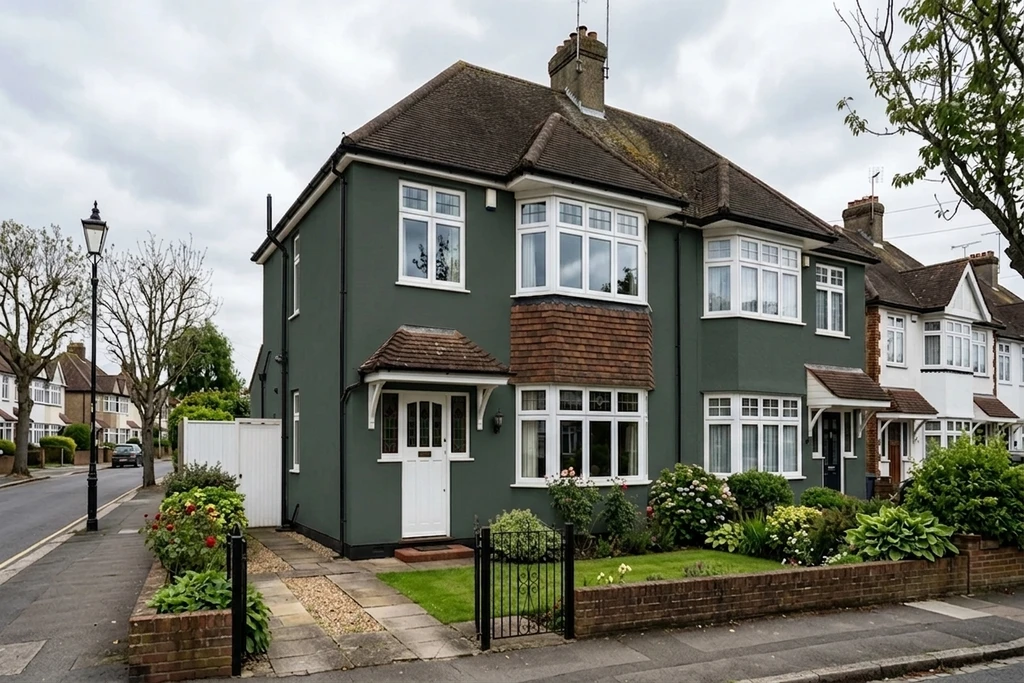
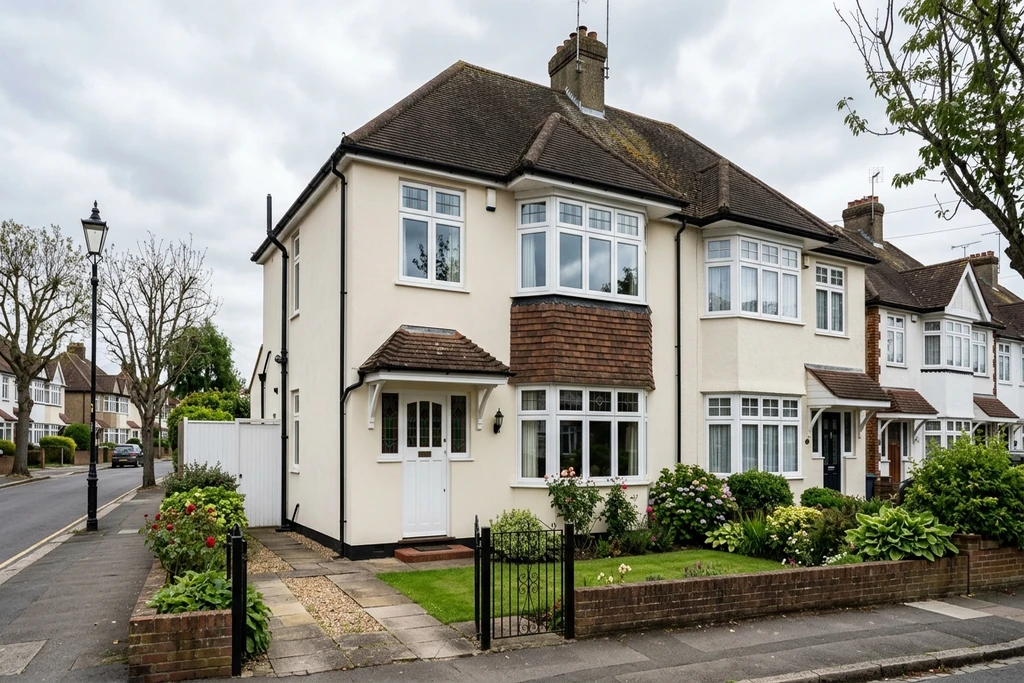
Real AI renders, your own photo, any shade
Try it on your house
No photo? Try a sample
Dulux is a registered trademark of Akzo Nobel N.V. FacadeColorizer is an independent visualisation tool, with no affiliation with or endorsement by Dulux or Akzo Nobel.
3 reasons to try before you paint
Avoid a costly repaint over a shade that looks wrong on your actual brick or render.
Compare a Dulux shade against a Farrow & Ball one on the same photo, not two tiny chips.
Shortlist from your sofa before you spend a Saturday on tester patches.
Quick answer: The Dulux Colour Match app names the nearest Dulux shade from one pixel on a photo. FacadeColorizer does the opposite job: it renders a real shade across your whole facade so you can see it in your own light. Pick a Dulux UK or Farrow & Ball shade, or paste a HEX code, and compare on your own walls in under 30 seconds, with no sign-up and no app download.
Real UK Facade Transformations, AI Preview in ~30 Seconds
Same house, only the wall colour changes. Drag the handle to wipe between the original photo and the AI repaint.
1 free HD render. No sign-up. No app download.
What our customers found before they bought
“The bottom photo was my old planning application that got rejected, and the top one was the new submission. The difference is small, but for some councils that tiny shift in tone is what makes the call: they reject pure white and accept cream.”
“The time it saves me means I can knock 10 pounds off every quote, both for regulars and new customers.”
“Cream white is brilliant and the base of the wall is picked up perfectly.”
Names changed with written consent. UK CMA-compliant.
What the Dulux Colour Match app does, and where it stops
The Dulux Colour Match feature inside the Dulux Visualiser app is a colour sampler: you tap a point on a photo and it returns the nearest Dulux shade name. Useful for naming an unknown shade. Less useful when you already know roughly which shade you want and need to see it on your own facade, or when you want to compare a Dulux shade against a Farrow & Ball one before you buy.
| The job | Dulux Colour Match app | FacadeColorizer |
|---|---|---|
| Name an unknown shade from a pixel | Yes | Not its purpose |
| Render the shade on your whole facade | Overlay only | Yes, photorealistic |
| Compare Dulux vs Farrow & Ball | Dulux range only | Both, same photo |
| App download required | Yes | No, runs in browser |
| Result time | Instant overlay | ~30 sec HD render |
1 free HD render. No sign-up. No app download.
Test real Dulux UK and Farrow & Ball shades
FacadeColorizer renders the two UK paint brands homeowners actually compare, on your own facade. Or paste any HEX code for a shade outside these ranges.
Dulux UK
Heritage & WeathershieldOfficial Dulux UK shades with their codes, including the Heritage whites and popular neutrals. Test any of these on your photo without opening the Dulux Visualiser app.
Farrow & Ball
Heritage paletteThe British heritage palette decorators reach for, from soft whites to deep architectural greys and navy. Render each one on your own brick, render or front door.
Swatches above are visual approximations on screen; confirm with a brand-supplied sample tester pot before purchasing. Shade names and codes are trademarks of their respective owners. FacadeColorizer is independent and not affiliated with Dulux, Akzo Nobel or Farrow & Ball.
1 free HD render. No sign-up. No app download.
Tested on common British property types
Our AI was trained on a wide cross-section of UK housing. It preserves brick, render and pebbledash texture, trim and shadow detail on every style below.
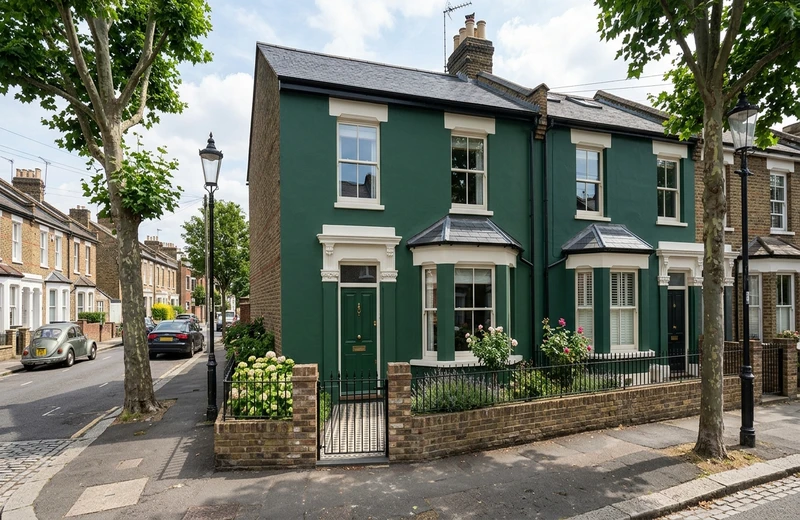
Victorian terrace
Bay windows, decorative brick, sash windows and a painted front door.
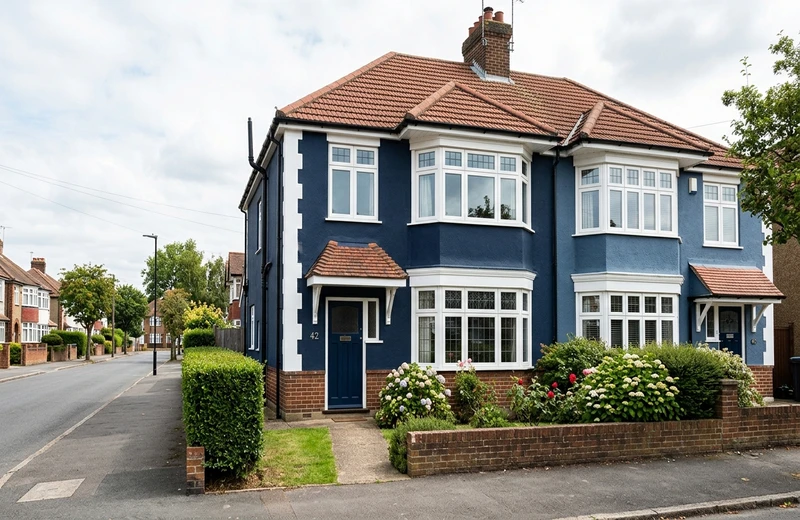
Semi-detached
The classic inter-war semi: render or brick with a bay and a porch.
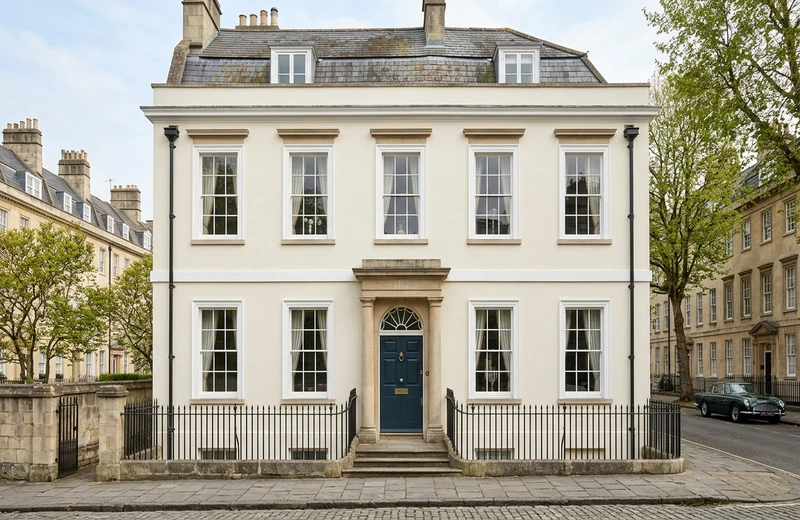
Georgian
Symmetric facade, tall sash windows, often painted render or stucco.
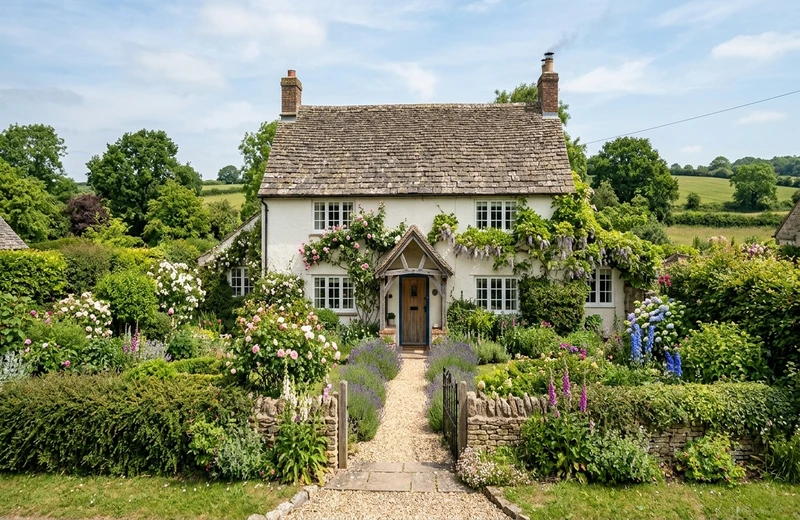
Cottage
Rendered or stone walls, low eaves, a favourite for heritage shades.
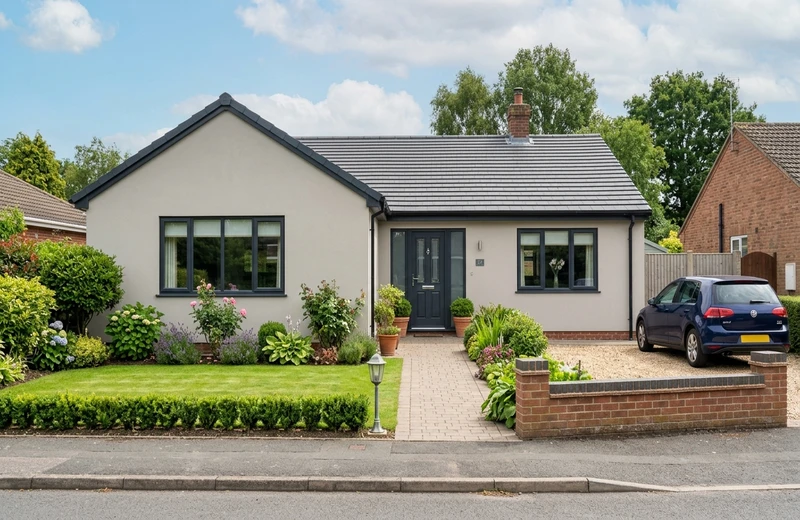
Bungalow
Single-storey, often pebbledash or render, ideal for a fresh masonry colour.
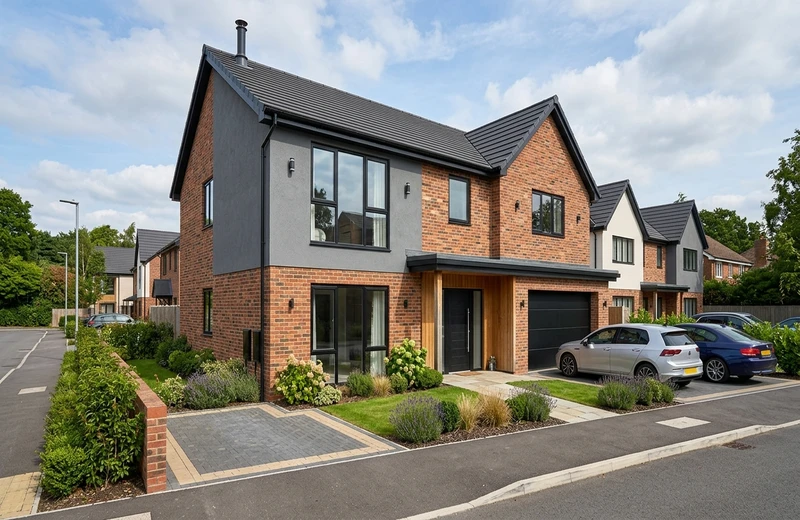
New build
Modern brick and render mix, neat trim, clean lines for contemporary tones.
1 free HD render. No sign-up. No app download.
FacadeColorizer vs the Dulux, Crown and Farrow & Ball tools
Brand colour tools are great for browsing a single range. They are less great at showing a shade on your actual facade. Here is how they compare for an exterior repaint in 2026.
| Tool | Ranges covered | Platform | AI on your photo | Best for |
|---|---|---|---|---|
| FacadeColorizer | Dulux UK + Farrow & Ball, plus any HEX | Web (no install) | Yes | Comparing shades on your own facade |
| Dulux Visualiser (Colour Match) | Dulux range only | iOS / Android app | Overlay only | Naming a shade, Dulux loyalists |
| Crown MyRoom Painter | Crown range only | Web + app | Overlay only | Crown shoppers, interior rooms |
| Farrow & Ball visualiser | Farrow & Ball range only | Web | Stock rooms | Browsing the heritage palette |
Brand and product names are referenced for comparison purposes only and remain the property of their respective owners. Comparison reflects publicly available features as of 2026; FacadeColorizer is independent and not affiliated with Dulux, Crown or Farrow & Ball.
1 free HD render. No sign-up. No app download.
How It Works
Test a Dulux or Farrow & Ball shade on your facade in 3 easy steps. No design skills needed.
Upload a daytime photo
Take a clear, well-lit photo of your facade, front door or room. Overcast British daylight is ideal. Drop it onto FacadeColorizer, on mobile or desktop, no app needed.
Pick the shade, or its rival
Choose a real Dulux UK or Farrow & Ball shade by name, or paste a HEX code. Want Denim Drift against Hague Blue? Run two passes and place the renders side by side.
Review, download, decide
In about 30 seconds you get an HD render preserving your shadows, brick texture and render finish. Download it, send it to your decorator, then order a brand sample before buying tins.
Why a simulator beats a pixel sampler
Naming a shade from one pixel sounds appealing, but it has well-known limits. A render on your own facade does not.
Lighting-aware
A single pixel carries the paint colour plus shadow, plus camera white balance. The AI reads the light across your whole photo, so the shade matches real conditions.
Texture preservation
Brick, render, pebbledash and stone read differently. The AI preserves the natural texture of your surfaces while applying the new colour on top.
Shadow accuracy
No more flat, unrealistic previews. FacadeColorizer keeps natural shadows and depth for a truly photorealistic visualisation.
Your actual house
Unlike tools that show generic stock houses, FacadeColorizer works on your own photo, your actual brickwork, your actual architecture.
Compare across brands
Most UK homeowners shortlist a couple of shades from a couple of brands. Test Dulux UK against Farrow & Ball, or any HEX code, in one tool.
Instant results
Get your photorealistic preview in about 30 seconds, no manual masking, no design skills needed. Works on any device.
Frequently Asked Questions
Can FacadeColorizer match a Dulux colour from a photo automatically?
FacadeColorizer is a paint simulator, not a pixel sampler. Instead of asking you to tap one pixel on a photo, we let you try the actual shade you have in mind on your full facade or room, in about 30 seconds. If you already know the shade name, pick it from the catalogue. If you only have a swatch, paste its HEX code and we render it on your photo so you can judge it in real lighting.
Which paint brands can I test?
FacadeColorizer covers the two UK paint brands homeowners compare most: real Dulux UK shades (such as Chalk White, China White, Pure Brilliant White, Denim Drift, Brave Ground and Sapphire Salute) and Farrow & Ball shades (such as All White, Wimborne White, Pointing, Elephant's Breath, Hague Blue and Down Pipe). You can test a Dulux shade against a Farrow & Ball shade on the same photo, and paste any HEX code for shades outside those ranges.
Is FacadeColorizer affiliated with Dulux?
No. Dulux is a registered trademark of Akzo Nobel N.V. FacadeColorizer is an independent paint visualisation tool. We reference Dulux shade names for compatibility purposes only; they remain the property of their respective owner.
Will the on-screen render look exactly like the real paint?
It is markedly closer than a flat colour overlay because the AI preserves the shadows, textures and natural lighting from your own photo. That said, your monitor, your phone screen and the actual paint finish (matt, eggshell, silk, masonry) all shift perceived colour, so we still recommend ordering a brand sample tester pot before painting the whole wall.
Do I need to download the Dulux app to use this?
No. FacadeColorizer runs entirely in your browser on mobile, tablet or desktop. There is nothing to install and no account is required for the free trial.
Is it really free?
Yes. You get one HD render plus variations with no account, no card and no trial timer. Paid plans are optional only if you want more renders later.
What happens to my uploaded photo?
Your photo is used only to create your preview and is never sold. You keep full ownership of your image. We do not share it for advertising or train public models on it. For full details, read our privacy notice.
Ready to see your house in a real Dulux shade?
Upload a photo, pick a Dulux UK or Farrow & Ball shade (or paste a HEX code), and get an HD render in about 30 seconds. Free to try, no app download, runs in your browser.
See my house in a real shade in ~30s. Free, no account.1 free HD render. No sign-up. No app download.
Your photo is private, used only to create your preview, never sold. You keep full ownership.
Dulux is a registered trademark of Akzo Nobel N.V. FacadeColorizer is independent and not affiliated with, sponsored by, or endorsed by Dulux or Akzo Nobel.
Try 1 colour on your real home
Upload a photo. The AI renders your facade or room in 30 seconds. 1 free HD render. No sign-up.
Have a go →