According to a 2026 MarketingCode report, 38% of contractors now report measurable business impact from AI — double the 17% recorded the previous year. The gap between AI-adopting painting businesses and those still running on clipboards and spreadsheets is widening fast. If you are a painting contractor who wants to close more jobs, shorten your sales cycle, and spend less time on admin, AI is no longer optional — it is table stakes. This guide covers the 5 AI-powered tools that are delivering real ROI for painting businesses right now, with real pricing, features, and implementation tips. Updated April 2026.
5 AI Tools Every Painting Contractor Needs in 2026
AI in the trades is not about replacing your crew or automating your brushstrokes. It is about eliminating the friction between a homeowner saying “I want a quote” and you signing the contract. The five tools below cover the full pipeline: visualizing the finished job, documenting your work, managing your schedule, pricing your estimates, and getting found online. Each one uses AI differently, but they all share the same goal — helping you close more jobs with less effort.
1. FacadeColorizer — AI Color Visualization That Sells
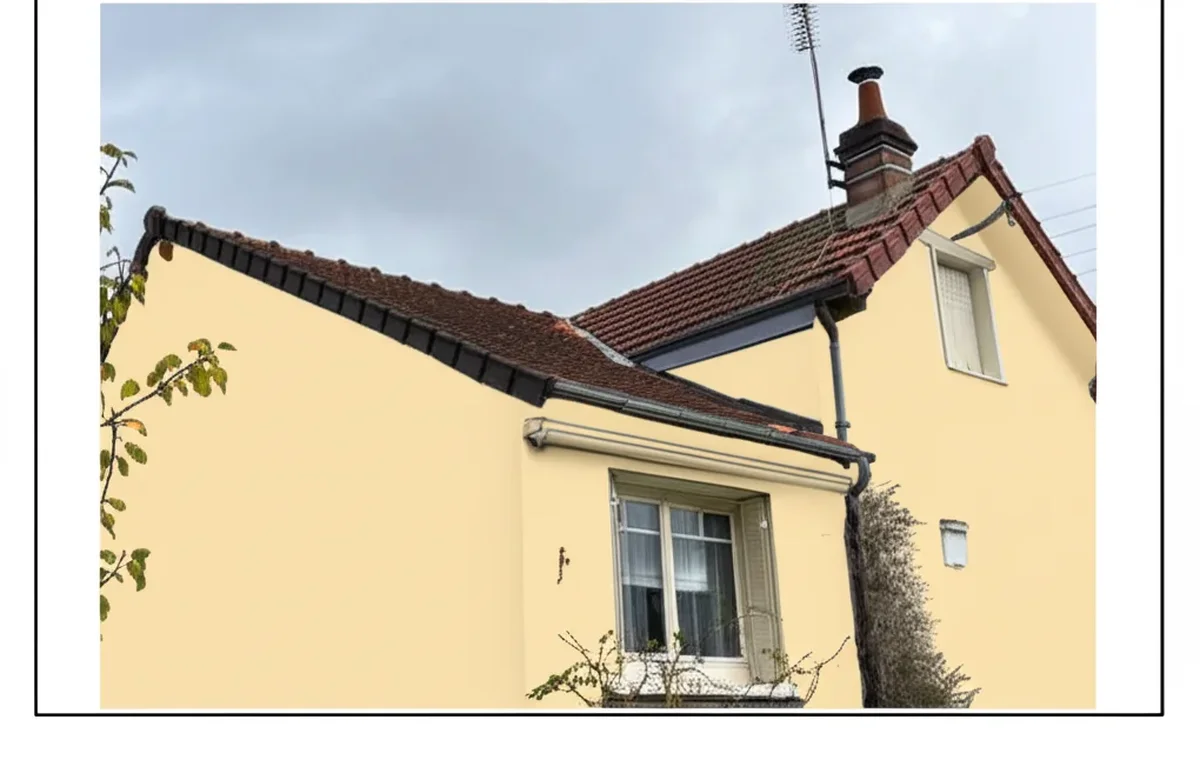
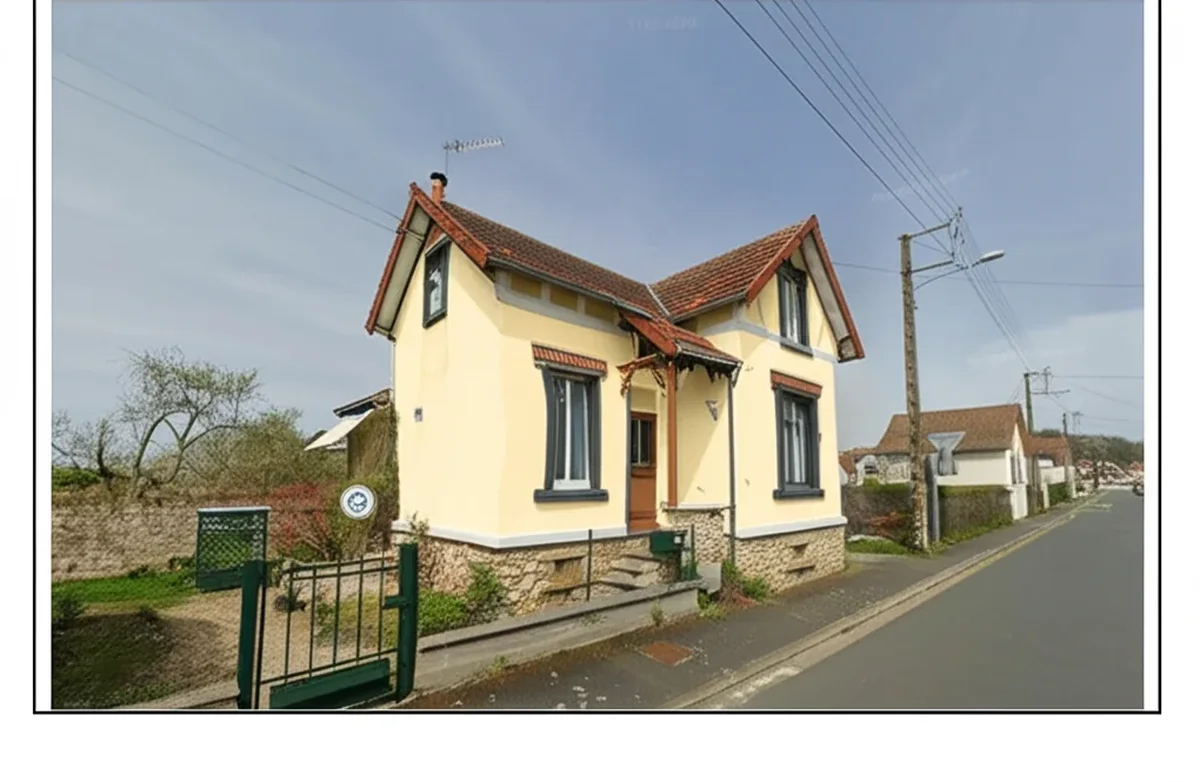
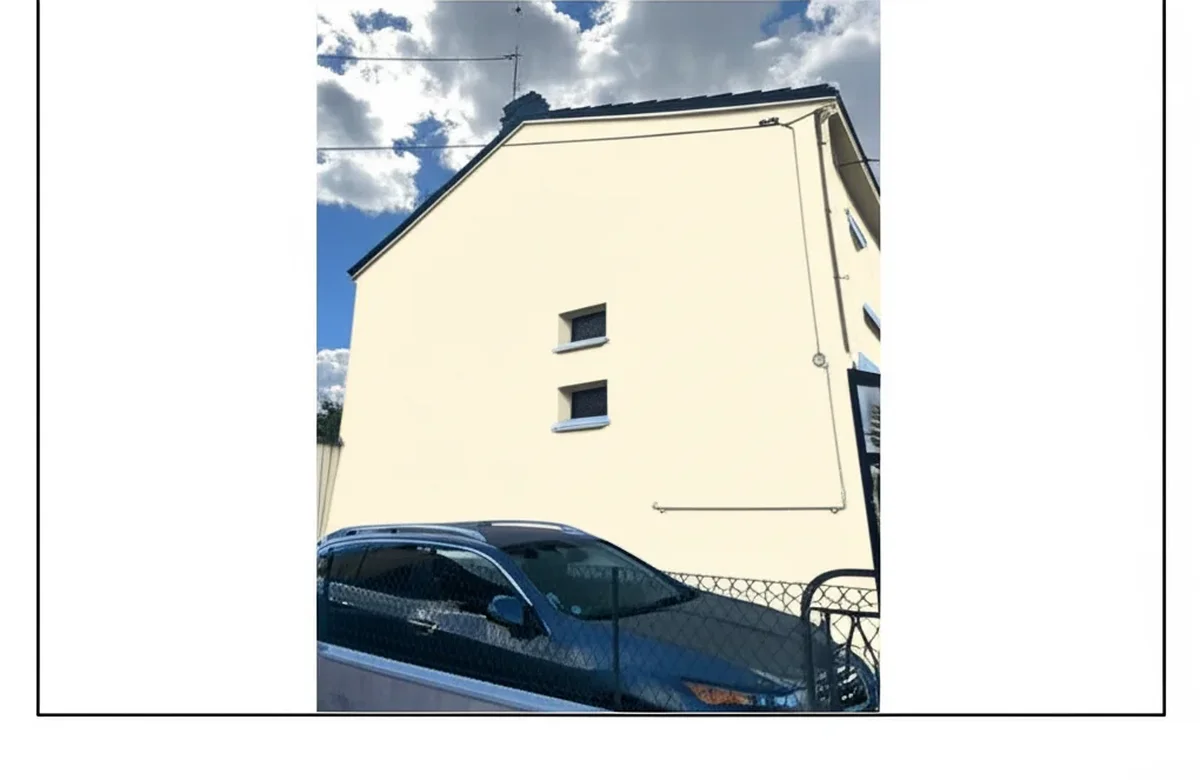
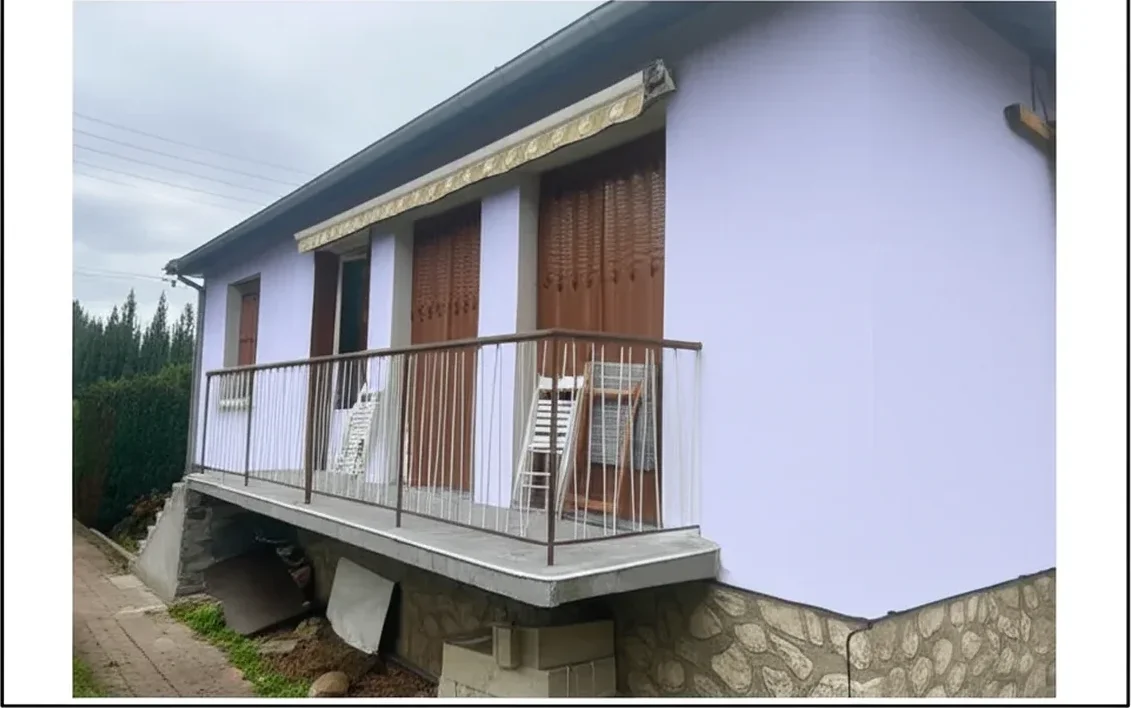
The biggest objection homeowners have is not price — it is fear of choosing the wrong color. FacadeColorizer eliminates that objection entirely. Upload a photo of the customer’s home and generate a photorealistic preview of any paint color on their actual facade in under 30 seconds. No Photoshop skills required. Contractors who embed FacadeColorizer into their sales process report higher close rates because the homeowner can see exactly what they are buying before signing.
How contractors use it: During the initial walkthrough, snap a photo on your phone, run it through FacadeColorizer on-site, and show the homeowner 3–4 color options in real time. Include the visualization in your estimate PDF as a “before and after” mockup. This transforms your proposal from a generic line-item quote into a compelling visual pitch. The tool supports Sherwin-Williams, Benjamin Moore, Behr, and custom colors. Try FacadeColorizer free →
2. Houzz Pro — AI-Powered Estimating & Client Management
Houzz Pro has evolved from a home-design platform into a full business management suite for contractors, and its 2026 AI features are a game-changer. The AutoMate AI assistant can generate fully formatted estimates with labor, materials, and totals from a brief project description. It turns your estimates into detailed schedules of phases and tasks, and even suggests response templates when new leads come in — helping you reply before the competition.
According to a Houzz report, AI tools can save construction professionals up to $170,000 annually through reduced admin time and fewer errors. For painting contractors specifically, the AI Mobile Clipper lets you capture product details, pricing, and images directly from any mobile browser and import them into your project boards instantly — no more emailing yourself paint swatches. Houzz Pro pricing starts at approximately $85/month for the essentials plan, with AI features included at all tiers.
3. CompanyCam — AI Photo Documentation & Reporting
Every experienced painting contractor knows the value of before-and-after photos, but managing thousands of project images across multiple crews is a nightmare without the right system. CompanyCam is the go-to photo documentation platform for painting businesses: snap, tag, and organize job photos in real time, with automatic GPS tagging, timestamps, and project sorting that happen without any extra effort from your team.
AI-powered features: CompanyCam’s AI automatically tags photo content (siding, trim, prep work, completed coat) so you can search your entire library visually. The platform generates shareable project timelines that you can send to clients or post on social media. For painting contractors running 5+ crews, the real-time dashboard shows every active job site with the latest photos — no more calling your foreman for updates. CompanyCam starts at $24/user/month and integrates directly with Jobber, PaintScout, and Housecall Pro.
4. Jobber — AI Scheduling, Quoting & Invoicing
Jobber is the CRM and field-service management platform that most mid-sized painting businesses run on, and its 2026 AI capabilities have expanded significantly. The platform now uses AI for cost estimation (24% of contractors use AI for this purpose, per industry surveys), bid management (22%), and automated follow-ups that reduce lead response time to under 5 minutes.
Key AI features for painters: Jobber’s AI-powered quoting pulls from your historical job data to suggest line-item pricing based on square footage, siding type, and paint grade — cutting estimate creation time from 45 minutes to under 10. The AI receptionist handles incoming calls when you are on a ladder, books appointments, and qualifies leads before they hit your inbox. Jobber pricing starts at $69/month (Core plan). The AI receptionist and advanced features are available on the Plus plan at $169/month, though the full AI receptionist add-on can run up to $600/month on premium tiers.
5. Google Business Profile — AI-Driven Local Visibility
Your Google Business Profile (GBP) is the single most important piece of digital real estate for a local painting contractor, and Google’s AI is now actively shaping what it shows potential customers. In 2026, Google’s generative AI scans your website, reviews, and competitor profiles to auto-populate your services section. If your profile has gaps, Google fills them with its best guess — which means it might tell homeowners you offer services you do not provide, or leave out your specialties.
How to leverage GBP’s AI in 2026: Google’s Ask Maps feature, powered by Gemini AI, now lets homeowners type conversational queries like “Which painter near me offers same-day estimates?” To show up in these AI-generated recommendations, you need a fully optimized profile. Post geotagged project photos at least twice a week — frequent activity is now a top-tier ranking signal. Businesses with 100+ photos get 520% more calls than those with fewer than 10. Google’s vision AI analyzes your images and associates them with specific services, so uploading quality photos of exterior paint jobs, color consultations, and finished trim work directly improves your visibility. GBP is completely free to set up and manage.
AI Tool Comparison: Pricing & Features at a Glance
| Tool | Starting Price | Core AI Feature | Best For | ROI Impact |
|---|---|---|---|---|
| FacadeColorizer | Free tier available | Real-time color visualization | Sales & closing | Higher close rates |
| Houzz Pro | ~$85/mo | AutoMate AI estimating & scheduling | Estimating & CRM | Up to $170K/yr saved |
| CompanyCam | $24/user/mo | AI photo tagging & search | Documentation | Fewer disputes & callbacks |
| Jobber | $69/mo | AI quoting, AI receptionist | Operations & scheduling | 10x faster estimates |
| Google Business Profile | Free | Gemini-powered Ask Maps, vision AI | Local SEO & lead gen | 520% more calls (100+ photos) |
How to Build Your AI Tech Stack
You do not need to adopt all five tools on day one. Start with the two that solve your most pressing bottleneck, then layer in the rest over 90 days. Here is the recommended rollout for a painting business doing $500K–$2M in annual revenue:
- Week 1 – Google Business Profile optimization: It is free and has the highest immediate impact. Upload 20+ geotagged project photos, verify your services list, and start posting weekly updates. This alone can increase inbound calls within 30 days.
- Week 2 – FacadeColorizer for sales presentations: Use the free tier to generate color visualizations during your next 10 estimates. Track whether including a visual mockup improves your close rate. Most contractors see a noticeable lift after the first month.
- Month 2 – Jobber or Houzz Pro for estimating: Choose one based on your current workflow. If you already use a CRM, Jobber’s AI quoting integrates easily. If you are starting from scratch, Houzz Pro’s all-in-one approach covers estimating, scheduling, and client communication in a single platform.
- Month 3 – CompanyCam for documentation: Once your sales pipeline is running, systematize your photo documentation. CompanyCam integrates with Jobber, so your project photos automatically attach to the correct job record — no manual uploading.
The total cost of this stack ranges from $93/month (Jobber Core + CompanyCam for one user + free tools) to approximately $350/month for a full-featured setup. Compare that to the cost of a single lost job ($3,000–$15,000 in revenue) and the math is straightforward.
Start Closing More Jobs Today
The 38% of contractors already using AI are not going back. The question is not whether to adopt these tools but how fast you can integrate them into your workflow. Start with the free options — Google Business Profile and FacadeColorizer — and measure the results. Then invest in the paid platforms that match your growth stage. Every week you wait, a competitor in your zip code is using these tools to close the jobs you are quoting. Try FacadeColorizer free and see the difference →
For more contractor resources, read our AI Paint Visualizer Contractors Guide and our Lead Generation Guide for Painting Contractors.