Free Facade Paint Simulator
Visualize Your Facade Repaint Before Starting Work - AI in 30 Seconds
Upload a photo of your facade and instantly test 100+ colors with photo-realistic rendering. Compatible with RAL, Sherwin-Williams, Benjamin Moore, Behr, PPG. The only simulator dedicated to exterior repaints.
Real Results from the Facade Paint Simulator
3 facade repaints visualized with FacadeColorizer in less than 30 seconds per user.
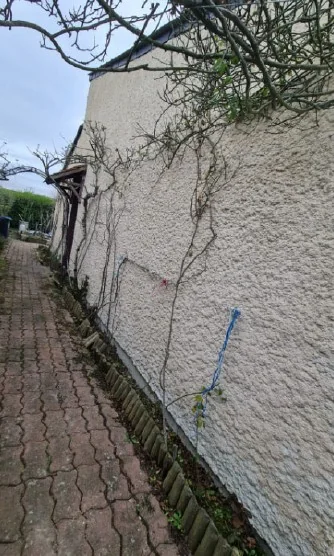
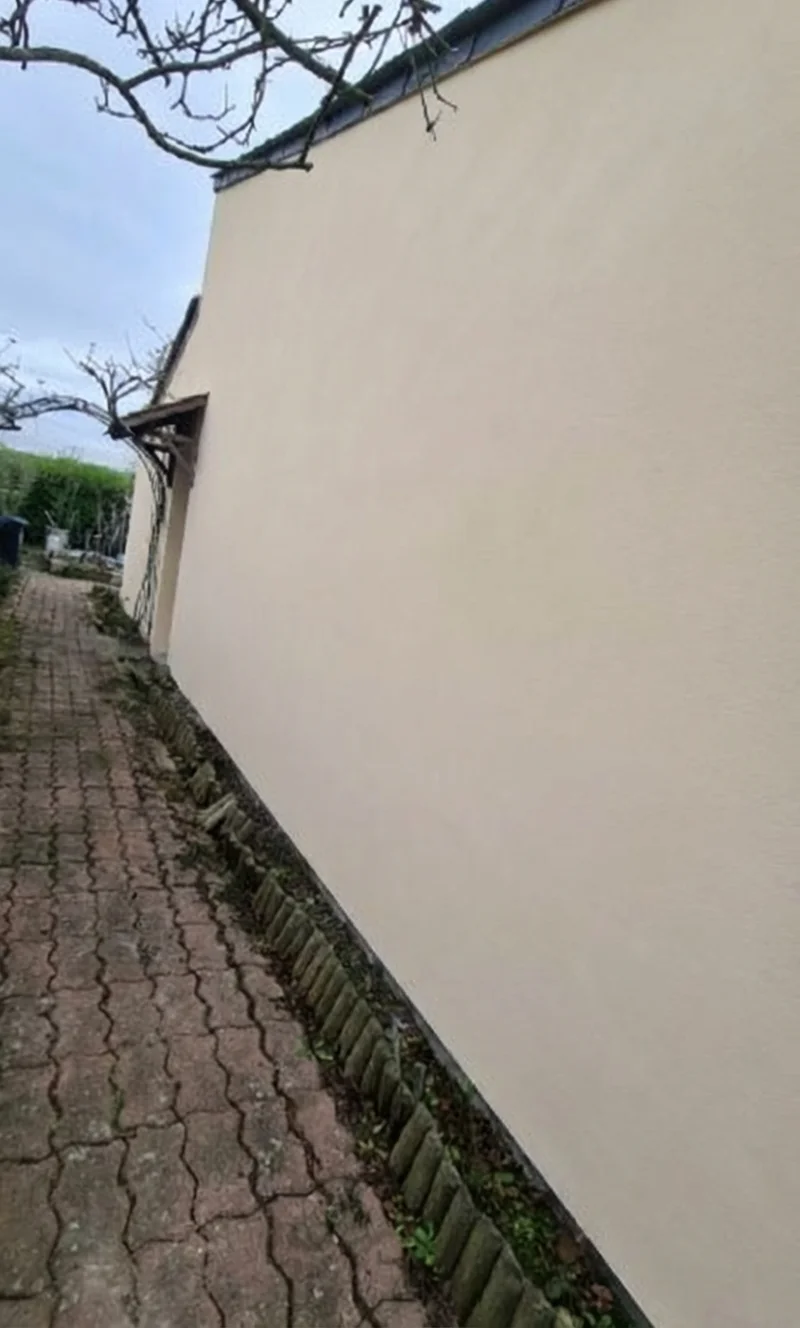
House in Warm Taupe RAL 7036
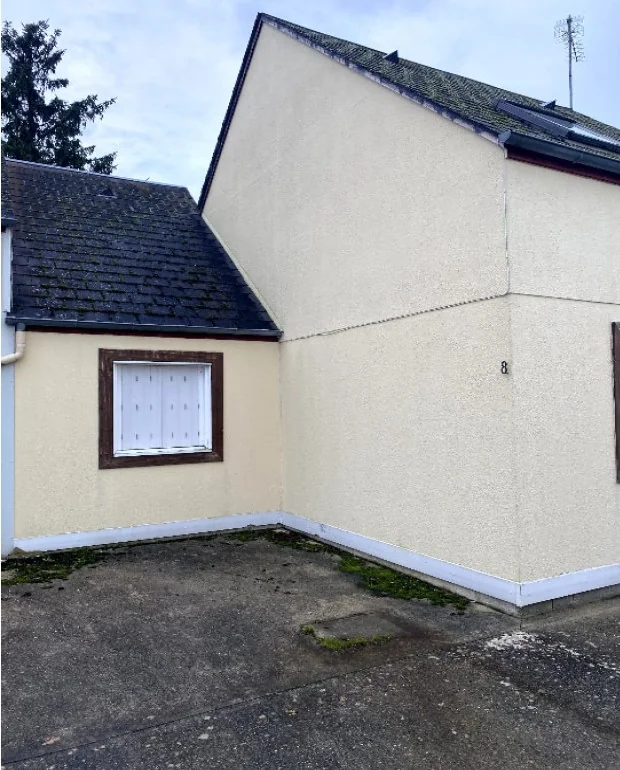
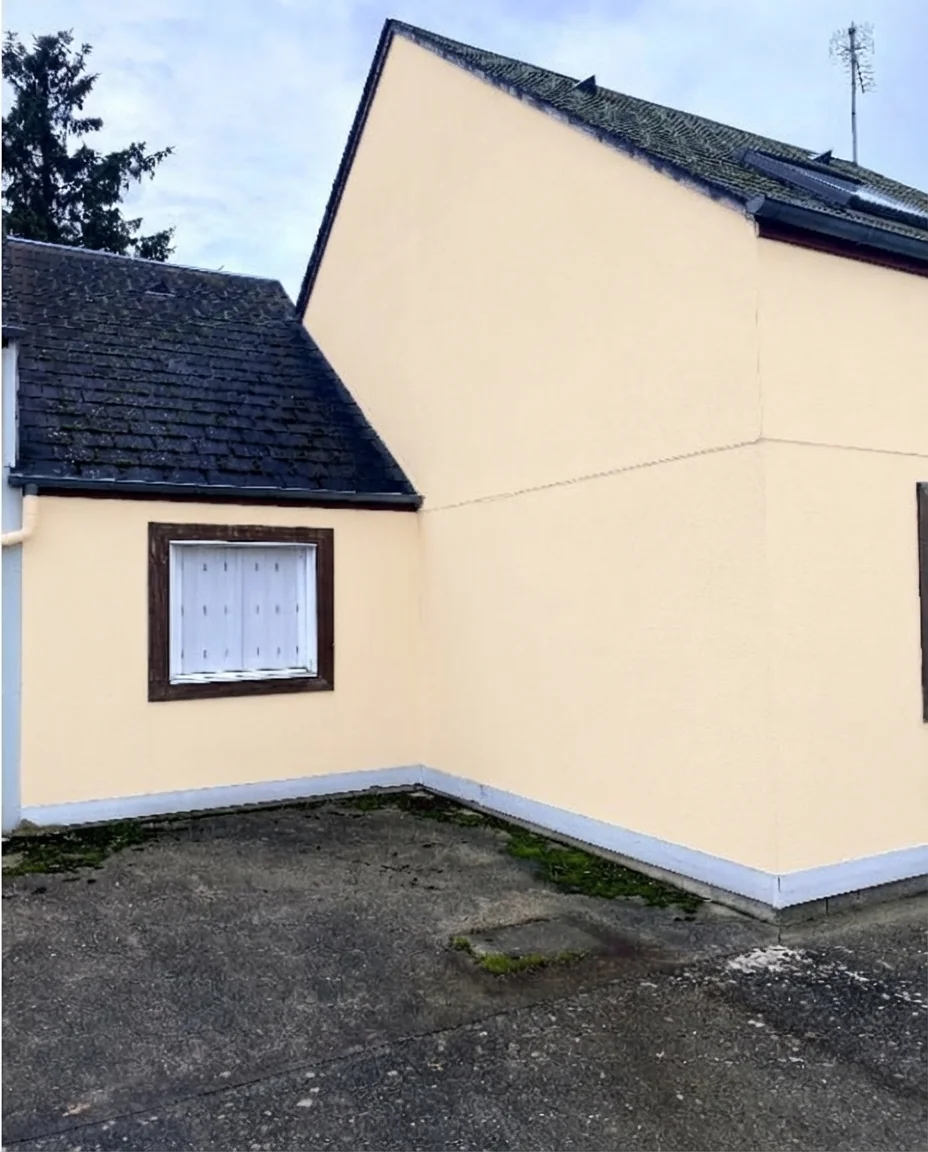
Contemporary House in Anthracite Gray
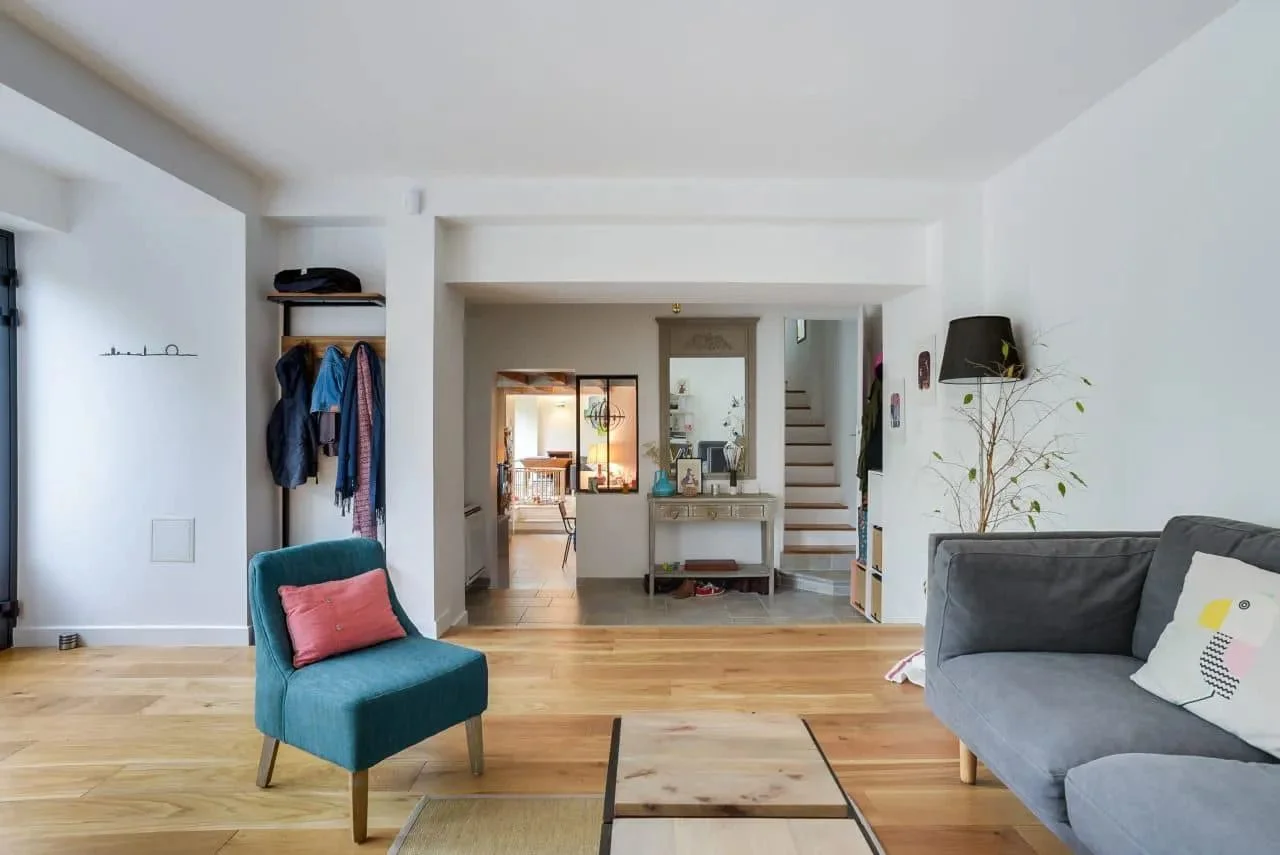
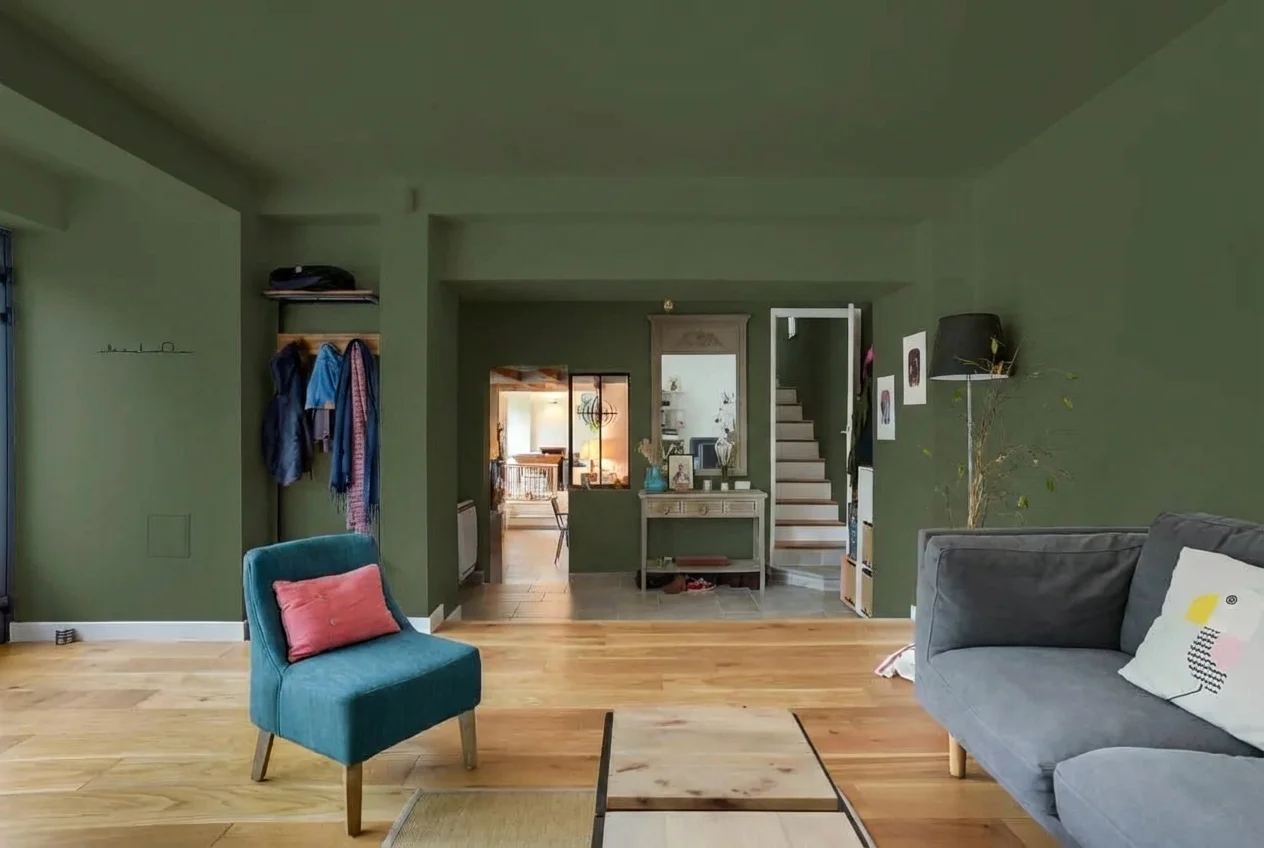
House in Sage Green - 2026 Trend
Why FacadeColorizer Outperforms Other Facade Paint Simulators
Most paint simulators are optimized for interiors. FacadeColorizer is the only tool dedicated to exterior facade repainting.
Photo-Realistic Generative AI
Our AI preserves the shadows, stucco textures, and architectural details of your real facade. Other simulators (Sherwin-Williams, Home Depot) just apply a flat color that doesn't reflect the actual result.
All Facade Paint Brands
Compatible with RAL, NCS, Sherwin-Williams, Benjamin Moore, Behr, PPG, Valspar, Dulux, Sigma. You're not locked into a single brand like with proprietary simulators.
Specialized in Facade Repainting
Optimized for textured, smooth, single-coat, and sprayed stucco. Accounts for shutters, base trim, roofs, and variable outdoor lighting. Generic tools don't handle these specifics.
Result in 30 Seconds
No waiting, no slow rendering. Our AI processes your photo in less than 30 seconds versus 2 to 8 minutes for competing tools that often require a manual refresh.
No Sign-Up or Email Required
Upload your photo, test your colors, download your result. No account creation required. Your data is neither stored nor resold.
HOA and Historic District Compliant
If your HOA or historic district mandates a color palette (landmark zone, conservation area, covenant with approved shades), test every allowed hue to prepare your permit submission.
How to Use a Facade Paint Simulator?
Photograph your facade
Take a photo in daylight, around 11 AM or 2 PM, without harsh shadows. Stand 15-30 feet from the house, straight-on. The entire facade should be visible. A smartphone photo works fine.
Upload your photo to the AI
Click "Upload my facade photo". The AI automatically detects the surfaces to paint: main walls, base trim, frames, shutters. No need to manually mark the zones.
Test your RAL colors
Select a color from our palette (RAL, Sherwin-Williams, Benjamin Moore, Behr) or enter a specific code. The AI applies the color in 30 seconds with photo-realistic rendering that preserves natural lighting.
Everything About the Facade Paint Simulator
Free online facade paint simulator with no sign-up
FacadeColorizer is a free facade paint simulator with no sign-up required. Upload your photo, test 1 HD color (+3 variations via magic wand to fine-tune), and download your results. No account, no email, no credit card required for the free trial. Paid packs start at $9.90: the Pack Couleur at $10.90 (one-time payment) gives 5 additional HD simulations without subscription for those who want to compare multiple colors.
RAL facade paint simulator: find your exact code
The RAL color chart is the professional standard for facade paints in Europe. FacadeColorizer accepts all RAL Classic and RAL Design codes. The most requested colors in 2026 are: RAL 9001 Cream White, RAL 7016 Anthracite Gray, RAL 6021 Pale Green, RAL 1015 Light Ivory, RAL 7035 Light Gray, and RAL 7032 Greige. Enter the code in the simulator and the AI applies the exact shade to your facade while respecting natural lighting and stucco texture.
Facade paint simulator before repainting: why it's essential
A facade repaint represents an investment of $3,000 to $25,000 depending on surface and technique. Choosing the wrong color can destroy your home's aesthetic and reduce its value by 5 to 15%. A facade paint simulator lets you test multiple options before the final decision, present the result to your family and contractor, and even attach the visualizations to your permit application for HOA approval.
Facade paint simulator for professional painters
Professional painters and facade contractors use FacadeColorizer to win over clients during quote appointments. Instead of presenting an abstract color chart, they snap a photo of the client's facade with their smartphone, launch the simulator, and show in 30 seconds the rendering of multiple colors on the house. This visual demonstration increases quote signing rates by 25 to 40% according to user feedback. The Artisan subscription costs $79/month (55 HD simulations, PDF quotes, client share link).
Alternative to Sherwin-Williams, Benjamin Moore, Behr and PPG simulators
Proprietary simulators from paint manufacturers (Sherwin-Williams ColorSnap, Benjamin Moore Personal Color Viewer, Behr ColorSmart, PPG Paint Visualizer) are by nature limited to their own ranges. If you want to compare a Sherwin-Williams shade with a Benjamin Moore or Behr shade, you have to use multiple tools with incompatible results. FacadeColorizer solves this by being 100% neutral: enter any color, any brand, and get a consistent result that lets you truly compare options.
Exterior house color simulator: test the outside color of your home
With the FacadeColorizer simulator, test your home's exterior color photo-realistically. The 2026 trending exterior house colors can be compared in 30 seconds on your own photo.
Frequently Asked Questions - Facade Paint Simulator
How does a facade paint simulator work?
A facade paint simulator lets you visualize a repaint color on the photo of your house before starting work. FacadeColorizer uses AI to apply the color to your facade while preserving shadows, stucco texture, and architectural details.
Is the FacadeColorizer facade paint simulator really free?
Yes. You get 1 free HD simulation of your facade, plus 3 variations of that simulation with our AI magic wand - to test different colors on the same photo. No sign-up required.
Which facade paint simulator should I choose for a repaint?
FacadeColorizer is specifically optimized for facade repainting. Unlike Sherwin-Williams or Benjamin Moore tools which focus on interiors, FacadeColorizer understands the specifics of exterior stucco, shutters, base trim, and lighting that varies by orientation.
Is the facade paint simulator compatible with RAL color charts?
Yes, FacadeColorizer accepts all standard RAL codes. You can also use Sherwin-Williams, Benjamin Moore, Behr, PPG and any other facade paint brand's color charts.
Can the simulator visualize a facade with HOA or historic district color rules?
Yes. If your HOA or historic district mandates a specific palette (landmark zone, conservation area, covenant with approved colors), you can test each allowed shade on your facade to prepare your permit application.
What photo should I use to simulate facade paint?
Take a photo in daylight, straight-on, without backlighting. The entire facade should be visible. Avoid sunrise or sunset hours. A modern smartphone photo is more than enough.
Does FacadeColorizer work on textured and smooth stucco?
Yes, the AI preserves the original texture of your stucco (textured, smooth, sprayed, single-coat) and only applies the color. The result faithfully reflects how the paint will interact with your facade's real texture.
Ready to Visualize Your Facade Repaint?
1 free HD simulation + 3 variations, no sign-up, result in 30 seconds.
Upload My Facade Photo Now