Free AI Exterior Paint VisualizerSee your house in any color before you paint
Upload one photo and the AI repaints your real siding, trim, shutters and front door in real Sherwin-Williams, Benjamin Moore or Behr colors, in about 30 seconds. No watermark.
No photo? Try a sample
Best results: a clear daylight photo showing the full exterior.
- No sign-up
- No card
- Result in ~30s
Your photo is private, used only to create your preview.
Pay only if you want more colors or more simulations. Or open the full simulator
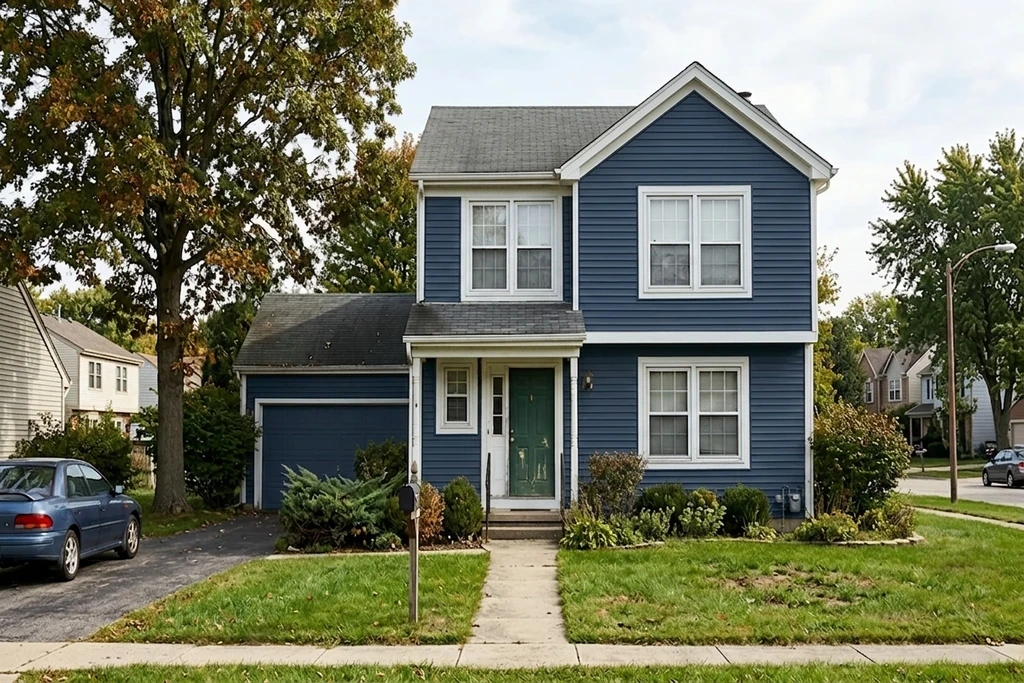
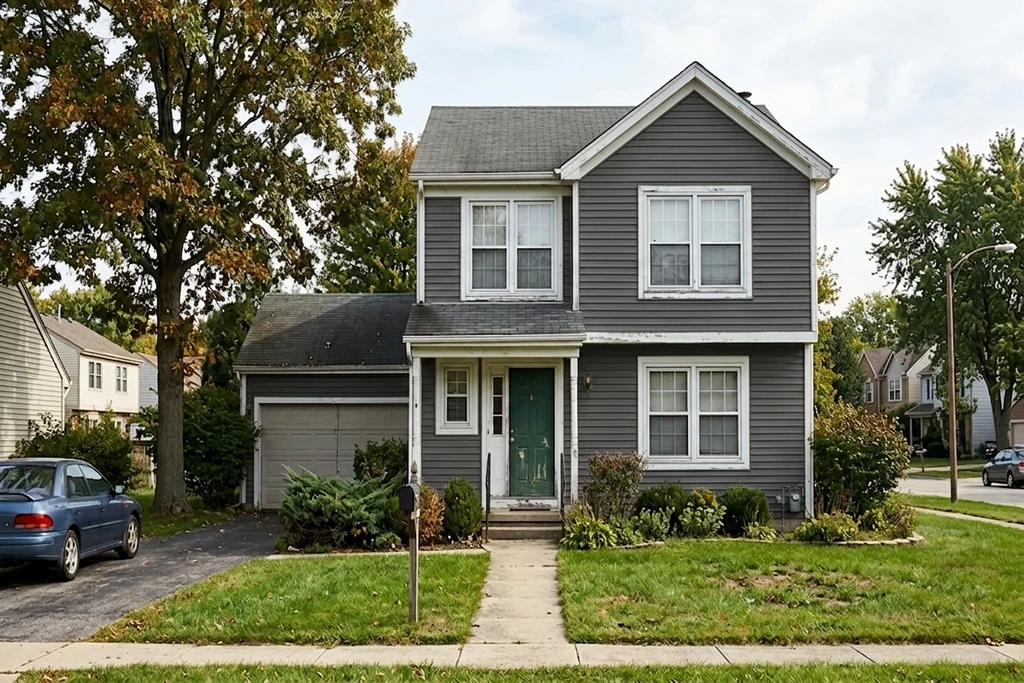
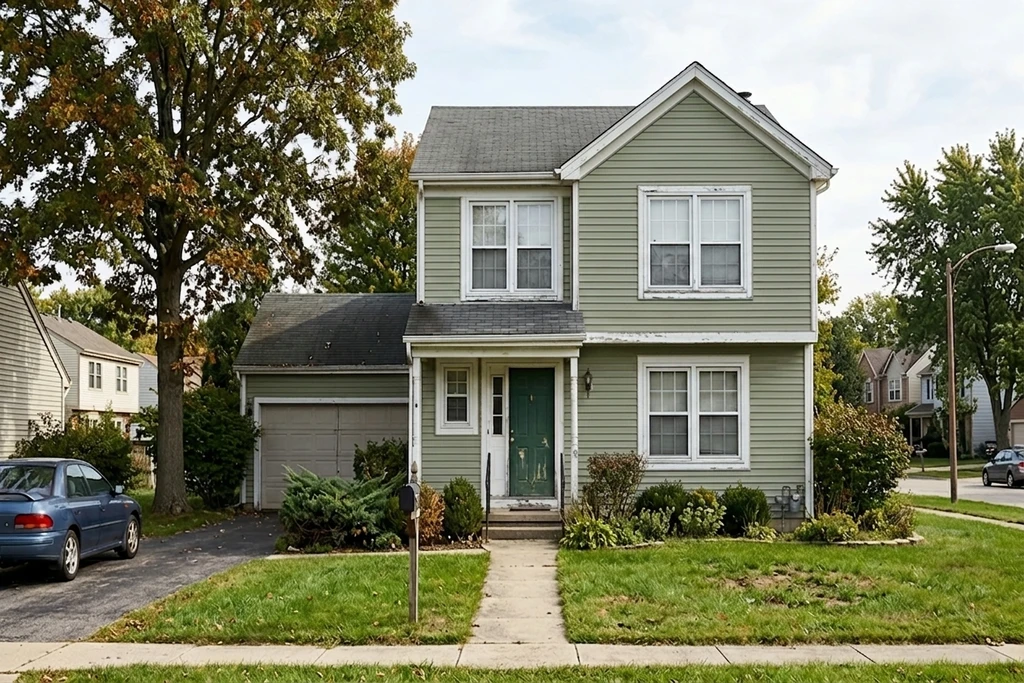
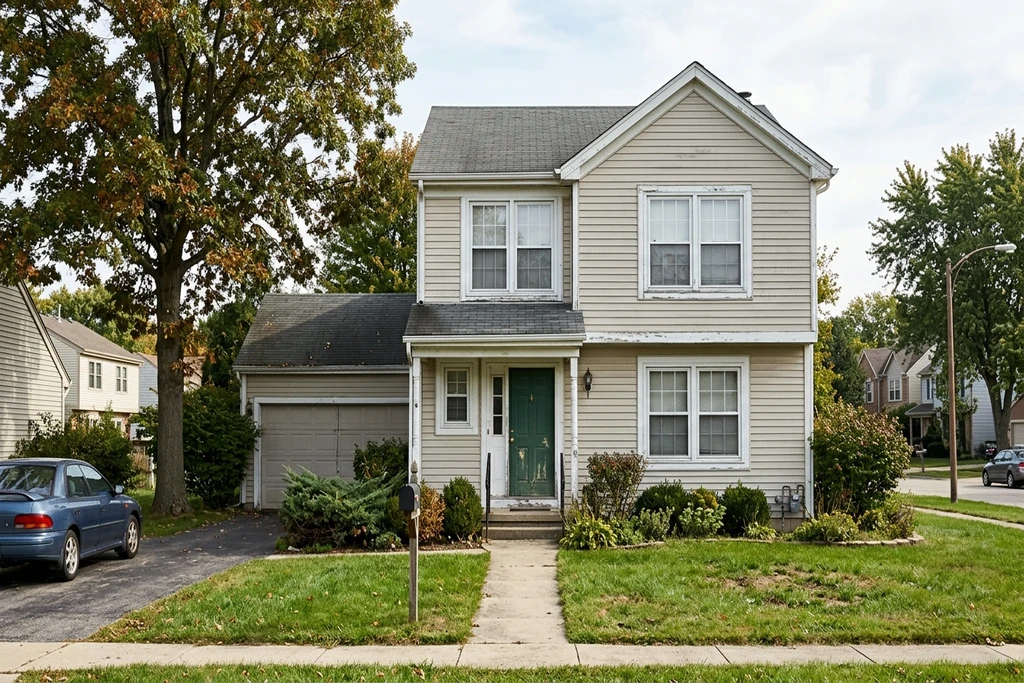
The AI edits siding, trim, shutters and doors separately, from one uploaded photo.
40,000+ color simulations generated
3,800+ paid simulations
Used by homeowners, painters and property professionals in the US, UK, France and Germany.
How the AI exterior paint visualizer works: upload a photo, pick a color, see the render
-
1
Upload your photo
One clear daylight shot of your home, straight from your phone.
-
2
Choose your colors
Siding, trim, shutters and the front door are edited separately.
-
3
See the result
Your photoreal preview comes back in about 30 seconds.
This free AI exterior paint visualizer repaints the siding, trim, shutters and front door of your own house photo, with no watermark on the result. Repainting an exterior is a one-shot bet of thousands of dollars on a color you only truly see once it is on the wall. A fan-deck chip the size of a stamp cannot show how a shade reads across a whole elevation in direct sun. This visualizer puts the color on your actual siding, brick, trim and front door, at full scale, so you judge it the way your street will.
See whether a charcoal reads black in the shade, drop the trim two tones lighter, or check a warm white against your existing roof, in real Sherwin-Williams, Benjamin Moore or Behr shades, all on your own photo.
3 reasons to try before you paint
Avoid a costly repaint over a color that looks wrong on your actual house.
Win the HOA or spouse vote with a real preview, not a tiny paint chip.
Skip the $5 sample pots and the test patches on your siding.
Quick answer: An exterior paint visualizer lets you edit each part of your house facade separately, siding, trim, shutters, front door, fascia and soffit, on one real photo. FacadeColorizer splits these into independent zones, so you can test a different color on each in under 30 seconds with no signup.
Real Exterior Transformations, AI Preview in ~30 Seconds
Drag the handle to wipe between the original photo and the AI repaint.
Now do it on your own house
Best results: a clear daylight photo showing the full exterior.
1 free HD render. No sign-up. No card.
What our customers found before they bought
“The bottom photo was my old submission to the HOA architectural review board that got turned down, and the top one was the new submission. The difference is small, but for some boards that tiny shift in tone is what makes the call: they reject pure white and accept cream.”
“The time it saves me means I can knock 10 dollars off every quote, both for regulars and new customers.”
“Cream white looks great and the base of the wall is picked up perfectly.”
Names changed with written consent. FTC 16 CFR Part 465-compliant.
What is a free exterior paint visualizer?
A free exterior paint visualizer is an online AI tool that lets US homeowners upload a photo of their house and preview any paint color on the actual siding, brick or stucco in about 30 seconds. FacadeColorizer is brand-agnostic, requires no signup, and works across Sherwin-Williams, Benjamin Moore and Behr palettes.
| What you get | Free (no signup) | Paid plans |
|---|---|---|
| HD photoreal render | 1 included | 55 to 400 / month |
| Free AI color variations | 3 included | Unlimited preview |
| SW / BM / Behr palettes | Yes | Yes |
| Account required | No | Optional |
| Result time | ~30 sec | ~30 sec |
1 free HD render. No sign-up. No card.
Test against Sherwin-Williams + Behr + Benjamin Moore palettes
FacadeColorizer ships with 555 popular US exterior shades pre-mapped from the three biggest national brands, so you compare real catalog colors on the same photo.
Sherwin-Williams
174Exterior shades pre-loaded, including Alabaster (SW 7008), Agreeable Gray (SW 7029), Naval (SW 6244), Tricorn Black and the 2026 Color of the Year, Universal Khaki (SW 6150). Test any SW code on your photo without launching the ColorSnap app.
Benjamin Moore
251From Chantilly Lace (OC-65) to Hale Navy (HC-154), Revere Pewter (HC-172) and Silhouette (AF-655), the 2026 Color of the Year. Preview the most-recommended BM exterior colors side by side on your actual home, no desktop install required.
Behr (Home Depot)
130Behr Premium Plus and Marquee exterior favorites - Polar Bear, Cracked Pepper, Swiss Coffee - all pre-mapped. Skip the low-rated ColorSmart desktop tool and preview Behr on your house in 30 seconds.
Color names and codes are trademarks of their respective owners. FacadeColorizer is an independent AI visualization tool and is not affiliated with Sherwin-Williams, Benjamin Moore or Behr / The Home Depot.
1 free HD render. No sign-up. No card.
What people actually preview before they paint: 2026 data
FacadeColorizer publishes its own numbers. In the 2026 edition of our color study, 16,983 exterior renders generated by 1,961 homeowners and pros were grouped by the color each user kept coming back to. Two things stand out: white is tested far more than it is chosen, and the runner-up families are closer than most color guides suggest.
Tested vs. chosen
About 4 renders in 5 are a white or off-white, but only 50.2 % of users end up with white as their dominant choice. The other half settle on a color once they have seen it on their own walls, which is the whole point of previewing before buying.
The families behind white
Grays (mid gray 9.9 %, light stone gray 7.4 %), beige and sand (9.7 %), green and sage (5.7 %), blue and blue-gray (4.8 %), then charcoal and black (3.8 %). The single most previewed shade is an oyster white (RAL 1013), ahead of pure and cream whites.
Method, dataset and the full ranking are in the Facade Color Barometer 2026, published as open data. If you are torn between a safe white and a color, preview both on your photo: that is the comparison half of our users make before deciding.
Works on common US house styles
The render keeps siding texture, trim and shadow detail on every style below.
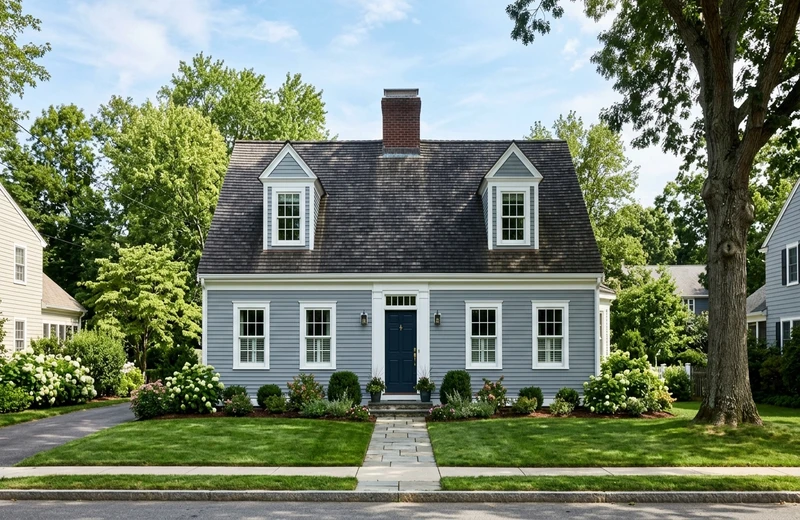
Cape Cod
Symmetric facade, dormers, clapboard siding - typical New England.
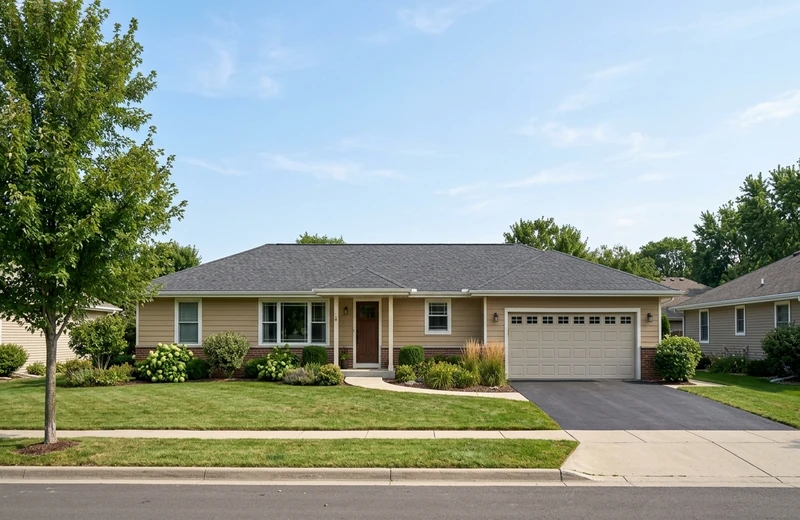
Ranch
Single-story long horizontal layout, attached garage, low pitched roof.
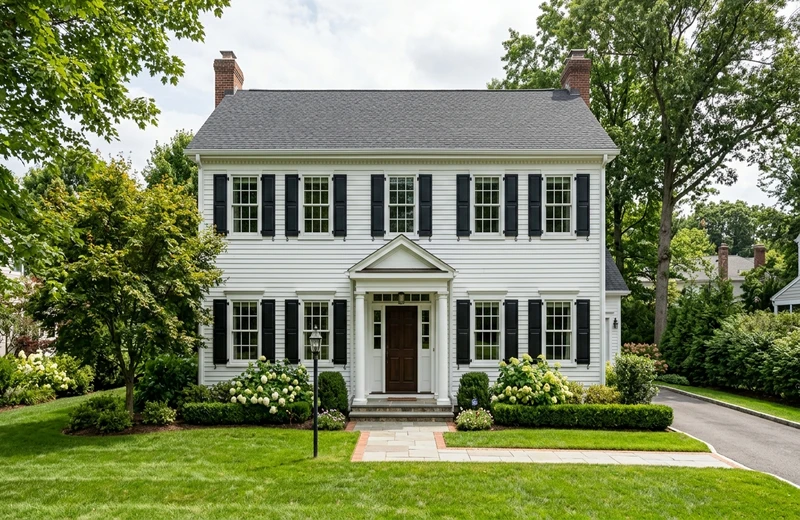
Colonial
Two-story rectangular form, symmetric windows, classic shutters.
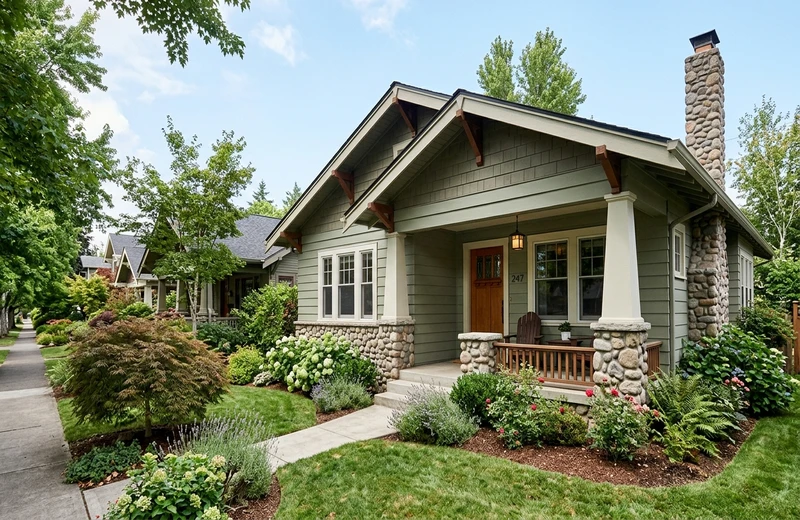
Craftsman
Tapered columns, wide eaves, mixed siding and stone bases.
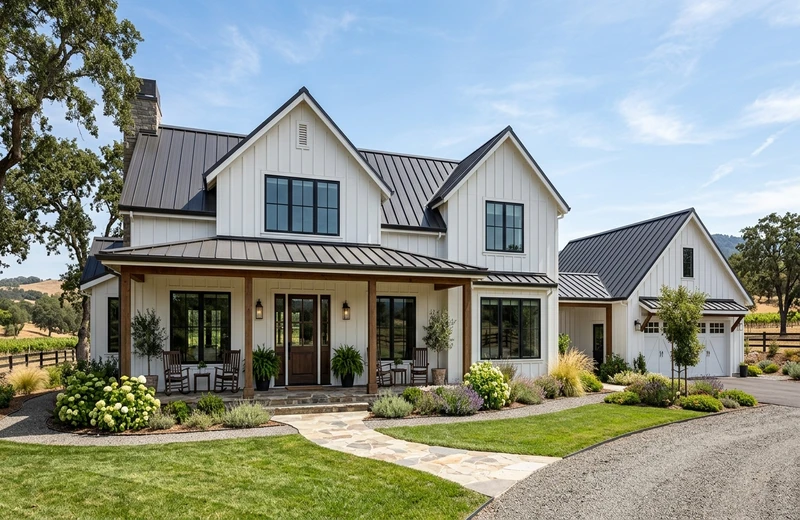
Modern Farmhouse
Board-and-batten siding, black windows, standing-seam metal roof.
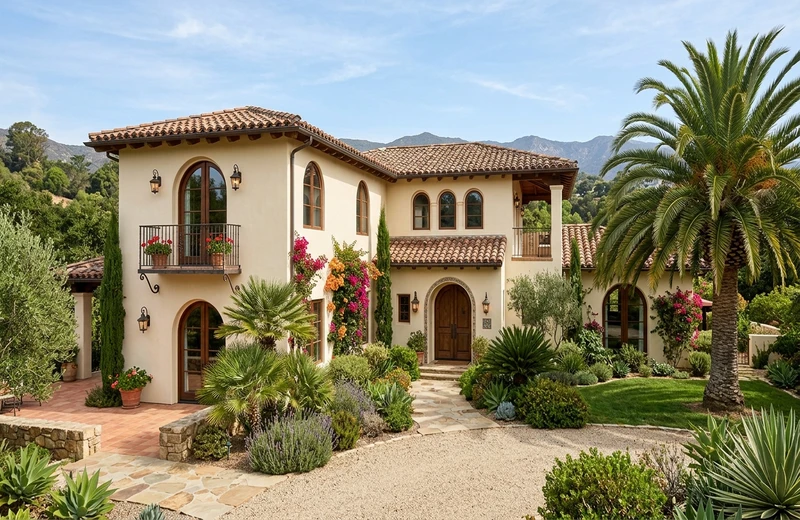
Mediterranean
Stucco walls, clay barrel-tile roof, arched windows - SoCal / FL favorite.
1 free HD render. No sign-up. No card.
FacadeColorizer vs ColorSnap, ColorSmart, Personal Color Viewer and Renoworks
What each tool actually does with your photo, on checks you can verify on their own pages.
| Tool | Your own photo | Zones in one pass | Brands | Free tier | Install or account | Result |
|---|---|---|---|---|---|---|
| FacadeColorizer | Yes | Siding, trim, shutters and door, each its own color | Sherwin-Williams, Benjamin Moore, Behr (555 shades) | 1 HD render + 3 variations, no card, no watermark | None, runs in the browser | About 30 seconds |
| Sherwin-Williams ColorSnap | Yes | Manual, one surface at a time | Sherwin-Williams only | Free, unlimited | iOS / Android app | Manual |
| Behr ColorSmart | Yes | Manual, one surface at a time | Behr only | Free, unlimited | Web and app | Manual |
| Benjamin Moore Personal Color Viewer | Yes | Manual, one surface at a time | Benjamin Moore only | Free, unlimited | Web, desktop | Manual |
| Renoworks | Yes | Manual masking | Multi-brand siding catalogs (B2B) | Pro / B2B trial | Web, B2B account | Manual |
Checked on each tool's public page in September 2026. Brand names belong to their owners; FacadeColorizer is an independent tool and is not affiliated with the brands listed above.
1 free HD render. No sign-up. No card.
Why AI Beats Traditional Paint Visualizers
Traditional tools use flat color overlays. FacadeColorizer AI understands your house.
Lighting-Aware
Our AI understands how sunlight hits your house, so the color preview matches real-world conditions - morning, afternoon, or cloudy days.
Texture Preservation
Brick, stucco, vinyl siding, wood - the AI preserves the natural texture of your surfaces while applying the new color on top.
Shadow Accuracy
No more flat, unrealistic previews. FacadeColorizer maintains natural shadows and depth for a truly photorealistic visualization.
Your Actual House
Unlike tools that show generic house models, FacadeColorizer works on your own photo - your actual home, your actual architecture.
Three Brands, One Photo
Not locked into one brand's app. Compare Sherwin-Williams, Benjamin Moore and Behr shades side by side on the same photo of your house.
Instant Results
Get your photorealistic preview in 30 seconds - no manual masking, no design skills needed. Works on any device.
Virtually paint your house exterior free
Want to virtually paint your house exterior for free before you commit to a color? Upload one front-facing photo of your home and FacadeColorizer repaints the actual siding, trim, shutters and front door for you, no software to install and no test patches on the wall. Your first HD render plus 3 color variations are free, with no sign-up and no card.
A free exterior house paint AI
This is an exterior house paint AI that works on your own photo, not a generic stock house. It reads the lighting, shadows and texture of your real facade, then applies the new color on top so the preview looks like your home and not a flat swatch.
Paint my house online free
Want to paint your house online for free? Test a Sherwin-Williams, Benjamin Moore or Behr shade on your own photo in about 30 seconds, compare options side by side, then share the result with your painter, spouse or HOA before buying a single can.
1 free HD render. No sign-up. No card.
Home exterior visualizer: what the AI changes and what it keeps
Call it an outdoor paint visualizer, an exterior color visualizer or a home exterior color visualizer: the job is the same. Upload one photo and see exterior paint colors on your house before you buy. Instead of guessing a shade from a two-inch chip, you get to see your house in different colors side by side, on your own siding, brick or stucco, in about 30 seconds.
What it changes
The body color of the siding, brick or stucco, plus trim, shutters and the front door, each in any brand shade or HEX you choose. One photo, several color schemes, side by side.
What it keeps
Your roof, windows, landscaping, camera angle and the shadows of the day you shot the photo. Nothing is rebuilt from a stock house, so the preview is your home in the new color, not a model that resembles it.
Prefer to do it entirely from your phone with nothing to install? Try the app to change your house color, the mobile-first way to repaint your home from a photo.
Is the building a barndominium or a steel shop rather than siding, brick or stucco? Ribbed metal needs its panel lines and rib shadows kept intact, and the color usually comes off a manufacturer panel card instead of a paint fan deck, so the barndominium color visualizer takes a HEX code and renders it on your actual building.
Weighing the downloadable options first? Our comparison of the best app to change house color from a photo goes through the brand-locked apps one by one, including what each still does well inside its own paint line and where a browser tool that accepts any brand code fits better.
1 free HD render. No sign-up. No card.
Exterior paint color visualizer or material visualizer: which one do you need?
Homeowners get here searching for a house paint visualizer, an exterior paint color visualizer or a home exterior visualizer, and they land on two families of tools that answer very different questions. One changes the color of the wall you already have. The other changes the wall. Knowing which one you need saves a lot of wasted evenings.
A paint color visualizer changes the pigment
That is what this tool does. Vinyl stays vinyl, brick stays brick, lap siding keeps its board lines and the shadow under every course. Only the color on top changes. Because the AI reads the daylight in your photo before it repaints, a mid-tone gray still reads pale on the sunlit gable and almost charcoal under the porch roof, the way a real coat behaves.
A material visualizer changes the surface
Trading lap siding for board and batten, cedar shake or stone veneer is a re-siding decision, not a paint decision. It moves the shadow lines, changes the depth of every joint and costs many times a repaint. A color preview cannot answer that honestly, so this tool does not pretend to: it keeps the material you already own and shows what a new shade does to it.
Practical rule: if you are down to two or three shades on a fan deck, or wondering whether the trim should stay white, an exterior paint color visualizer settles it in about 30 seconds. If re-siding is still on the table, choose the material first, then come back and pick the color once the surface is fixed. If board and batten is the direction you are weighing, our board and batten paint guide works through the Hardie versus LP SmartSide question and the colors that suit a vertical line, which is the order that saves money.
What happens to your photo
- Zones are separated first. Siding, trim, shutters, front door, fascia and soffit each become their own editable area, so the body can go deep green while the trim stays warm white.
- Texture is kept, not flattened. Stucco stays grainy, clapboard keeps the dark line under each board, mortar joints stay visible through the new color.
- Everything else is left alone. Roof, windows, driveway, lawn and sky stay untouched. Color bleeding onto the shrubs is exactly what makes overlay tools look fake.
- Nothing is redrawn from a template. You get your house, your camera angle, your daylight, which is the entire point of working from a photo rather than a stock model.
1 free HD render. No sign-up. No card.
Exterior house color visualizer: what to check before you trust a render
An exterior house color visualizer is only useful if the picture it gives you is the picture you will get on the street. Three things separate a render you can act on from a pretty mock-up. First, the tool must work on your own photo, not a sample house: roof pitch, window spacing and the neighbor's fence all change how a color reads. Second, siding, trim, doors and roof must stay separate, so a body color never bleeds onto the fascia. Third, the color you preview must be a real code you can buy, a Sherwin-Williams, Benjamin Moore or Behr reference, or the RAL, NCS or HEX value of any other brand.
For a whole-house decision, upload a front elevation taken in daylight, run two or three candidates on the same photo and compare them side by side rather than one at a time: the difference between a warm and a cool white only shows when both sit on the same wall. If you want to see how the tools on the market compare on these criteria before you upload, read our comparison of eight exterior paint visualizers; for a phone-first workflow, the paint-my-house browser app runs the same engine without an install.
Frequently Asked Questions
Is my photo private?
Yes. Your photo is used only to create your preview and is never sold. You keep full ownership of your image. For full details, read our privacy policy.
Is it really free?
Yes. You get 1 HD render plus variations with no account, no card, no trial timer and no auto-charge. Paid plans are optional only if you want more renders later.
What is an exterior paint visualizer?
An exterior paint visualizer is a tool that lets you preview how different paint colors will look on your house before you buy. FacadeColorizer uses AI to apply colors realistically on your own photo, preserving shadows, textures and architectural details for a photorealistic result.
How can I see what my house would look like in a different color?
Take one daylight photo of the front of your house, upload it to the exterior paint visualizer, and pick a color for the siding, trim, shutters and front door. The AI repaints your actual photo in about 30 seconds, so you see your own house in the new color instead of a stock image. The first HD render and 3 variations are free, with no account and no card.
Can I visualize any paint brand?
You can test the Sherwin-Williams, Benjamin Moore and Behr palettes, 555 exterior shades, side by side on the same photo. Other brands are not loaded yet: pick the closest shade from those three palettes and confirm with a physical sample before you buy.
How accurate is the AI color preview?
FacadeColorizer AI analyzes your photo to understand lighting conditions, surface textures, and shadows. The result is a photorealistic preview that shows how the paint will actually look on your specific house, far more accurate than flat color swatches or basic overlay tools.
Does it work on brick, stucco and vinyl siding?
Yes. The render keeps the grain, joints and shadow lines of brick, stucco, vinyl siding, fiber cement and wood clapboard when the new color is applied, so the preview shows the paint on your actual surface rather than a flat overlay.
Can painting contractors use FacadeColorizer for client estimates?
Yes. Contractors use it during an in-home estimate to show the client two or three options on their own house, then download the renders or share them as a link so the color decision does not stall the quote. Paid plans exist for crews that need several HD renders per job.
Can I paint my house online for free?
Yes. You can paint your house online for free with FacadeColorizer: upload one photo of your home, pick any exterior color, and the AI repaints your siding, trim, shutters and front door in about 30 seconds. The first HD render plus 3 color variations are free, with no account and no card.
Is this an exterior paint color visualizer or a house paint visualizer?
Both names describe the same tool. FacadeColorizer is an exterior paint color visualizer: you upload one photo of your home and it repaints the siding, trim, shutters and front door in the shade you pick. People also call it a house paint visualizer, an exterior color visualizer or a home exterior visualizer. Whatever the label, the input is your own photo and the output is a photorealistic preview in about 30 seconds.
Can a paint color visualizer show a different siding material?
No, and that limit is deliberate. A paint color visualizer changes the color of the surface you already have: vinyl stays vinyl, brick stays brick, stucco keeps its grain. Switching to board and batten, cedar shake or stone veneer is a re-siding project with different shadow lines and a very different budget. Settle the material first, then use the visualizer to choose the shade that goes on it.
Does the house paint visualizer work on my own photo or on a stock house?
Your own photo. Upload one daylight shot of your home from the street and the AI works on that exact image, leaving the roof, windows, landscaping and camera angle untouched. Nothing is rebuilt from a template, so what you see is your house in the new color rather than a generic model that happens to resemble it.
Ready to See Your House in a New Color?
See your home in a new exterior color in about 30 seconds, on your own photo. Completely free, no account needed.
Best results: a clear daylight photo showing the full exterior.
1 free HD render. No sign-up. No card.
Your photo is private, used only to create your preview, never sold. You keep full ownership.
Prefer to start from a specific brand?
Test 1 color on your real home
Upload a photo. The AI renders your facade or room in 30 seconds. 1 free HD render. No sign-up.
Get started free →