The app to change your house color, right from a photo
Curious what your house would look like in a different color? Upload one photo and this virtual house painter repaints your actual exterior, in Sherwin-Williams, Benjamin Moore, Behr or any custom shade, in about 30 seconds. It runs in your phone browser, so there is nothing to download.
No photo? Try a sample
Best results: a clear daylight photo showing the full exterior.
- No sign-up
- No card
- Result in ~30s
Your photo is private, used only to create your preview.
Pay only if you want more colors or more simulations. Or open the full simulator
✓ No download ✓ No sign-up ✓ Result in ~30s
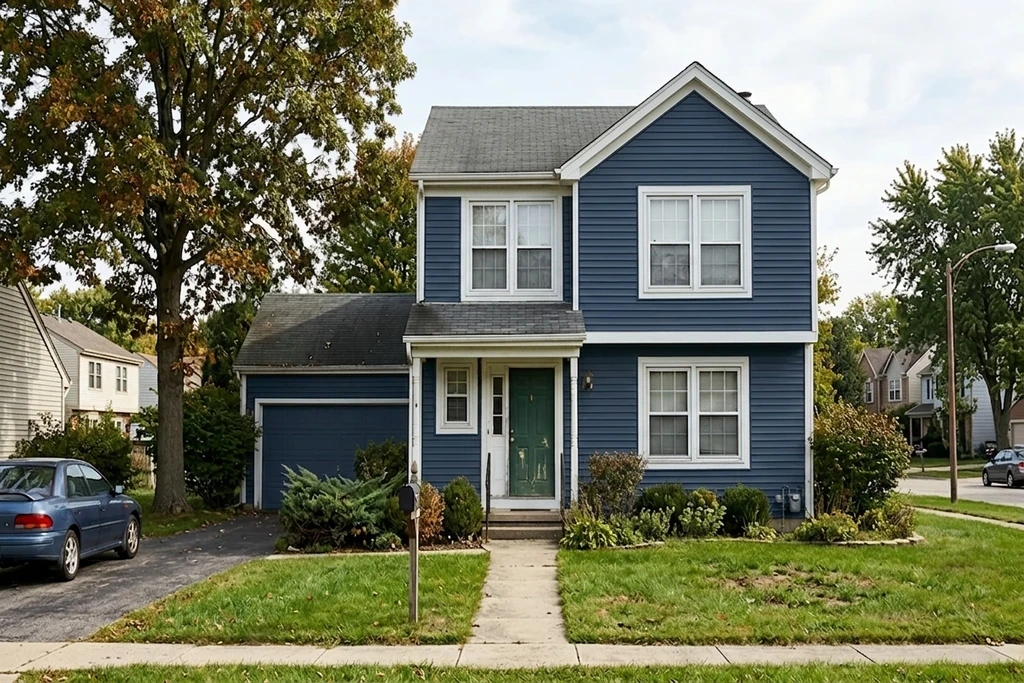
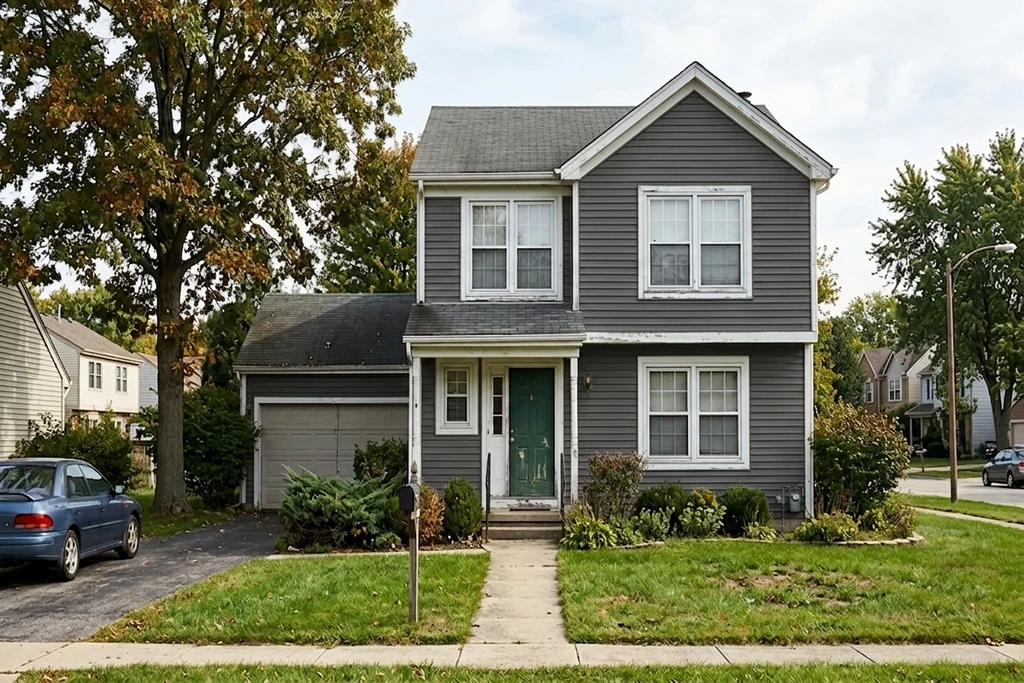
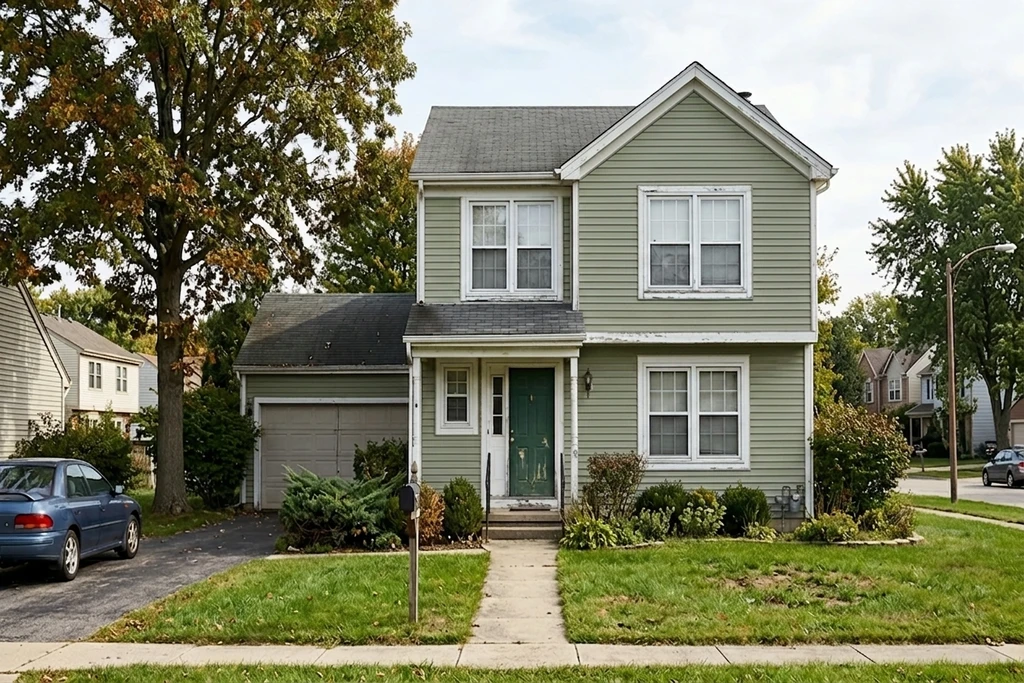
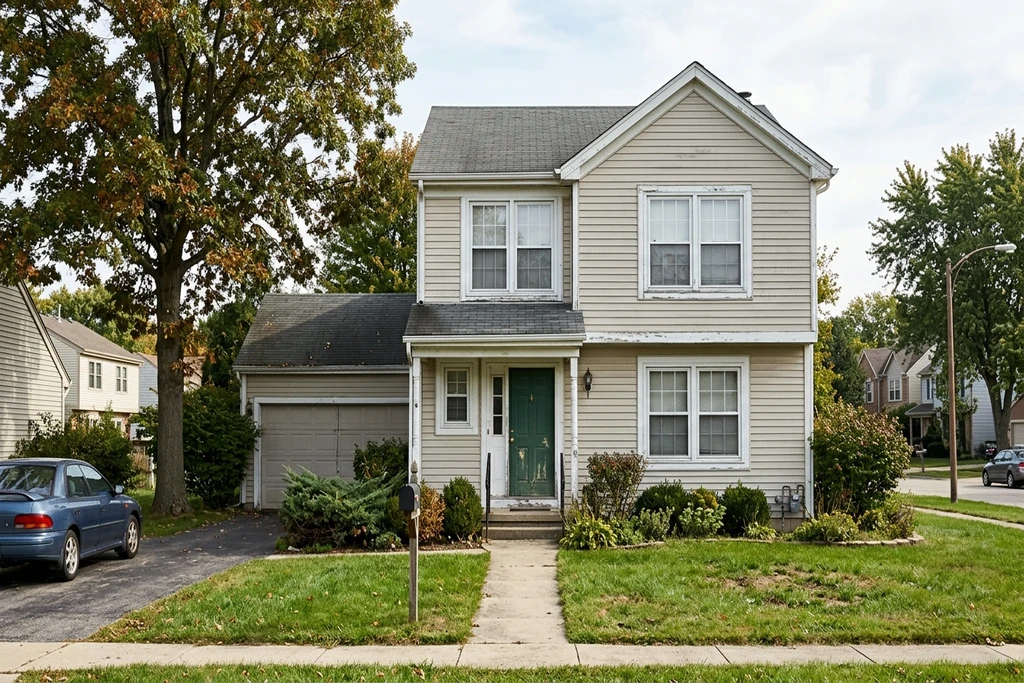
Generated from one uploaded photo. Siding, trim, shutters and doors are edited separately.
Why change your house color on a photo first
Repainting is a one-shot bet of thousands of dollars. See the color on your real house before you commit.
Win the HOA or family vote with a real preview of your home, not a paint chip taped to the siding.
Nothing to download and nothing to install. It opens in the browser you already have.
Quick answer: The best app to change the color of your house works on your own photo and gives a photorealistic result. FacadeColorizer is a free virtual house painter that runs in your phone browser: upload one photo, pick any color, and the AI repaints your actual house in about 30 seconds, no download and no sign-up.
See What Your House Would Look Like Painted
Same house, one photo. Drag the handle to wipe between the original and the AI repaint.
1 free HD render. No download. No card.
What our customers found before they bought
“The bottom photo was my old submission to the HOA architectural review board that got turned down, and the top one was the new submission. The difference is small, but for some boards that tiny shift in tone is what makes the call: they reject pure white and accept cream.”
“The time it saves me means I can knock 10 dollars off every quote, both for regulars and new customers.”
“Cream white looks great and the base of the wall is picked up perfectly.”
Names changed with written consent. FTC 16 CFR Part 465-compliant.
What is the best app to change the color of your house?
An app to change the color of your house is only useful if it works on your actual home. Many tools drop a flat color over a stock illustration, which tells you nothing about your own siding, roof and trim. FacadeColorizer takes a different route: it reads the light and texture in your photo and repaints your real house, so the preview looks like an after photo, not a swatch.
| What you get | Free (no download) | Paid plans |
|---|---|---|
| HD photoreal render of your house | 1 included | 55 to 400 / month |
| Free AI color variations | 3 included | Unlimited preview |
| App store download | Not needed | Not needed |
| Account required | No | Optional |
| Result time | ~30 sec | ~30 sec |
1 free HD render. No download. No card.
A virtual house painter in your pocket
Think of it as a virtual house painter you can hand a photo to. Stand at the curb, take a picture of the front of your home, and change the exterior color as many times as you like before a real brush ever touches the siding. It is the fastest way to move from "I think I want a darker gray" to actually seeing that gray on your house.
A house painting app with no install
Most people expect to hunt for a house painting app, download it, make an account and sit through ads. This one skips all of that. Open the page, upload your photo, and you are painting. It works the same on an iPhone, an Android phone or a laptop.
An app to paint the exterior of your house, any color
You are not locked to one paint brand. Paste a Sherwin-Williams, Benjamin Moore or Behr code, or any HEX value, and the app to paint the exterior of your house applies it to the real surfaces. Test a bold navy, a soft sage and a classic white on the same photo and compare them in seconds. That HEX field is also what makes metal buildings workable: barndominium panels are ordered from a manufacturer color card rather than a paint fan deck, and the barndominium color visualizer is the version tuned for ribbed steel.
1 free HD render. No download. No card.
Change your house color in 3 steps
No design skills, no software, no waiting. Do it on your phone at the curb.
Snap a Photo
Take a front-facing daylight photo of your house with your phone, or pick one from your library. Nothing to download first.
Pick a Color
Choose any exterior shade or paste a HEX or brand code. Works with Sherwin-Williams, Benjamin Moore, Behr and any custom color.
See It Painted
The AI repaints your real house in about 30 seconds, keeping texture and shadows. Compare colors and share the result.
Why this beats a plain color app
Simple color apps paint over a cartoon house. This one understands yours.
Your Actual House
It repaints your own photo, your real architecture and siding, not a generic stock house that looks nothing like yours.
Keeps the Texture
Brick, stucco, vinyl and wood siding keep their real texture while the new color goes on top, so the result reads as paint, not a filter.
No Download
It lives in your browser, so there is no app store, no update and no storage to give up. Bookmark it and it is always one tap away.
Any Brand, Any Color
Not tied to one paint line. Test Sherwin-Williams, Benjamin Moore, Behr or a custom HEX and compare them on the same house.
About 30 Seconds
No manual masking or tracing. Upload, pick a color and the photorealistic result comes back in around half a minute.
Easy to Share
Download the render and text it to your painter, your partner or your HOA board to settle the color decision fast.
Paint my house exterior app: free, no download
Most people searching for a paint my house exterior app expect an App Store download, a sign-up screen and a trial timer. FacadeColorizer skips all three: it runs in the browser of your iPhone, Android phone, tablet or laptop, so the only thing you install is nothing. Take a photo of the front of your house, pick a color from the Sherwin-Williams, Benjamin Moore or Behr palettes, and the AI repaints the siding while leaving trim, roof, windows and landscaping exactly as they are.
Your first HD render and three color variations are free, with no account and no card. Download the result to text it to a painter, or attach it to an HOA request: the HOA approval template with AI mockup workflow shows the exact packet boards expect. If you would rather work from a larger screen with the full brand catalogs, the free AI exterior paint visualizer is the same engine on the desktop layout.
Not looking for an app at all? You can paint your house exterior online free on that page: it opens straight on the upload zone, with the same free HD render and the same three palettes.
Frequently Asked Questions
What is the best app to change the color of your house?
The most useful app to change the color of your house is one that works on your own photo, not a generic stock house, and gives a photorealistic result. FacadeColorizer runs in your phone browser with nothing to download: upload one photo, pick any color, and the AI repaints your actual house in about 30 seconds while keeping the siding texture, shadows and trim.
Is there a free app to paint my house?
Yes. FacadeColorizer is free to try: your first HD render plus 3 color variations cost nothing, with no account and no card. It is a house painting app you open in a browser, so there is no install and no trial timer.
Do I need to download an app to change my house color?
No. There is nothing to download. FacadeColorizer opens in Safari or Chrome on your phone, tablet or computer, so you can change your exterior house color without an app store install, an update or storage space.
Can I see what my house would look like painted before I buy paint?
Yes. That is exactly what this tool is for. Upload a photo and the AI shows what your house would look like painted in any color you choose, so you can compare options side by side and share them with your painter, spouse or HOA before you buy a single can.
Does the app work on iPhone and Android?
Yes. FacadeColorizer runs in the browser on iPhone, iPad and Android with no app install. Snap the photo with your phone camera or pick one from your library, and the HD preview comes back in about 30 seconds.
Is it a real virtual house painter, or just a color swatch?
It is a real virtual house painter, not a flat swatch. The AI reads the lighting, shadows and surface of your actual home, then applies the new color on top so the result looks like an after photo of your house rather than a color chip floating over the image.
Can I change the exterior color of my house only, or the interior too?
Both. This page is tuned for changing your exterior house color from a photo. The same tool also has an interior mode for wall colors room by room, so you can preview the outside of your home and a room inside from the same account.
Ready to change your house color?
See your home in a new color in about 30 seconds, on your own photo. Completely free, no download, no account.
Change my house color in ~30s. Free, no download.1 free HD render. No sign-up. No card.
Your photo is private, used only to create your preview, never sold. You keep full ownership.
Prefer a full visualizer or a specific surface?
Test 1 color on your real home
Upload a photo. The AI renders your facade or room in 30 seconds. 1 free HD render. No sign-up.
Get started free →