Benjamin Moore Color Visualizer: Free Alternative on Your PhotoSee real Benjamin Moore colors on your own house, before you commit
A free Benjamin Moore color visualizer alternative that runs on phone, tablet and desktop, not desktop-only. Upload one photo and preview real BM shades like Hale Navy HC-154, White Dove OC-17 or Silhouette AF-655 on your actual facade, in a photorealistic AI render, in about 30 seconds.
- No sign-up
- No card
- Result in ~30s
Your photo is private, used only to create your preview, never sold. You keep full ownership.
✓ No sign-up ✓ No card ✓ Result in ~30s
Benjamin Moore fan decks are lovely, but a two-inch chip cannot show how White Dove or Hale Navy reads across a whole wall or facade. Upload your own photo and preview Benjamin Moore shades on your actual surfaces, in your actual light.
Test a wall-and-trim pairing, or see a deep navy on the front door, before you order a sample quart.
- Popular BM shades
- On your own photo
- Wall + trim pairings
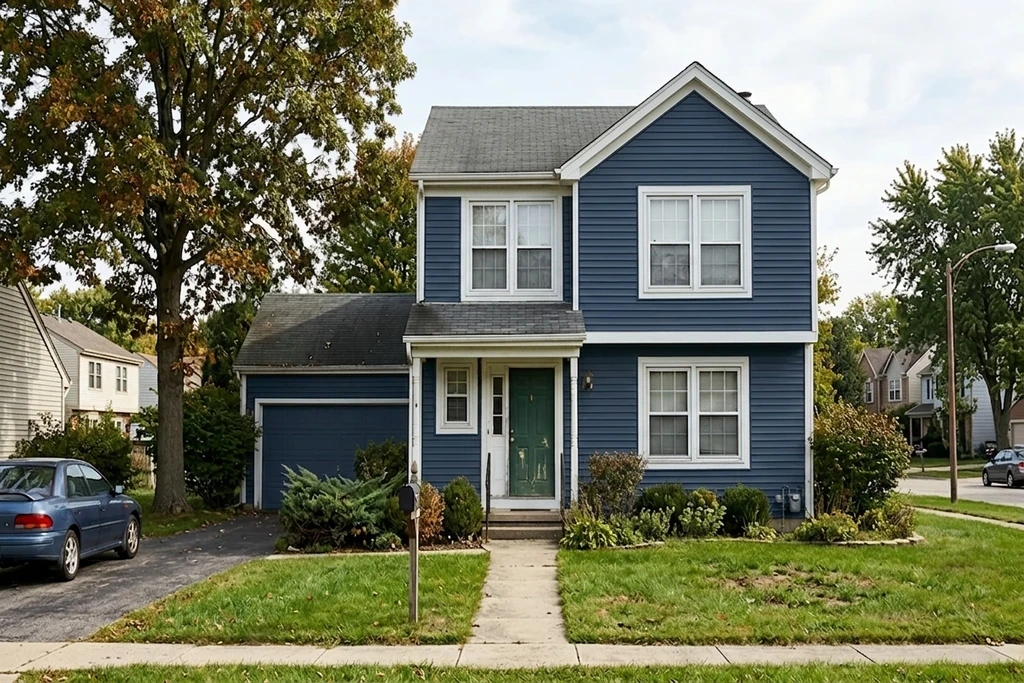
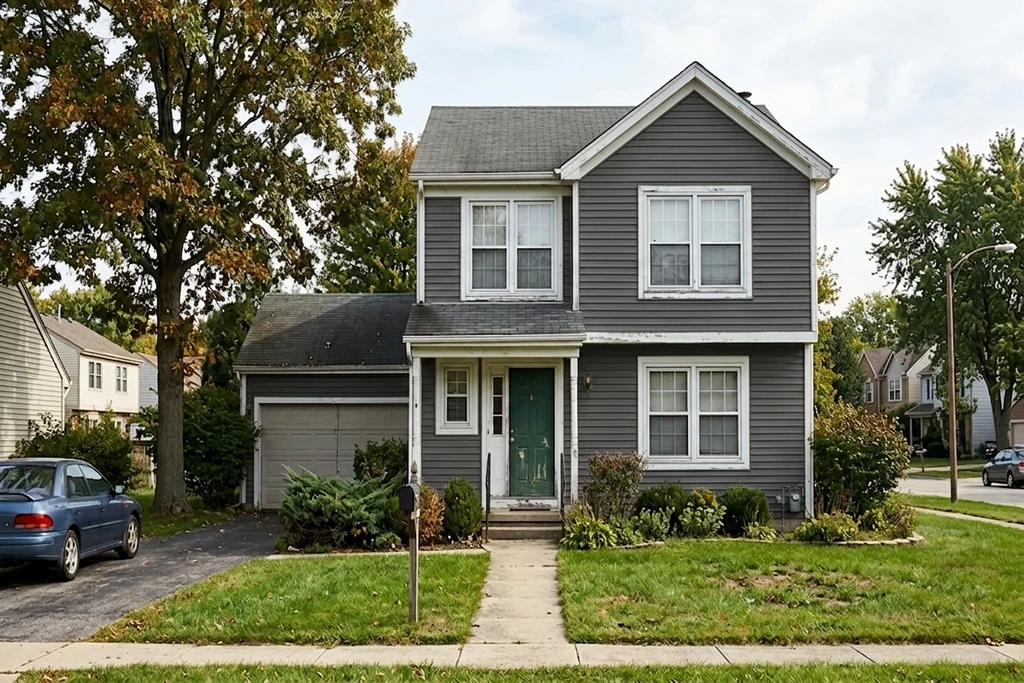
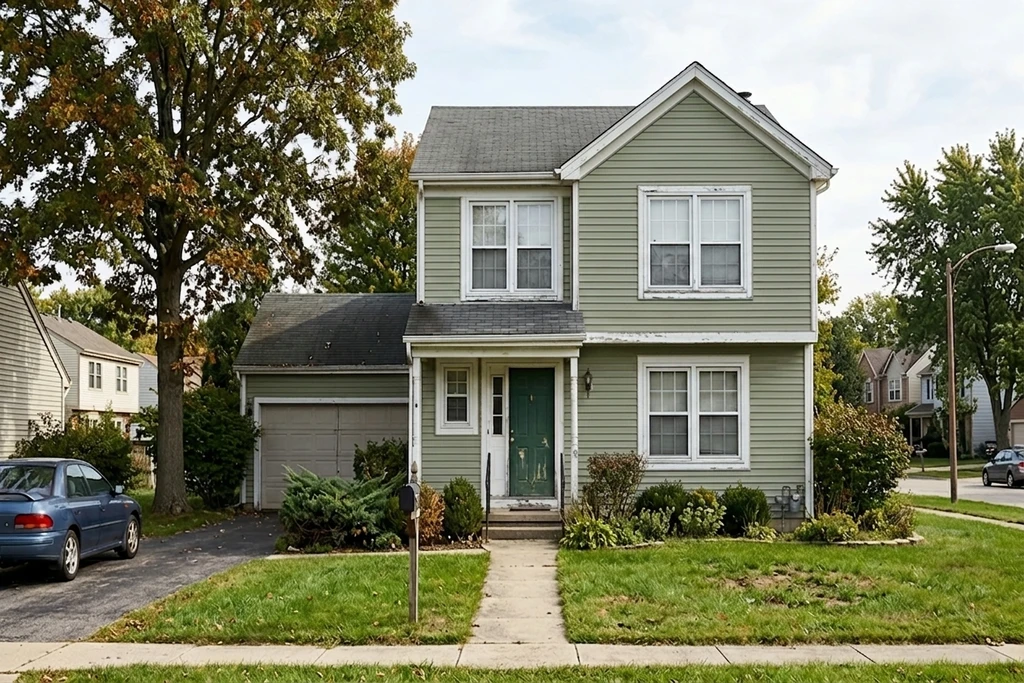
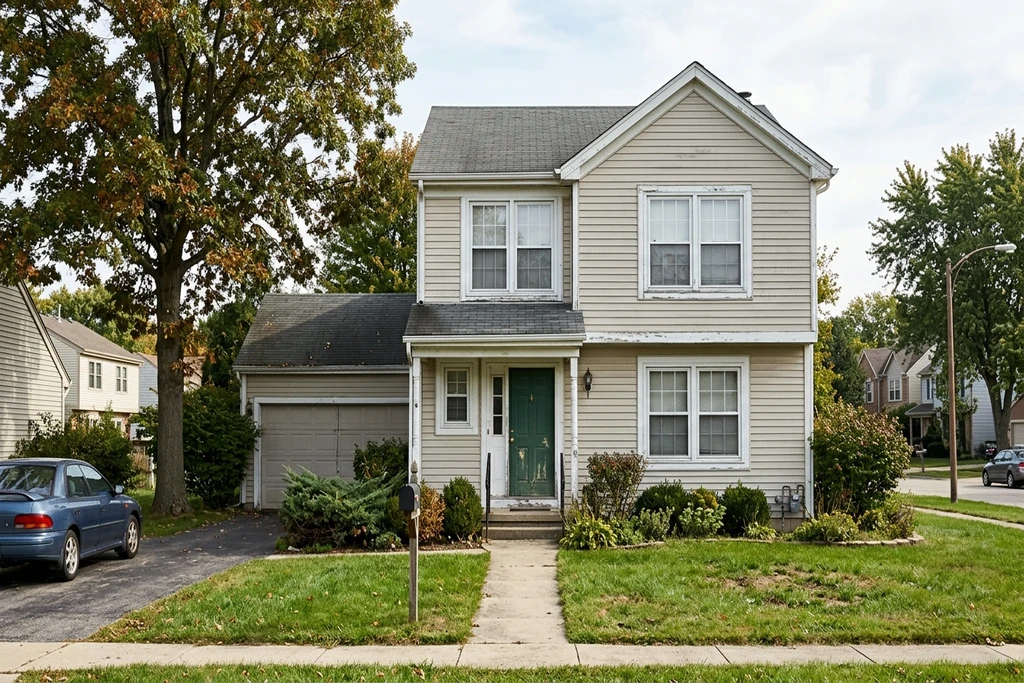
Real AI renders, your own photo, any shade
Try it on your house
No photo? Try a sample
Real Benjamin Moore shades you can test on your photo
Exact BM names and codes. Or paste any HEX / RGB to match a shade not listed.
3 reasons to preview Benjamin Moore before you paint
A swatch of Hale Navy on a chip reads nothing like a full siding of it on your house in real light.
Test from the paint aisle on your phone, the official Personal Color Viewer is desktop-only.
Win the HOA or spouse vote with a real before/after, not five dollar sample pots.
Quick answer: A Benjamin Moore color visualizer lets you preview real BM shades on your own house photo before you buy paint. FacadeColorizer is an independent, mobile-friendly alternative to the desktop-only BM Personal Color Viewer: it renders verified Benjamin Moore colors like Hale Navy HC-154 and White Dove OC-17 photorealistically on your actual facade in about 30 seconds, with no sign-up.
Real exterior transformations in Benjamin Moore shades, AI preview in ~30 seconds
Drag the handle to wipe between the original photo and the AI repaint.
1 free HD render. No sign-up. No card.
What our customers found before they bought
“The bottom photo was my old submission to the HOA architectural review board that got turned down, and the top one was the new submission. The difference is small, but for some boards that tiny shift in tone is what makes the call: they reject pure white and accept cream.”
“The time it saves me means I can knock 10 dollars off every quote, both for regulars and new customers.”
“Cream white looks great and the base of the wall is picked up perfectly.”
Names changed with written consent. FTC 16 CFR Part 465-compliant.
Why a Benjamin Moore visualizer alternative in 2026
The official Benjamin Moore Personal Color Viewer is a useful tool, but it has four documented limitations that pushed thousands of homeowners and painters to look for an alternative this year.
Limitation 1, desktop-only. The Personal Color Viewer runs only inside a desktop browser. There is no responsive mobile build. If you are standing in the Benjamin Moore aisle holding a swatch of Hale Navy HC-154 on your phone, the tool will not load properly. Multiple homeowner forums and the BM help center page list this as the single most common complaint.
Limitation 2, photo disappears on browser minimize. The PCV stores your uploaded photo in browser session state. If you minimize the window, switch tabs to compare paint sheens, or lose your Wi-Fi for a moment, the photo can vanish and you start over. FacadeColorizer saves your photo to your session so it persists across tabs.
Limitation 3, Color Portfolio mobile app last updated January 2024. Benjamin Moore's companion iOS and Android app, Color Portfolio, was last updated in January 2024 according to its public App Store and Google Play listings. That is more than two years without an update. On modern iOS and Android builds, several reviewers report crashes, color-shift bugs on dark mode, and missing 2026 shades.
Limitation 4, 5-surface manual click limit. The Color Portfolio app caps each photo at five surfaces, each tapped manually. Repainting an entire facade with siding, trim, shutters, door and chimney already hits that ceiling. FacadeColorizer's AI segments every surface automatically, no tap limit.
FacadeColorizer is not the official tool. We are an independent AI visualizer that supports 251 verified Benjamin Moore shades and runs in any browser on any device. The trademark disclaimer at the bottom of this page makes the relationship explicit, in accordance with the Lanham Act.
1 free HD render. No sign-up. No card.
The Benjamin Moore shades homeowners test most
A curated palette of verified Benjamin Moore shades, drawn from the Classics, Historical, Affinity and Color Stories collections. Five emblematic shades you can preview in one click, with their exact BM codes and colors:
Hale Navy HC-154
A deep, traditional navy with a soft gray undertone. The most-recommended BM exterior color for shutters, front doors and full siding on coastal and colonial homes.
White Dove OC-17
A soft warm white with a barely-there cream undertone. BM's best-selling white for trim, ceilings and full-house repaints across every climate zone.
Revere Pewter HC-172
A warm greige with green undertones, one of BM's most popular neutrals of the decade. Reads light on south-facing walls and grounded on north-facing ones.
Wrought Iron 2124-10
A near-black charcoal with a soft blue base. A favorite for modern-farmhouse siding, board-and-batten and window trim that needs to read crisp without going flat black.
Essex Green HC-188
A deep, classic forest green from the Historical Collection. A heritage choice for front doors, shutters and accents on Cape Cod, Colonial and farmhouse facades.
Or paste any HEX or RGB code to reproduce a Benjamin Moore shade not shown above.
1 free HD render. No sign-up. No card.
Tested on common US property types
Our AI was trained on a wide cross-section of American residential architecture. It preserves siding texture, trim and shadow detail on every style below while applying your Benjamin Moore shade.
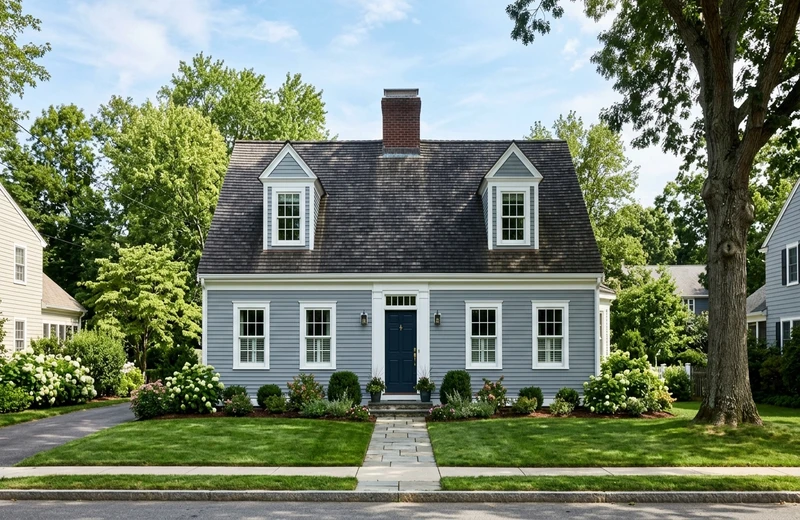
Cape Cod
Symmetric facade, dormers, clapboard siding, typical New England.
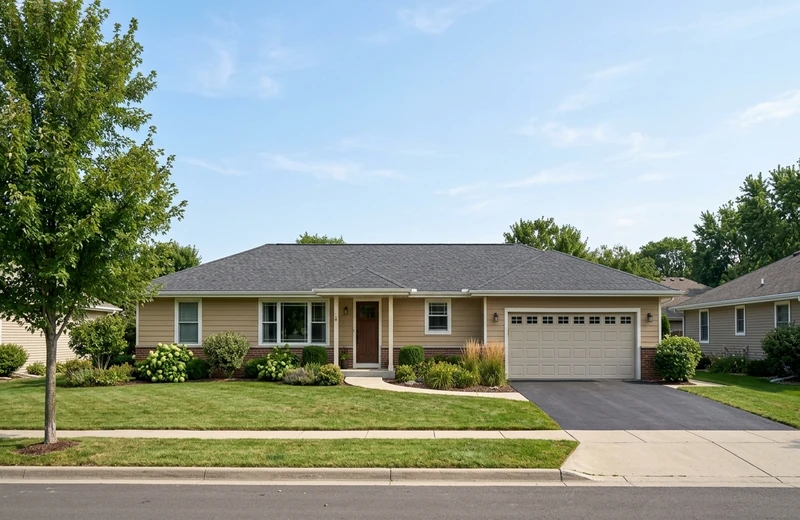
Ranch
Single-story long horizontal layout, attached garage, low pitched roof.
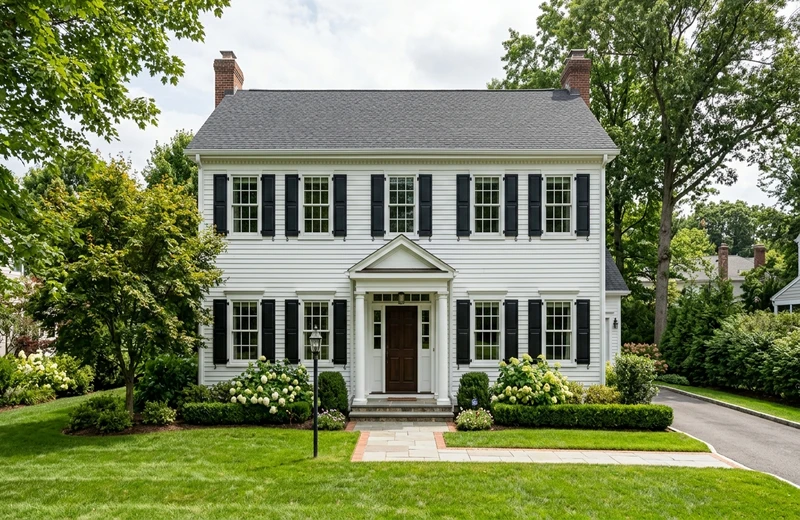
Colonial
Two-story rectangular form, symmetric windows, classic shutters.
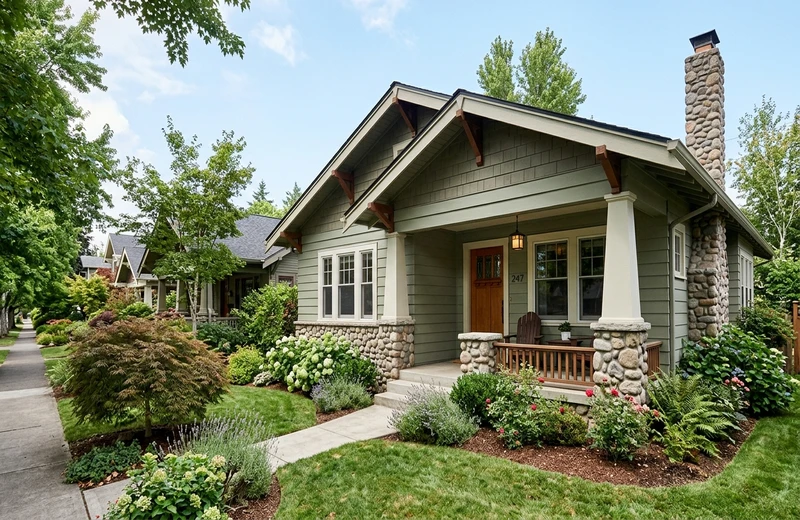
Craftsman
Tapered columns, wide eaves, mixed siding and stone bases.
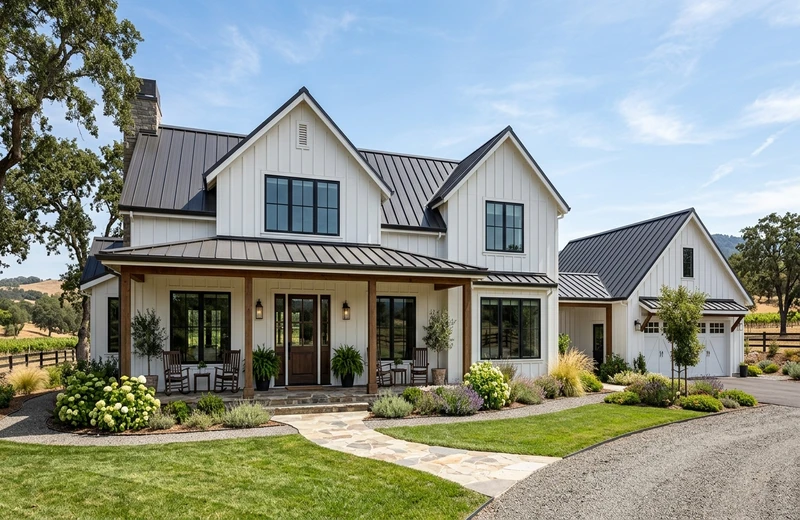
Modern Farmhouse
Board-and-batten siding, black windows, standing-seam metal roof.
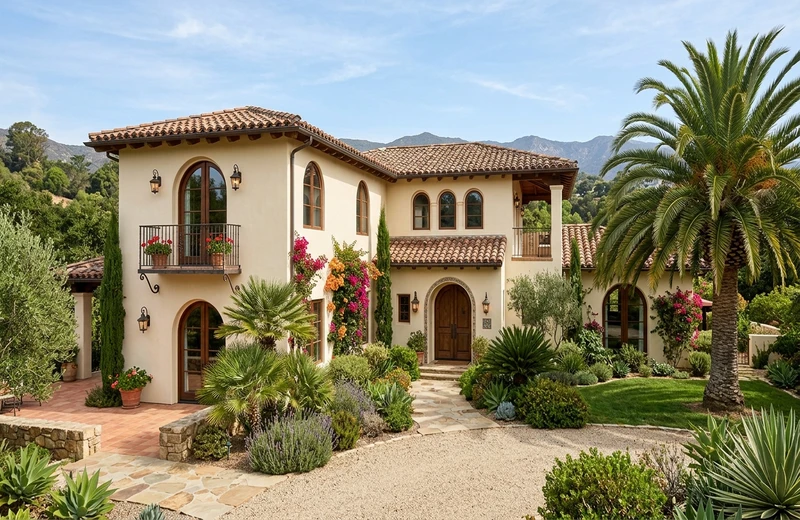
Mediterranean
Stucco walls, clay barrel-tile roof, arched windows, SoCal / FL favorite.
1 free HD render. No sign-up. No card.
FacadeColorizer vs BM Personal Color Viewer vs Color Portfolio
Honest, sourced comparison of the Benjamin Moore color tools homeowners and painters actually use in 2026.
| Feature | BM Personal Color Viewer | BM Color Portfolio app | FacadeColorizer |
|---|---|---|---|
| Mobile-friendly | Desktop browser only | iOS / Android | Phone, tablet, desktop |
| Last update | Web tool, no public changelog | January 2024 | Continuously updated |
| Photo persistence | Can disappear on browser minimize | Saved locally to device | Saved to session, never lost |
| Surfaces per photo | Manual click, limited zones | 5 surfaces max | Unlimited, AI auto-segment |
| Render style | Flat color fill | Flat color fill | Photorealistic AI, keeps shadows |
| Render time | Instant flat overlay | Instant flat overlay | ~30 seconds HD AI |
| BM shades | Full BM catalog (search) | Full BM catalog (search) | Verified BM shades curated |
| Other brands | BM only | BM only | + Sherwin-Williams, Behr, HEX/RGB |
Comparison based on publicly available information from benjaminmoore.com, the Apple App Store and Google Play listings, as of May 2026. Brand names referenced for comparison only.
Not just Benjamin Moore: compare brands on one photo
If you are comparing a Benjamin Moore shade with the Sherwin-Williams or Behr equivalent before you order sample pots, you can A/B test all three on the same photo without switching tools. FacadeColorizer ships with integrated Sherwin-Williams and Behr palettes plus HEX and RGB input for PPG, Valspar, Farrow & Ball, Dunn-Edwards, Magnolia Home and Clare.
A classic comparison: Hale Navy HC-154 against Sherwin-Williams Naval SW 6244 against Behr Navy Blue S-H-580. Three navies, same facade photo, side by side in under two minutes. The official Personal Color Viewer cannot show you a non-BM shade. FacadeColorizer can, while keeping each preview labeled with the original BM, SW or Behr code so you do not lose track at the paint counter.
The same logic applies to whites and warm neutrals. Pair Benjamin Moore White Dove OC-17 against Sherwin-Williams Alabaster SW 7008 and Behr Swiss Coffee on the same trim photo, and you immediately see which white pulls warm, which pulls cool, and which one disappears under a south-facing afternoon sun. That comparison is invisible on a paper swatch and impossible on a desktop-only tool you can only open at your kitchen table.
1 free HD render. No sign-up. No card.
How it works
No sign-up, no app install. From phone photo to a photorealistic Benjamin Moore preview in 3 easy steps.
Snap a Photo
Take a daylight photo of your house exterior on any device, phone, tablet or laptop. Front view works best. Your photo is saved to your session, so it stays if you switch tabs.
Pick a Benjamin Moore Shade
Choose a verified BM shade like Hale Navy HC-154, White Dove OC-17 or Essex Green HC-188, or paste any HEX / RGB code. Sherwin-Williams and Behr also included.
See the AI Preview
Our AI generates a photorealistic preview in about 30 seconds, preserving siding texture, shadows and lighting. Compare shades side by side and download HD.
Benjamin Moore exterior paint visualizer: the body, trim and door test
An exterior decision is three decisions at once, and a Benjamin Moore exterior paint visualizer earns its place only if it lets you take them in order on your own photo. Start with the body: preview a mid-tone such as Revere Pewter HC-172 or a deep shade like Hale Navy HC-154 on your siding, stucco or brick, and check how it reads on the sunlit and the shaded elevation. Then the trim: run White Dove OC-17 or Simply White OC-117 against the body you kept, because a trim white that looks crisp on the card can turn yellow or gray next to the wrong body. Finish with the door, the one place where an accent can break the rule.
Every render keeps roof, windows, gutters and landscaping exactly as they are, so the only variable is the color. The first HD render and three variations are free, with no account and no card. If you have not settled on a brand yet, the free AI exterior paint visualizer lets you set a Benjamin Moore shade against its Sherwin-Williams or Behr neighbor on the same photo.
Frequently asked questions
Is this the official Benjamin Moore Personal Color Viewer?
No. FacadeColorizer is an independent AI paint visualizer and is not affiliated with, endorsed by or sponsored by Benjamin Moore & Co. Benjamin Moore and Personal Color Viewer are registered trademarks of Benjamin Moore & Co. We reference these names only for comparative and descriptive purposes under the Lanham Act, 15 U.S.C. section 1125.
Is my photo private?
Yes. Your photo is used only to create your preview and is never sold. You keep full ownership of your image. For full details, read our privacy policy.
Why use this instead of the Personal Color Viewer?
The Personal Color Viewer is desktop-only and the companion Color Portfolio app was last updated in January 2024. FacadeColorizer runs on any device, keeps your photo across tabs, and produces a photorealistic AI render rather than a flat color fill.
Does it work on my phone?
Yes, iPhone, Pixel, Galaxy and tablets are fully supported. This is the single biggest gap versus the BM Personal Color Viewer, which is desktop-only.
Is it really free?
Yes. You get 1 HD render plus variations with no account, no card, no trial timer and no auto-charge. Paid plans are optional only if you want more renders later.
Will the AI preview look photorealistic?
Yes. The AI preserves shadows, lighting, brick, stucco, siding seams, trim, windows and landscaping. It is a true after-photo, not a flat fill.
Is there a Benjamin Moore exterior paint visualizer that works on my own house photo?
Yes. Upload a daylight photo of your house and pick any Benjamin Moore exterior shade, such as Hale Navy HC-154, White Dove OC-17 or Revere Pewter HC-172. The AI repaints the siding or stucco while keeping trim, roof, windows and landscaping separate, so you can judge the body color, then test a second shade on the trim. The first HD render and three variations are free, with no account and no card.
What if I also want a Sherwin-Williams or Behr shade?
FacadeColorizer ships with integrated Sherwin-Williams and Behr palettes plus HEX and RGB input for PPG, Valspar, Farrow & Ball, Dunn-Edwards, Magnolia Home and Clare. Compare a BM shade against any other brand on the same photo.
Ready to see Benjamin Moore on your home?
See your house in a real Benjamin Moore shade in about 30 seconds, on your own photo. Mobile, tablet, desktop. Completely free, no account needed.
See my home in a Benjamin Moore color in ~30s. Free, no account.1 free HD render. No sign-up. No card.
Your photo is private, used only to create your preview, never sold. You keep full ownership.
Prefer to start from a different brand?
Test 1 color on your real home
Upload a photo. The AI renders your facade or room in 30 seconds. 1 free HD render. No sign-up.
Get started free →Related US Resources
Compare to other major paint brand visualizers, dive deeper into Benjamin Moore shades, or browse our broader painting and color guides.