See your room in any colour, before you commit
The Dulux Room Visualiser stops at a flat AR patch on one wall. Upload a single room photo and preview the real wall colour, in Dulux UK, Farrow & Ball or any custom shade, in about 30 seconds. The AI keeps your furniture, trim and shadows, so it looks like a real after-photo, not a flat overlay.
- No sign-up
- No card
- Result in ~30s
Your photo is private, used only to create your preview, never sold. You keep full ownership.
✓ No sign-up ✓ No card ✓ Result in ~30s
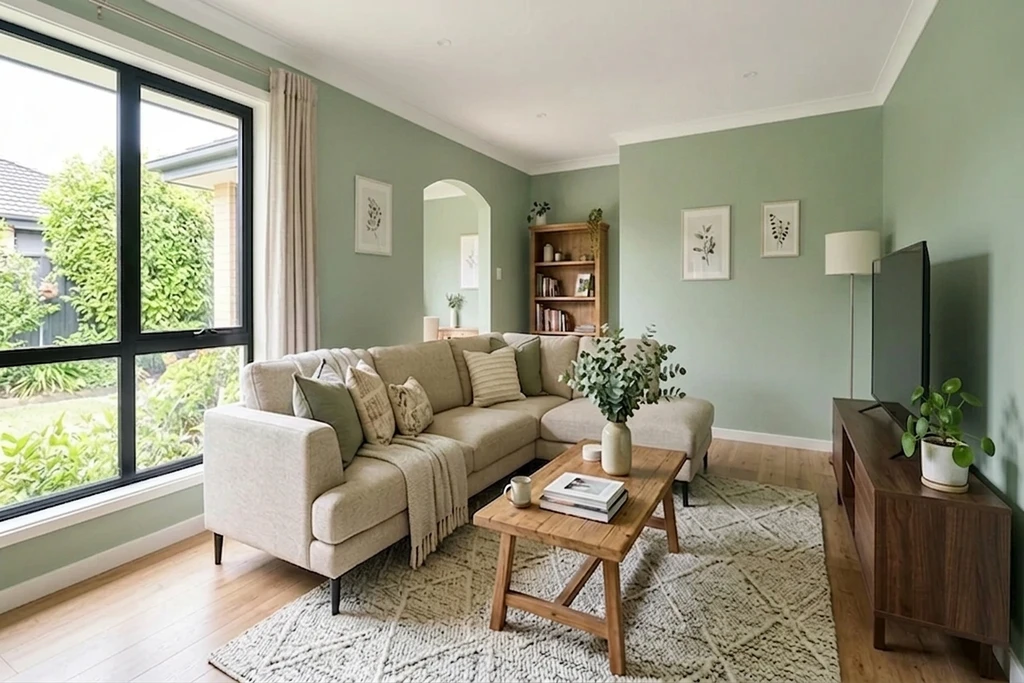
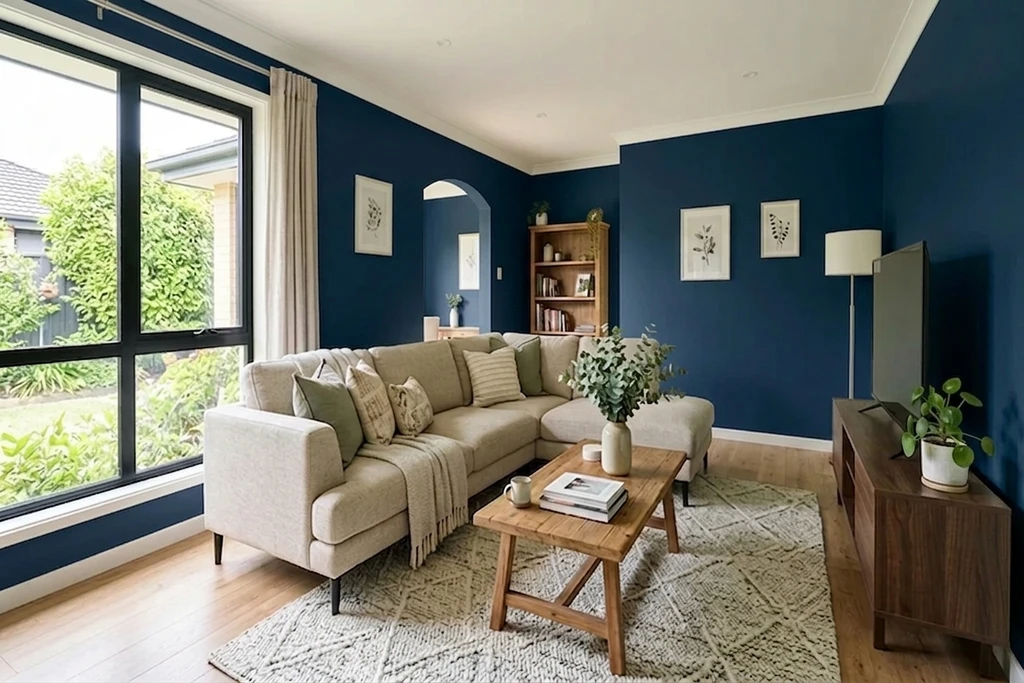
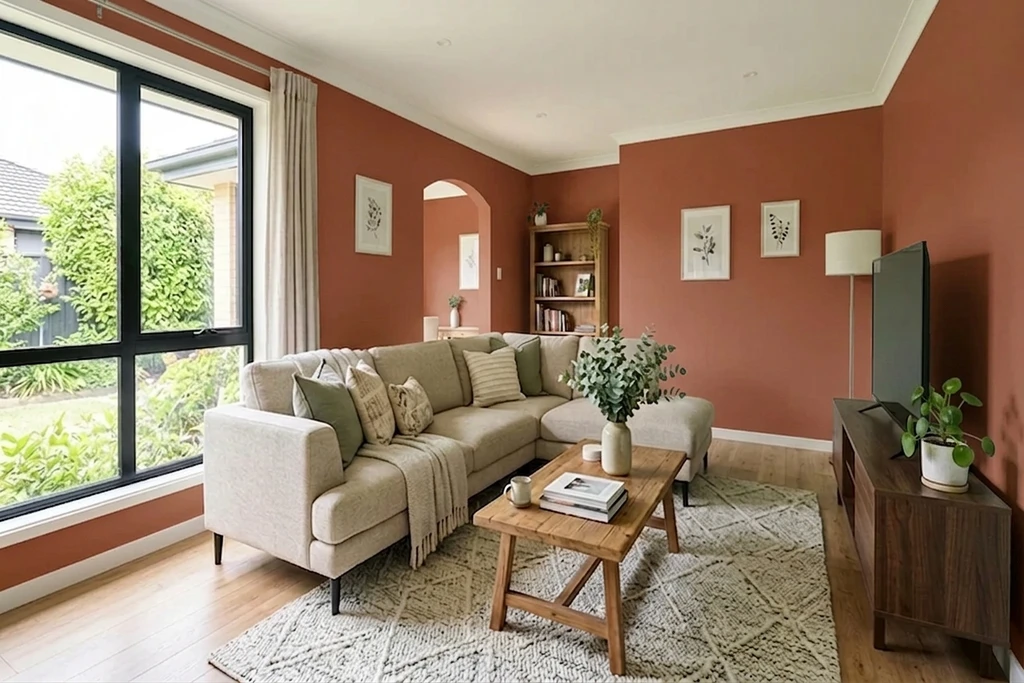
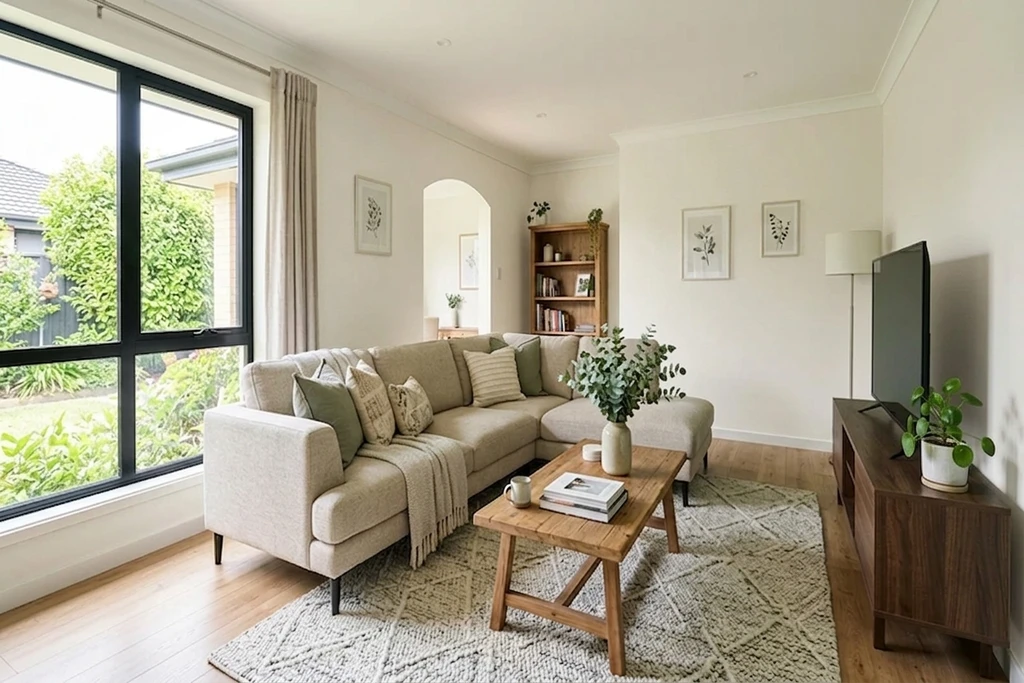
Real AI renders, your own photo, any shade
Try it on your room
No photo? Try a sample
3 reasons to try before you paint
Avoid a costly repaint over a colour that looks wrong on your actual walls.
Settle the household vote with a real preview, not a tiny paint chip taped to the wall.
Skip the tester pots and the test patches drying on your living room wall.
Quick answer: A room colour visualiser lets you preview a real wall colour on a photo of your own room, your living room, bedroom, kitchen or hallway, before you buy paint. FacadeColorizer is a free AI alternative to the Dulux Room Visualiser: it applies the exact shade to your walls only, keeps furniture, trim and shadows, and is not locked to a single brand. Result in under 30 seconds, no sign-up.
Real Wall Transformations, AI Preview in ~30 Seconds
Same living room, only the wall colour changes. Drag the handle to wipe between the original photo and the AI repaint.
1 free HD render. No sign-up. No card.
What our customers found before they bought
“The bottom photo was my old planning application that got rejected, and the top one was the new submission. The difference is small, but for some councils that tiny shift in tone is what makes the call: they reject pure white and accept cream.”
“The time it saves me means I can knock 10 pounds off every quote, both for regulars and new customers.”
“Cream white is brilliant and the base of the wall is picked up perfectly.”
Names changed with written consent. UK CMA-compliant.
What is a room colour visualiser?
A room colour visualiser is an online AI tool that lets you upload a photo of a room and preview any wall colour on your actual walls in about 30 seconds. Unlike the Dulux Room Visualiser, FacadeColorizer is brand-agnostic, requires no sign-up, and lets you compare Dulux UK against Farrow & Ball on the very same photo.
| What you get | Free (no sign-up) | Paid plans |
|---|---|---|
| HD photoreal render | 1 included | More per month |
| Free AI colour variations | 3 included | Unlimited preview |
| Dulux UK & Farrow & Ball palettes | Yes | Yes |
| Account required | No | Optional |
| Result time | ~30 sec | ~30 sec |
1 free HD render. No sign-up. No card.
Test real Dulux UK and Farrow & Ball shades
FacadeColorizer ships with the UK room shades homeowners actually compare, from the two brands that matter most. Or paste any HEX code.
Dulux UK
Test the Room Visualiser's most-asked Dulux shades on your own walls, without the AR drift.
- Chalk White · DH CHW
- China White · DH CNW
- Pure Brilliant White · 00E55
- Denim Drift · 87BG 27/077
- Brave Ground · 10YY 30/106
- Sapphire Salute · 50BB 08/171
Farrow & Ball
Compare a heritage Farrow & Ball shade against any Dulux shade on the same room photo, the comparison no single-brand app offers.
- All White · No.2005
- Wimborne White · No.239
- Pointing · No.2003
- Elephant's Breath · No.229
- Hague Blue · No.30
- Down Pipe · No.26
Brand and colour names are trademarks of their respective owners. FacadeColorizer is an independent AI visualisation tool and is not affiliated with AkzoNobel (Dulux) or Farrow & Ball. Need a Crown, Little Greene or Sandtex shade? Paste its HEX code and the AI renders it on your walls just the same.
1 free HD render. No sign-up. No card.
Works on every room in your home
The AI applies the new colour to the walls only, preserving furniture, trim and shadow detail in every room below, where the Dulux Room Visualiser only paints a flat patch on one wall.
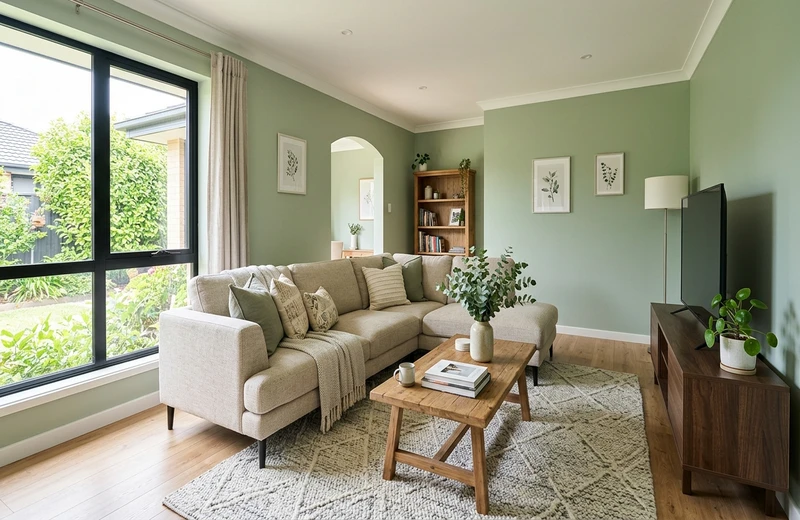
Living Room
Chimney breasts, feature walls and open-plan rooms.
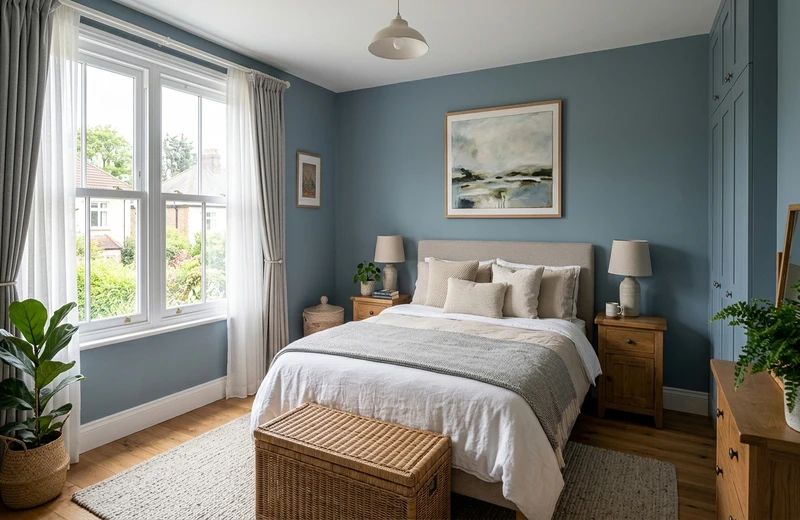
Bedroom
Main and guest rooms, calming neutrals.
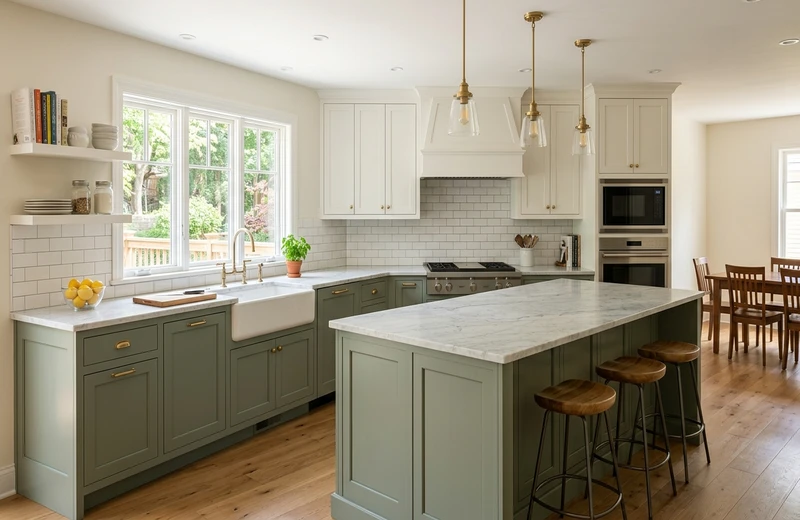
Kitchen
Walls behind cabinetry and breakfast-nook colour.
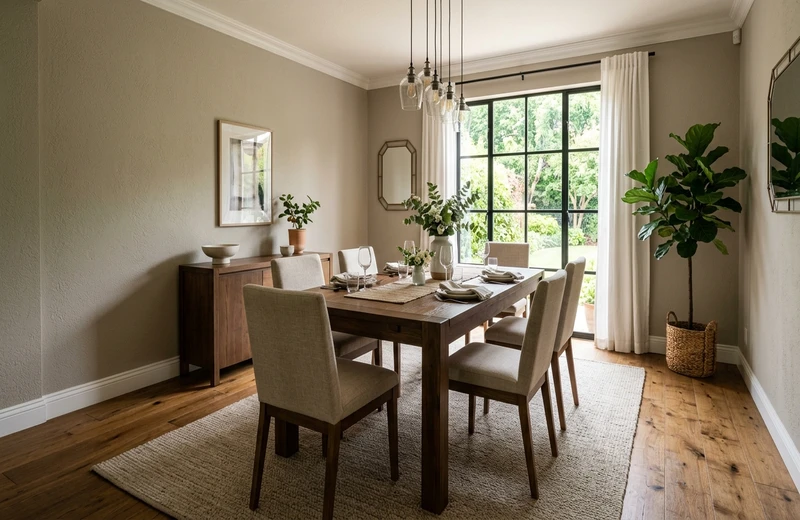
Dining Room
Moody heritage tones or warm neutrals for hosting.
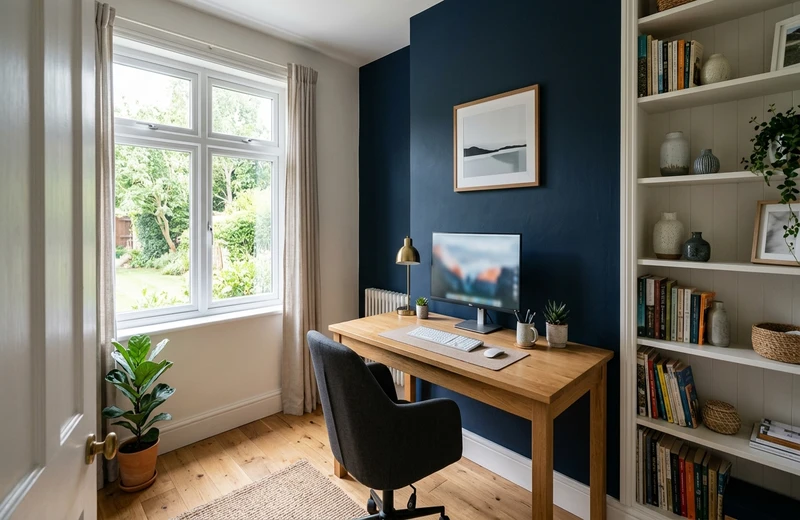
Home Office
Focus colours and video-call-friendly walls.
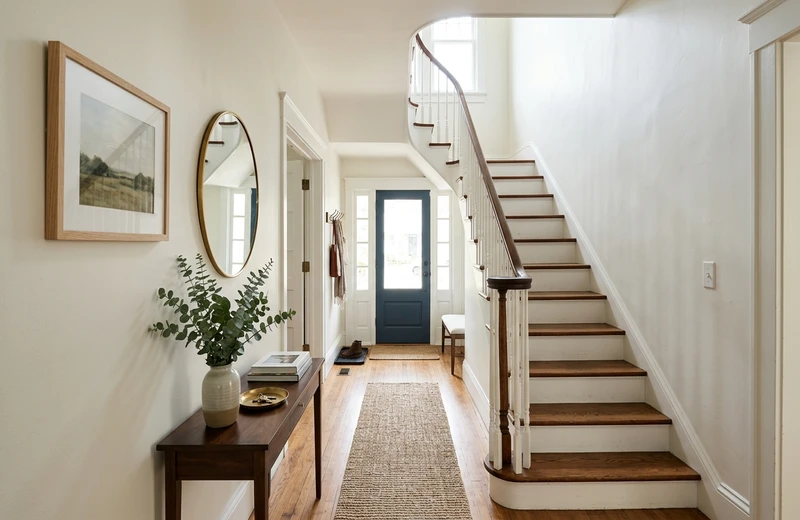
Hallway
Entryways, stairwells and narrow corridors.
1 free HD render. No sign-up. No card.
FacadeColorizer vs the Dulux Room Visualiser
The Dulux Room Visualiser is great for browsing Dulux shades in AR. It is less great at showing the real colour on your actual room. Here is how the two compare for room previews in 2026.
| Feature | FacadeColorizer | Dulux Room Visualiser |
|---|---|---|
| Photoreal AI on your real room photo | Yes, HD | Flat AR overlay |
| Brand-agnostic colours | Dulux UK + Farrow & Ball + any HEX | Dulux only |
| HEX input (any brand) | Yes | No |
| Keeps furniture, trim, shadows | Yes, automatic | Flat patch |
| Account / login required | No | App download |
| Runs in the browser (no app) | Yes, iPhone & Android | App Store / Play Store |
Brand and product names belong to their respective owners. Comparison reflects publicly available features as of 2026; FacadeColorizer is independent and not affiliated with AkzoNobel (Dulux).
1 free HD render. No sign-up. No card.
How It Works
Preview your room colour in 3 easy steps. No design skills needed.
Snap a Room Photo
Take a daylight photo of the room you want to repaint, at eye level with the walls visible. Upload it to FacadeColorizer in seconds.
Pick Your Colour
Choose from the integrated Dulux UK and Farrow & Ball palettes, or paste any HEX code to reproduce a shade from another brand.
See the AI Preview
The AI generates a photoreal preview in about 30 seconds, applying the colour to your walls only. Compare before and after, then share it.
Why AI Beats a Flat AR Overlay
AR visualisers drop a flat patch of colour on top of the camera feed. FacadeColorizer's AI understands your actual room.
Lighting-Aware
A north-facing room in February reads very differently from a south-facing one in June. The AI inherits the light already in your photo, so the shade reads as it will on the wall.
Keeps Your Furniture
Sofas, shelves, art and rugs all stay exactly where they are. Only the walls change colour, so the preview looks like your real room.
Shadow Accuracy
No more flat, unrealistic previews. FacadeColorizer keeps natural shadows and depth for a truly photoreal visualisation.
Your Actual Room
Unlike tools that show generic stock rooms, FacadeColorizer works on your own photo, your actual walls, your actual space.
Brand-Agnostic
Not locked into one brand. Test Dulux UK and Farrow & Ball from the built-in palettes, or paste any HEX colour you want.
Instant Results
Get your photoreal preview in about 30 seconds, no manual masking, no design skills needed. Works on any device.
Frequently Asked Questions
What is the Dulux Room Visualiser?
The Dulux Room Visualiser is a free mobile app from AkzoNobel that lets you preview Dulux paint colours on the walls of your room. You point your phone camera at a wall and the app overlays a Dulux shade in augmented reality, or you can paint a photo manually. It is limited to Dulux colours and to indoor rooms.
Is there a free alternative?
Yes. FacadeColorizer gives you one free HD render with no sign-up and no card. You can test any colour from any brand on a photo of your own room. The result is generated by AI in roughly 30 seconds and you can download it straight away.
Is my photo private?
Yes. Your room photo is used only to create your preview and is never sold. You keep full ownership of your image. For full details, read our privacy policy.
How accurate is the AI wall colour preview?
The AI is trained on real photographs and preserves natural lighting, shadows and surface texture, so the preview is markedly closer to a finished paint job than a flat AR overlay. Final paint still varies slightly with light and finish, so a sample tester pot before painting an entire room is always a good idea, especially for deep or warm shades that shift under artificial light.
Does it work on iPhone and Android?
Yes. FacadeColorizer runs in the browser on iPhone, Android, tablet and desktop. There is no app to install from the App Store or Play Store, so you avoid the storage cost and the permission prompts that come with the Dulux app.
Can I match a colour from a photo or a code?
Yes. You can pick a shade from the integrated Dulux UK and Farrow & Ball palettes, or paste a HEX code to reproduce a shade from another manufacturer. Because the tool is brand-agnostic, you are not forced into a single manufacturer's range.
Which paint brands are included?
FacadeColorizer covers the two UK paint brands homeowners most often compare for interiors: Dulux UK (Chalk White, China White, Pure Brilliant White, Denim Drift, Brave Ground, Sapphire Salute) and Farrow & Ball (All White, Wimborne White, Pointing, Elephant's Breath, Hague Blue, Down Pipe). You can test any Dulux shade against any Farrow & Ball shade on the same room photo, then paste a HEX code for any other brand such as Crown or Little Greene.
What is better, AR live or photo upload?
For quick browsing, live AR feels playful but the result is flat and the colour drifts as the camera moves. For a decision you are about to spend money on, photo upload is more reliable: the AI renders a stable photoreal image you can save, share with your decorator and compare side by side. Most homeowners use AR for browsing and photo upload for choosing.
Ready to See Your Room in a New Colour?
See your walls in a new colour in about 30 seconds, on your own photo. Completely free, no account needed.
See my room in a new colour in ~30s. Free, no account.1 free HD render. No sign-up. No card.
Your photo is private, used only to create your preview, never sold. You keep full ownership.
Dulux® and Dulux Visualiser® are trademarks of AkzoNobel N.V. Farrow & Ball® is a trademark of Farrow & Ball Limited. FacadeColorizer is an independent product, not affiliated with AkzoNobel N.V. or Farrow & Ball Limited.
Try 1 colour on your real home
Upload a photo. The AI renders your facade or room in 30 seconds. 1 free HD render. No sign-up.
Have a go →