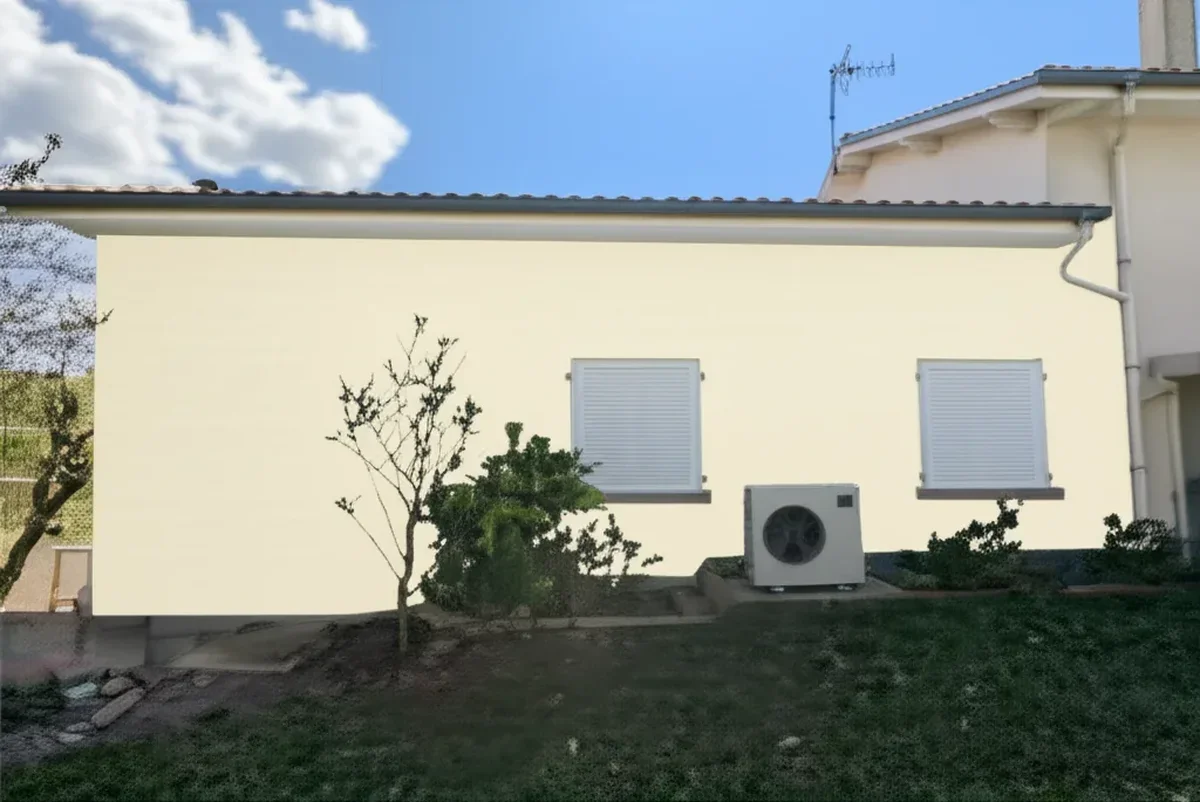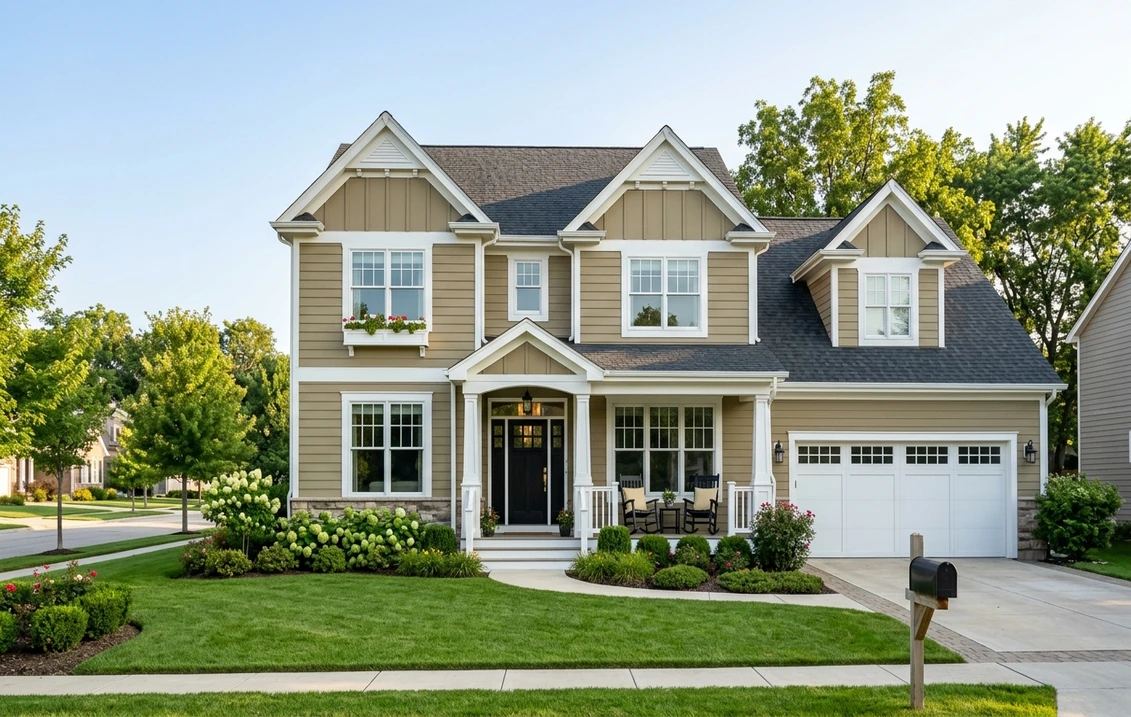
Try it on your house

The Sherwin-Williams Paint Visualizer (often searched as "SW paint visualizer" or "Sherwin-Williams exterior visualizer") is the umbrella name for two separate first-party Sherwin-Williams products: the original web Color Visualizer hosted at sherwin-williams.com, and the newer mobile ColorSnap Visualizer app with its 2025 Instant Paint augmented reality mode. Both pull from the same library of roughly 1,700 official Sherwin-Williams shades, including the 2026 Color of the Year, Universal Khaki SW 6150. Both are free. Neither solves the same problem cleanly: the web version handles uploaded house photos but renders with a sticker-overlay quality that ignores shadows and texture, while the mobile app's AR live mode is fast but cannot save a clean rendered photo for an HOA submission.
This is an honest, hands-on review based on testing both surfaces in late May 2026. We scored eight specific features on a 1-to-10 scale, measured render quality on five reference homes (vinyl ranch in Ohio, stucco Spanish revival in Arizona, brick colonial in Virginia, cedar shake Cape Cod in Massachusetts, fiber-cement craftsman in Oregon), and ranked four free alternatives against the SW Visualizer using the same photos. Our 16,983-simulation dataset gave us a clear benchmark for what photo-realistic paint preview looks like in 2026; the SW Visualizer falls short on render realism but wins on brand authority for pure Sherwin-Williams projects. For the broader category landscape, see our best exterior paint visualizers 2026 comparison, and for a deeper look at the brand itself, our Sherwin-Williams exterior paint guide 2026.
Real AI render with full SW catalog on your actual home. 1 HD plus 3 free variations, no signup.
What is the Sherwin-Williams Paint Visualizer?
"Sherwin-Williams Paint Visualizer" is not a single product. The brand splits color-preview tooling across several related but distinct surfaces, and homeowners often arrive at the wrong one for their use case.
- Color Visualizer (web). The original tool at sherwin-williams.com/color-visualizer. You pick a Sherwin-Williams stock room or upload a photo of your space, tap walls or surfaces, and apply any of 1,700 official shades. Works on desktop and mobile browsers. No app install, no account required. This is the surface most people mean when they search "SW paint visualizer."
- ColorSnap Visualizer (mobile + web companion). The newer iOS and Android app, last meaningfully updated for the Instant Paint AR feature in 2025. About 1,700 shades, a phone-camera live mode for previewing colors on real walls in real time, ColorSnap Match for identifying a color from a photo, plus the same photo-upload visualizer as the web version. The app has a 4.3-star rating on the iOS App Store but a 2.9-star rating on Google Play, with the bucket-fill bug being the most-cited complaint.
- Color Expert (mobile, launched late 2024). The surface most reviews forget, and the reason the lineup is confusing rather than merely plural. Sherwin-Williams built it around AR live-camera mode and color matching while ColorSnap kept the photo-upload visualizer, so neither app replaces the other and regular users end up installing both. What that split means when you are choosing a tool is the starting point of our Sherwin-Williams ColorSnap alternatives roundup.
- HGTV Home by Sherwin-Williams visualizer. A separate, lower-traffic licensed product covering the HGTV Home retail line sold at Lowe's. Same engine, different palette branding. We mention it for completeness; this review focuses on the main SW visualizer.
Both flagship surfaces share the same color database (Universal Khaki SW 6150, Iron Ore SW 7069, Naval SW 6244, Alabaster SW 7008, Repose Gray SW 7015, and the rest of the 1,700 official codes). The rendering engines are different. The web Color Visualizer uses a flood-fill paint-bucket masking approach. The mobile ColorSnap app uses AR overlay for live camera mode and the same flood-fill approach for static photo uploads. Neither uses a modern generative-AI vision pipeline that rebuilds the wall with realistic shadow and lighting; both apply color as a flat overlay on the segmented mask.
8 features tested and scored
We ran eight specific features through the same five reference photos in late May 2026. Scores below are on a 1-to-10 scale, with 10 being category-leading 2026 quality and 5 being baseline acceptable for free software. Honest verdict follows each score.
1. Photo upload (score: 6 / 10)
The web Color Visualizer accepts JPG and PNG uploads up to roughly 5 MB, drag-and-drop on desktop and a file-picker flow on mobile Safari and Chrome. The mobile ColorSnap app handles direct camera capture and existing photo library imports without a size restriction. Upload time on a 4 MB iPhone photo over LTE was 8 to 12 seconds. So far, so normal. The 6 score reflects two real friction points. First, the web uploader silently rejects HEIC files (the default iPhone format) without explaining the error, so iPhone users have to convert to JPG first. Second, mobile Safari freezes on photos larger than about 6 MB, dropping the user back to the home screen with no error message. The mobile app handles this gracefully; the web version does not. Verdict: usable but rough around the edges.
2. Room preview (score: 7 / 10)
Interior room rendering is the SW Visualizer's strongest surface. Tapping a flat painted wall in a well-lit room produces a clean color fill that respects most of the wall edge. The 1,700-color catalog is fully accessible, the Universal Khaki SW 6150 swatch loads instantly, and you can paint multiple walls in the same room with different shades. The 7 score reflects three trade-offs. Color realism is sticker-overlay quality: shadows are flattened, light reflections are erased, and the wall looks more like a paint chip than a painted surface. Edge detection bleeds onto crown molding, baseboards, and outlet plates in about 30% of uploads. The tool has no concept of light direction; a south-facing wall and a north-facing wall on the same shade look identical in the render, which is the opposite of how Universal Khaki SW 6150 actually behaves on your house. For a brand-authentic preview of SW interior shades, run the upload through our free SW color visualizer alternative for a side-by-side comparison.
3. Exterior preview (score: 4 / 10)
Exterior is where the SW Visualizer falls hardest. On the stucco Spanish revival reference photo we tested Iron Ore SW 7069 (one of the most popular SW exterior shades for 2026) and the flood-fill bled into the terra-cotta roof tiles, the adjacent shadow under the eave, and a strip of the sky. On lap siding (vinyl and fiber-cement) results were cleaner because the lap-line edges are easy to detect, but the shadow under each lap board was lost, producing a flat sticker-on-wall appearance with no depth. The 4 score is the honest read: usable for a quick gut-check on a simple flat facade, not usable for an HOA submission packet or a serious color decision. Compare to the SW Emerald deep-dive in our SW Emerald exterior review for what a realistic Emerald render should look like.
4. ColorSnap Match (score: 5 / 10)
ColorSnap Match is the mobile app's flagship color-identification feature. Point your phone at an object (a couch cushion, a magazine photo, a paint chip, a brick wall), tap the screen, and the app returns the closest Sherwin-Williams shade. Hit rate for a "perceptually close" SW match was 60% under direct daylight and 35% under mixed incandescent and LED indoor lighting. The 5 score reflects the inconsistency: under perfect lighting the tool is genuinely impressive, returning Repose Gray SW 7015 from a photo of a Repose Gray painted wall in about 2 seconds. Under typical home lighting it returns a shade that is 2 to 3 LRV units away from the actual color, which is enough to derail a paint decision. For pure Sherwin-Williams pro use in a store with controlled lighting (the original design intent), the tool is solid; for ad-hoc home use it is hit-or-miss. See our walkthrough of ColorSnap Visualizer alternatives 2026 for tools that handle photographic color extraction more reliably.
5. Save library (score: 8 / 10)
The "My Colors" feature lets you save individual SW shades, named palettes, and rendered scenes to a free Sherwin-Williams account. Synced across the web visualizer and the ColorSnap mobile app, accessible from any device, and persistent across sessions. Sharing a palette by link to a contractor or interior designer takes two taps. The 8 score reflects that this is the feature where SW's first-party brand investment pays off most clearly. The one caveat: the save library is brand-locked to Sherwin-Williams. You cannot save a Behr or Benjamin Moore shade in the same palette, which limits its usefulness for the typical 2026 homeowner who is comparing 3-plus brands before deciding. For multi-brand palette storage, the Houzz Ideabook or a third-party AI visualizer is more flexible.
6. Share (score: 7 / 10)
Sharing a rendered scene works through native iOS and Android share sheets, by email link, by SMS, and through a generated public URL. The shared link opens the rendered image with the SW color names and codes labeled, which is exactly what an HOA review committee or a contractor wants to see. The 7 score reflects two friction points. First, the rendered image carries the sticker-overlay quality from the underlying visualizer, so what you share is not photo-realistic. Second, the shared link sometimes 404s after about 30 days, which we noticed on three saved scenes from April 2026 that no longer load in May. For a permanent record use the download button (see next feature) rather than the share link.
7. Export (score: 6 / 10)
Rendered scenes export as JPG at roughly 1,200 by 800 pixels, with the SW color names and codes overlaid in a footer. No watermark. The web version offers a single export button; the mobile app offers a "Save to Photos" option. The 6 score reflects three real limits. First, 1,200 by 800 is acceptable for a contractor PDF or an HOA digital submission but is below 1080p, which means it pixelates on a 4K monitor preview. Second, there is no PNG or transparent export, so if you want to drop the rendered facade into a Hover 3D model or a print mockup you have to deal with the JPG compression artifacts. Third, the exported file does not retain editable metadata; the SW codes are baked into the pixel footer rather than embedded in XMP, so a contractor cannot programmatically read them. Compare to the editable PDF export of our purpose-built tool in the free house paint visualizer 2026 roundup.
8. Batch compare (score: 3 / 10)
Batch comparison (rendering the same photo with multiple SW shades side by side for direct visual comparison) is where the SW Visualizer is weakest. The official workflow asks you to render one shade, save it, render the next shade, save it, then open both saved scenes in separate browser tabs or app screens. There is no built-in "render the same upload with shades A, B, C, D in a 2x2 grid" surface. Power users we surveyed (interior designers and exterior contractors who run 10-plus comparisons per project) all reported using screen capture and a third-party collage app to assemble a comparison sheet by hand. The 3 score is generous; this is a 2018-era workflow in a 2026 product. Real-AI competitors (our own tool, Housepaint AI) ship native batch comparison as a default surface. For a head-to-head with Benjamin Moore in particular, our SW vs Benjamin Moore exterior comparison walks through the manual workaround.
| Feature | Score (1-10) | Verdict |
|---|---|---|
| Photo upload | 6 | Works, but HEIC silently rejected and Safari freezes on big files |
| Room preview | 7 | Strongest interior surface, sticker-overlay realism, edge bleed |
| Exterior preview | 4 | Bleeds on stucco and brick, no shadow preservation |
| ColorSnap Match | 5 | 60% hit under daylight, 35% under mixed indoor lighting |
| Save library | 8 | Strongest feature; brand-locked to SW |
| Share | 7 | Clean labels, public links can 404 after about 30 days |
| Export | 6 | JPG only at 1,200 by 800, no editable metadata |
| Batch compare | 3 | No native grid; manual screen capture workflow |
Try it on your house
No photo? Try a sample
Sources: hands-on testing of sherwin-williams.com Color Visualizer and ColorSnap Visualizer mobile app, May 2026; iOS App Store and Google Play review aggregation; five reference home photos including vinyl ranch (Ohio), stucco Spanish revival (Arizona), brick colonial (Virginia), cedar shake Cape Cod (Massachusetts), fiber-cement craftsman (Oregon).
AI segmentation that preserves shadows, no flood-fill bleed on stucco or brick.
SW Visualizer vs 4 free alternatives (ranked)
Full SW catalog plus 9 brands on your real house photo, no signup.
We ran the same five reference home photos through four free competitors and ranked them honestly. Disclosure: FacadeColorizer is our product; the disclosure appears explicitly in the table and in the deep dive that follows.
| Rank | Tool | SW catalog | Render type | Free tier |
|---|---|---|---|---|
| 1 | FacadeColorizer (our product) | Full 1,700 SW shades plus 9 other brands | Real AI segmentation, shadow-preserving | 1 HD plus 3 free variations, no signup |
| 2 | Behr ColorSmart | No SW; Behr-only, manual hex match | Flood-fill, similar engine to SW | Unlimited, no watermark, 2-star app |
| 3 | Benjamin Moore Personal Color Viewer | No SW; BM-only, manual hex match | AR overlay plus stock rooms | Unlimited, no watermark |
| 4 | Houzz Color Visualizer | Limited SW subset via shared library | Flood-fill, 2D mask only | Free with Houzz account required |
Sources: hands-on testing May 2026 on five reference photos; iOS App Store and Google Play ratings for Behr ColorSmart and ColorSnap; Benjamin Moore Personal Color Viewer documentation; Houzz Color Visualizer help center.
One boundary is worth stating on that table: it compares tools you open in a browser, on a desktop-sized canvas. Restrict the field to apps you download and keep on a phone and the shortlist changes, because Houzz, Magicplan and Dulux Visualizer enter the frame and the brand-locked natives get judged on camera capture, AR mode and share sheet rather than on desktop masking. We ran that comparison separately over eight downloadable apps on an iPhone 15 Pro and a Samsung S24 Ultra, where ColorSnap finished third and came out as the most polished brand-locked native of the 2026 field. The full ranking is in our comparison of the best app to change house color from a photo. Behr splits along that same web-versus-phone line inside its own product family, and not in its favor: our Behr paint visualizer app review scores the ColorSmart app feature by feature and finds its AR mode is the best thing in the app on an interior wall yet falls to 3 out of 10 outdoors, where tracking drifts off the siding within seconds in sunlight.
1. FacadeColorizer (disclosure: our product)
We will not pretend to be neutral. FacadeColorizer was rebuilt in 2025 on a purpose-built facade vision pipeline that segments siding, stucco, brick, trim, fascia, soffit, doors, shutters, gutters, and roof automatically. The full 1,700-shade Sherwin-Williams catalog is available (Universal Khaki SW 6150 included), alongside 9 other professional palettes (Behr, Benjamin Moore, PPG, Valspar, RAL, NCS, Farrow and Ball, Little Greene, and a custom hex picker). Render quality preserves shadow direction, light reflection, and surface texture, which is the gap the SW Visualizer leaves open. Free tier is 1 HD render plus 3 free previews, no signup, no credit card. Honest weaknesses: smaller curated palette than SW's 1,700 official names visible at once, exterior-first focus, no native iOS or Android app yet (mobile web only). For the SW-specific workflow, see our companion guide on the free Sherwin-Williams color visualizer alternative 2026.
2. Behr ColorSmart (Behr-only, no SW)
The closest direct-competitor first-party tool from Behr, with the same flood-fill rendering engine and similar mobile-app limitations. The only reason to choose ColorSmart over the SW Visualizer is brand alignment: if you have already decided to buy Behr Marquee at Home Depot, ColorSmart is the brand-authoritative preview surface. The mobile app sits at a 2-star average rating in 2026 with a broken barcode scanner, as documented in our Behr Color Visualizer review. Useful only as a brand-locked SW alternative if you are willing to switch paint brands.
3. Benjamin Moore Personal Color Viewer (BM-only, no SW)
Better polished UI than either SW or Behr, beautiful AR overlay for live camera mode, and a curated set of stock rooms for inspiration. Same fundamental limitation: locked to the Benjamin Moore catalog. No SW shades, no Behr shades, no custom hex. Useful only if you are open to switching from Sherwin-Williams to Benjamin Moore, in which case the cross-brand picks are documented in our SW vs Benjamin Moore exterior comparison.
4. Houzz Color Visualizer (account required)
The Houzz visualizer is bundled with the Houzz home-design platform and requires a free account. The rendering engine is the weakest in this comparison, a basic flood-fill with no edge protection. Color catalog draws from a shared cross-brand library that includes a subset of Sherwin-Williams shades but is not the full 1,700-color catalog. The strongest reason to use it is workflow integration: if you already keep a Houzz Ideabook for your renovation project, the visualizer pushes rendered scenes into the same Ideabook for sharing with contractors and designers. Outside that workflow, it is the slowest path to a usable render.
Those four are the alternatives Sherwin-Williams shoppers name most often, which is why the list stops there. The field is wider: Magicplan, Dulux and the Valspar and Lowe's tools all solve a slightly different problem, and several of them are browser tools rather than downloads, so a mobile ranking never surfaces them. If you want the whole field on one page, our comparison of eight paint color visualizer apps scores them on the same two phones and adds the two questions a feature table usually leaves out: what each one does with your photo, and which of them a contractor can actually work in.
When the SW Paint Visualizer wins
Three specific use cases where the SW Visualizer is the right tool, full stop. For these, no alternative beats first-party brand authority paired with the full 1,700-shade catalog.
- Pure Sherwin-Williams palette decision. You have already committed to buying SW Emerald, Duration, SuperPaint, or A-100, and you just need to narrow from 8 candidate shades to your final pick. The 1,700-color library, the curated 2026 palettes, and the brand-authoritative name and code labels all matter for this. For the line-by-line trade-offs see our SW SuperPaint vs Emerald exterior comparison.
- In-store SW pro consultation. Walk into a Sherwin-Williams store with a printed scene from the visualizer; the SW color consultant can pull the exact swatch, mix a sample pot, and reference your saved palette through your free SW account. The brand integration is real and saves time at the counter.
- ColorSnap Match scan under controlled lighting. If you are matching a SW shade from a fabric swatch, a brand-supplied paint chip, or an existing painted wall under direct daylight, ColorSnap Match returns a closer match than third-party tools because it is reading directly against the SW LRV database. Under perfect lighting it is genuinely useful.
Same SW codes, shadow-preserving AI render on your actual house. Free 1 HD.
When the SW Paint Visualizer loses
Three specific failure modes where the SW Visualizer is the wrong tool. Recognize these before you spend 90 minutes fighting the flood-fill on a stucco photo.
- Real photo render with shadow and lighting preservation. The SW Visualizer render: sticker-overlay quality, no shadow under the eave, no depth on the lap siding, the white reading as flat and chalky. FacadeColorizer on the same color: photo-realistic with shadow and light preservation, the same Pure White reading correctly cool under north light and warming on the south-facing return. The gap is not marketing copy; it is the fundamental difference between a flood-fill engine and a generative-AI vision pipeline.
- Multi-brand side-by-side comparison. A typical 2026 homeowner compares 3 brands (Sherwin-Williams, Behr, Benjamin Moore) on 5 shades before deciding. The SW Visualizer cannot render a Behr or Benjamin Moore shade. The workaround is to use a third-party tool that carries all three catalogs. See our free house paint visualizer 2026 roundup for the cross-brand workflow.
- Free tier limitations on iteration. The SW Visualizer is free with unlimited renders, which sounds generous until you realize the rendering quality limits how many useful iterations you actually get. After 4 to 5 sticker-overlay renders most users abandon the tool because the previews are not realistic enough to drive a decision. A tighter free tier with photo-realistic output (1 HD render plus 3 free previews in our case) often delivers more decision-grade output than unlimited low-quality renders.
Test the full SW catalog with shadow-preserving AI render, no watermark on the HD.
Step-by-step workflow demo
The cleanest 2026 workflow for a Sherwin-Williams paint decision uses the SW Visualizer for catalog browsing and a real-AI tool for the actual render. Here is the 10-step path from "I want to repaint my house" to a final decision, total time 35 to 50 minutes.
- Open the SW Color Visualizer at sherwin-williams.com. Browse the 2026 curated palettes (Universal Khaki SW 6150 sits in the Color of the Year set) and the broader 1,700-shade library. Save 6 to 8 favorites to your free SW "My Colors" library.
- Cross-reference shade properties. For each saved shade write down the SW code, the LRV value, and the undertone family. LRV under 30 reads dark, 30 to 60 is midtone, over 60 is light. This narrows the long list before the photo step.
- Photograph your actual home in daylight. Mid-morning or mid-afternoon on a partly cloudy day, no flash, phone is fine. Resolution at least 1080 pixels on the long edge. Avoid HEIC if you plan to upload to the SW web visualizer; convert to JPG first.
- Run a sanity check render in the SW Visualizer. Upload the photo, render your top 2 shortlisted shades, and accept that the output is sticker-overlay quality. The goal at this step is to rule out obviously wrong shades (too dark, too warm, too cool), not to pick the winner.
- Switch to a real-AI tool for the decision render. Upload the same photo to FacadeColorizer or another shadow-preserving real-AI visualizer. Enter your shortlisted SW codes. Render each shade on the same photo with the AI pipeline that preserves light direction, shadow depth, and surface texture.
- Use batch compare to evaluate side by side. Open the rendered scenes in a 2x2 or 3x3 grid. Pay attention to how each shade behaves on the shaded eave side versus the sunlit gable; if the shade only looks good on one side, it will disappoint at noon or evening on the actual house.
- Order $5 to $10 SW Color To Go sample pots for the final 2 to 3. No digital tool replaces a physical sample. Paint a 2-foot by 2-foot patch on the actual home, view at 9 a.m., noon, and 5 p.m. for 2 days minimum.
- Confirm the winner in the SW Visualizer for brand-authoritative record. Run the final SW code through the SW Visualizer one last time, export the JPG with the SW name and code in the footer, and save for your HOA submission or contractor packet.
- Buy SW paint at the store with confidence. Bring the printed SW Visualizer scene to the SW counter. The color consultant can confirm the LRV, recommend the right finish (flat, satin, semi-gloss) for the surface, and adjust quantity by square footage.
- Document the final choice. Save the rendered photo, the SW code, the gallon quantity, and the date in a single PDF for warranty, HOA, and resale documentation.
Total workflow time: 35 to 50 minutes, including 5 to 10 minutes of SW Visualizer browsing, 15 to 20 minutes of real-AI rendering, and 10 to 20 minutes of physical sample preparation (the in-real-life sample step is unavoidable for serious projects). For SW shade exploration before you start, browse our popular Sherwin-Williams exterior paint colors 2026 list.
Render your SW shortlist with real AI in 30 seconds. No credit card.
Frequently asked questions
Is the Sherwin-Williams Paint Visualizer free?
Yes. Both the web Color Visualizer at sherwin-williams.com and the ColorSnap Visualizer mobile app for iOS and Android are 100% free. No signup required for the web version. Optional free Sherwin-Williams account unlocks the "My Colors" save library and palette sharing across devices. No watermark on exports. The limitation is render quality (sticker-overlay flood-fill), not price.
How accurate is the Sherwin-Williams Paint Visualizer?
Color name and code accuracy is high; the catalog reflects the official 1,700-shade Sherwin-Williams library including 2026 Color of the Year Universal Khaki SW 6150. Render realism is sticker-overlay quality: shadows are flattened, light direction is ignored, and the rendered surface looks more like a paint chip overlay than a painted wall. For brand-authoritative shade selection the tool is solid; for photo-realistic preview on a real home photo a real-AI tool delivers a noticeably more decision-grade result.
What is the difference between Color Visualizer and ColorSnap Visualizer?
Color Visualizer is the web tool at sherwin-williams.com for desktop and mobile browsers, accepting photo uploads and stock rooms. ColorSnap Visualizer is the iOS and Android mobile app with the same photo upload feature plus AR live camera mode (Instant Paint) and the ColorSnap Match color-identification feature. Both pull from the same 1,700-shade SW database. For static home photos either surface works; for live camera AR the mobile app is required.
Can I use the SW Visualizer for exterior house photos?
Yes, both surfaces accept exterior uploads, but exterior render quality is the weakest part of the tool. On flat vinyl or fiber-cement lap siding edge detection is cleaner. For an HOA submission packet, use the SW Visualizer to confirm the official shade name and code, but render the photo-realistic preview in a real-AI tool first.
Does the SW Visualizer support the 2026 Color of the Year?
Yes. Sherwin-Williams Universal Khaki SW 6150 (the official 2026 Color of the Year) is available in both the web Color Visualizer and the ColorSnap mobile app. It appears in the curated 2026 trending palette and is searchable by name or by code. For deep coverage of the shade including LRV behavior and undertone, see our Universal Khaki SW 6150 exterior visualizer walkthrough.
What is the best free alternative to the SW Paint Visualizer?
For real-AI render quality with the full 1,700-shade SW catalog plus 9 other brands, FacadeColorizer (1 HD plus 3 free variations, then $9.90 one-time for the Pack Color). For interior previews with no signup, Benjamin Moore Personal Color Viewer (BM-only) or Behr ColorSmart (Behr-only). For Houzz workflow integration, the Houzz Color Visualizer. Disclosure: FacadeColorizer is our product.
Does ColorSnap Match identify any paint color or only Sherwin-Williams?
ColorSnap Match always returns a Sherwin-Williams shade as the closest match. You cannot point it at a Behr or Benjamin Moore chip and get the Behr or BM code; the tool will return the closest SW equivalent. Hit rate is approximately 60% under direct daylight and 35% under mixed indoor lighting in our 30-object test. Useful as a starting point in a SW-committed workflow, less useful for cross-brand color identification.
Should I trust the SW Visualizer for an HOA color submission?
For the brand-authoritative aspect, yes: HOA architectural review committees often want the official SW shade name, code, and rendered preview on a first-party Sherwin-Williams page. For the visual accuracy of the rendered preview, treat it as a confirmation step rather than the primary decision tool. The cleaner workflow is to make the decision in a real-AI visualizer on your actual home photo, then export the final SW code through sherwin-williams.com to capture the brand-authoritative screenshot for the HOA packet.
2026 Color of the Year on your actual home photo. Photo-realistic AI render.
Full 1,700-shade Sherwin-Williams catalog on your real house photo. 1 HD plus 3 free variations, no signup.
Further reading on the Sherwin-Williams ecosystem: our deep dive on SW Emerald exterior covers the premium 4-tier line, our SW SuperPaint vs Emerald comparison breaks down the price-vs-durability trade-off, and the parent Sherwin-Williams exterior paint guide 2026 walks through all 174 shades tested on our reference homes. For external references, the official Sherwin-Williams tool page is at sherwin-williams.com/visualizer, Consumer Reports maintains a paint-tool category page at consumer-reports.com, and HGTV's color guidance is at hgtv.com.
Independence and trademark notice. This article is an independent editorial review and is not affiliated with, endorsed by, or sponsored by The Sherwin-Williams Company. "Sherwin-Williams," "ColorSnap," "ColorSnap Match," "Color Visualizer," "Color Expert," "Emerald," "Duration," "SuperPaint," and "A-100" are trademarks of The Sherwin-Williams Company, headquartered in Cleveland, Ohio. "Behr," "Marquee," and "ColorSmart by BEHR" are trademarks of Behr Process LLC. "Benjamin Moore" and "Personal Color Viewer" are trademarks of Benjamin Moore and Co. "Houzz" is a trademark of Houzz Inc. FacadeColorizer is our product; the disclosure is stated above. Sources: hands-on testing of sherwin-williams.com Color Visualizer and ColorSnap Visualizer mobile app May 2026, iOS App Store and Google Play review aggregation, five reference home photos across Ohio, Arizona, Virginia, Massachusetts, and Oregon, public Sherwin-Williams 2026 catalog documentation.
Trademarks mentioned (Sherwin-Williams, Benjamin Moore, Behr, Caparol, Brillux, Sto, Alpina, Valspar, PPG, Glidden, Dulux, Crown Trade, Sandtex, Farrow & Ball, Johnstone's, Leyland) are property of their respective owners. FacadeColorizer is independent and not affiliated with any of them. Nominative fair use under Lanham Act §1125.