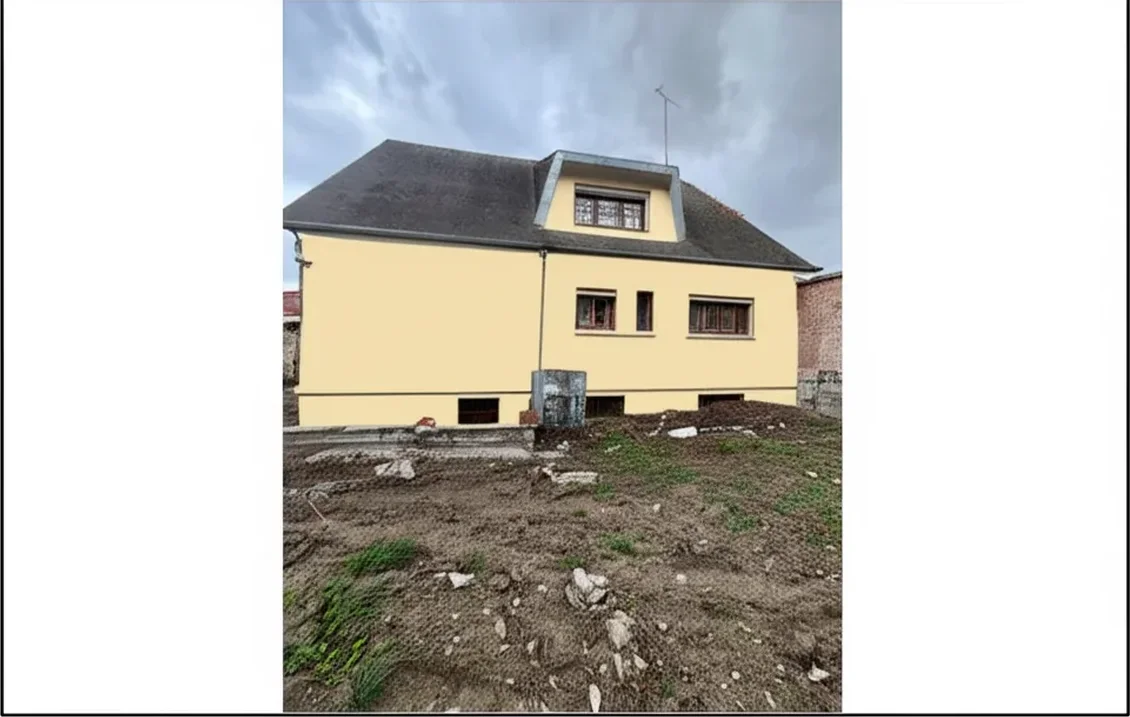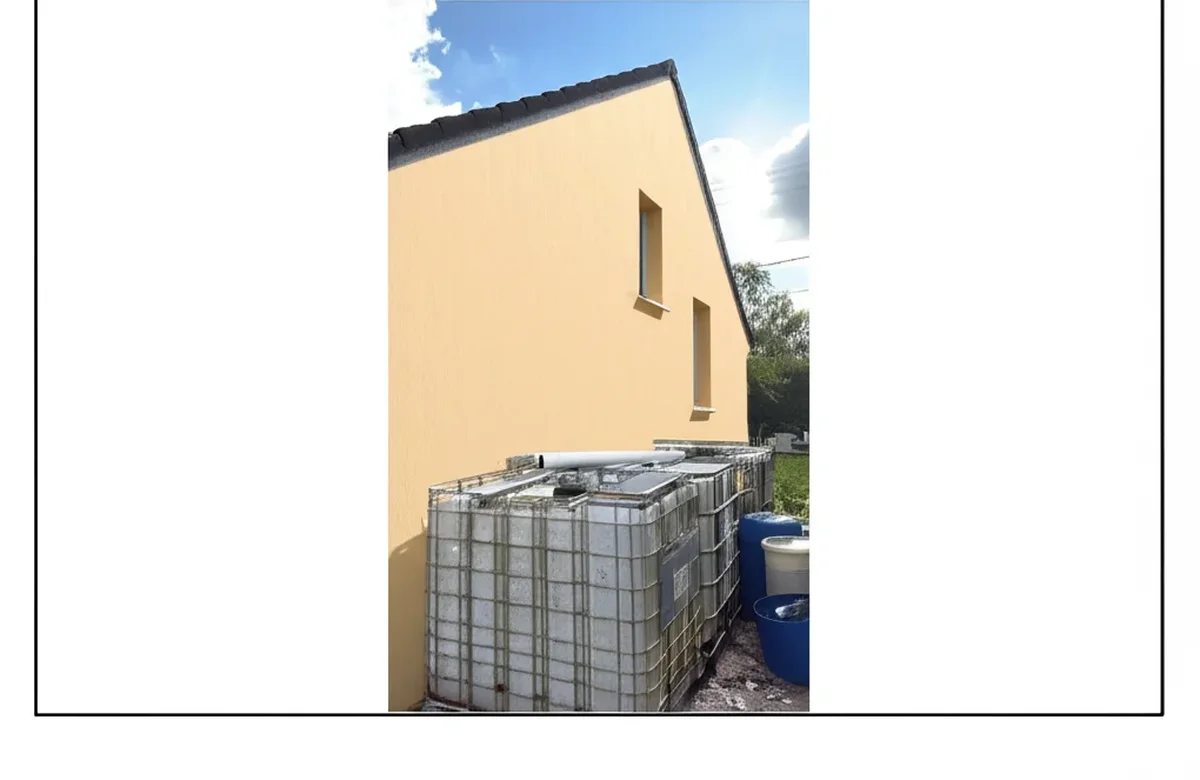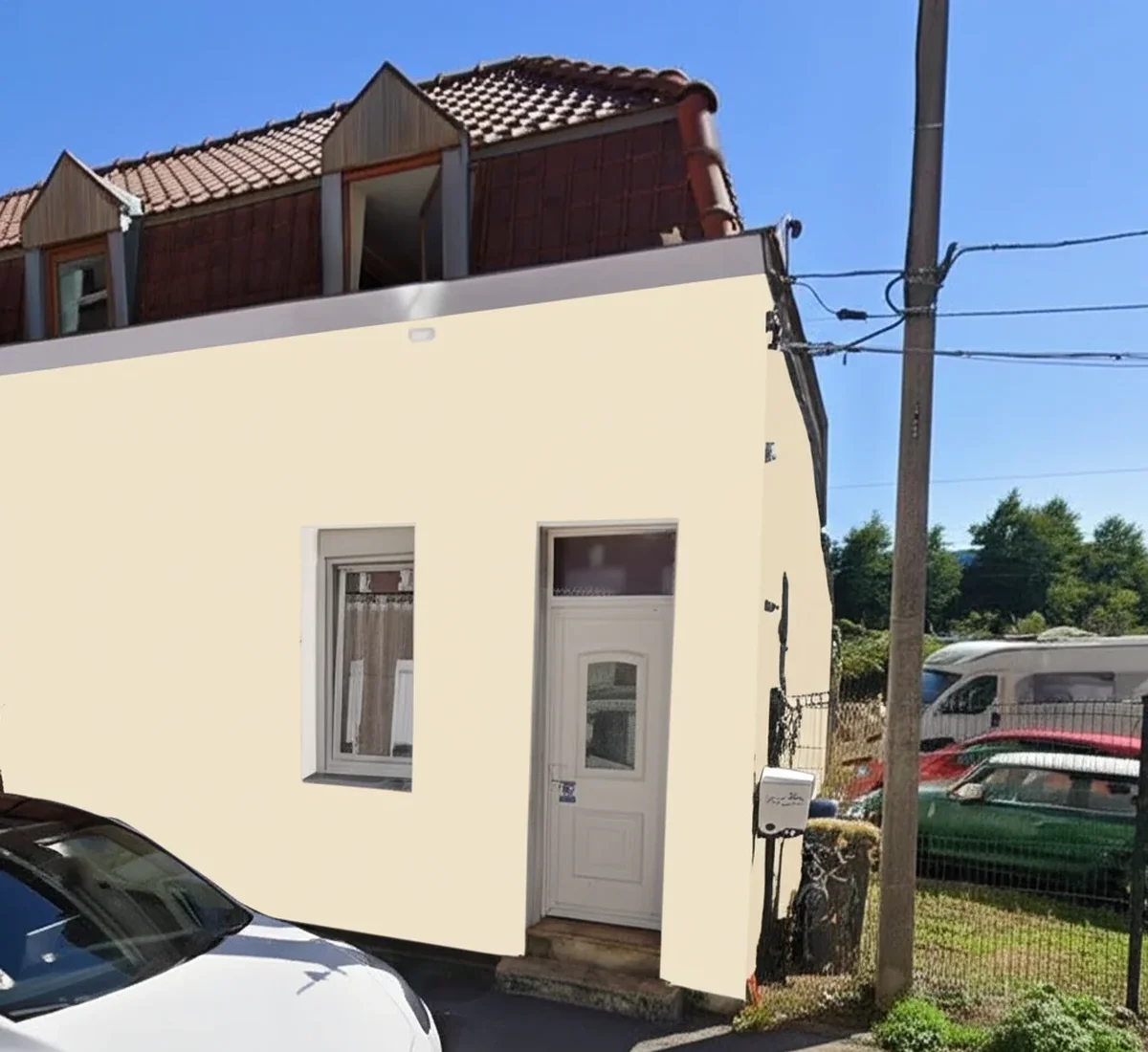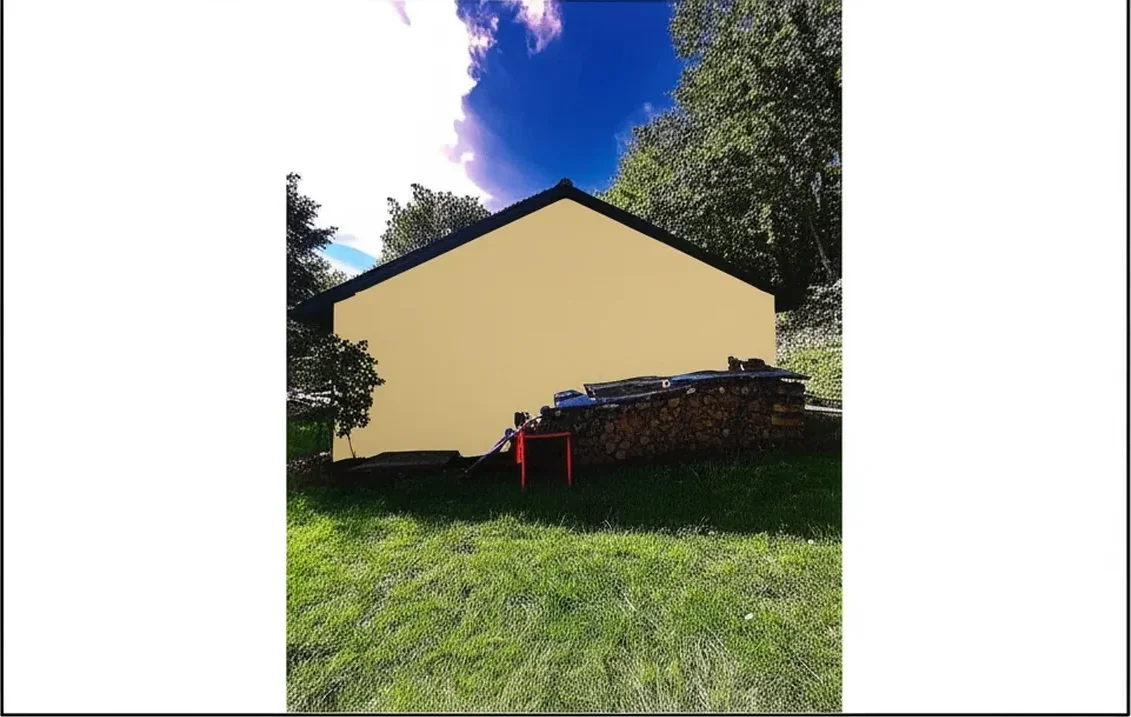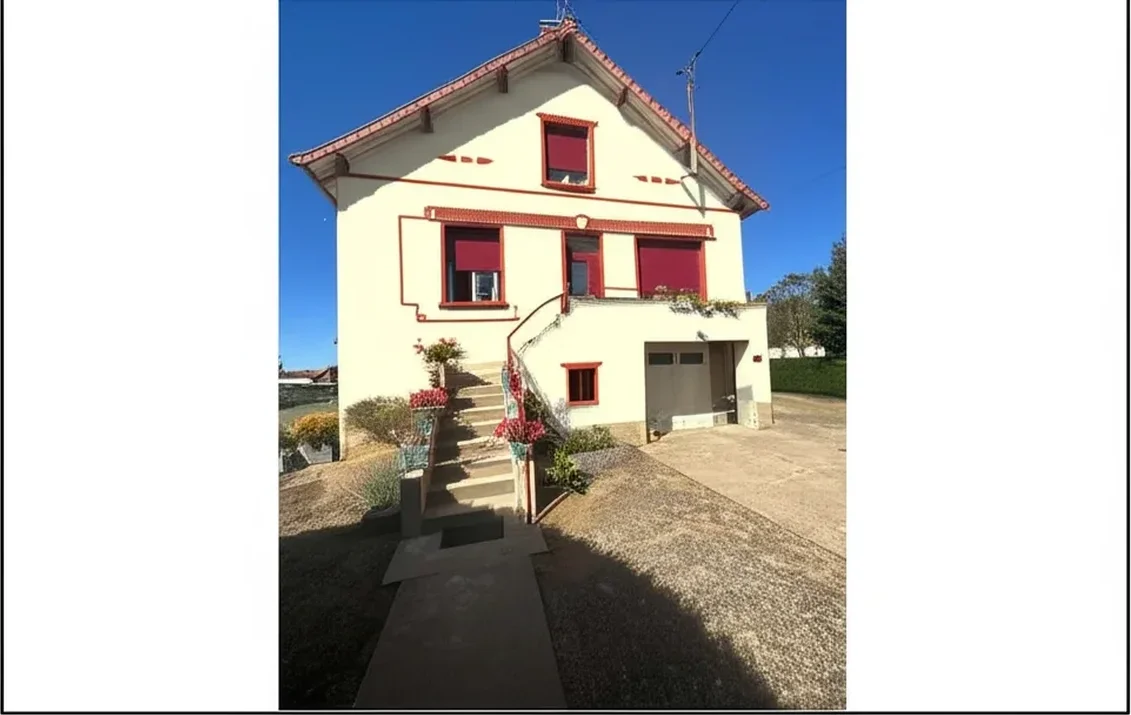
Try it on your house

Short answer, before any brand history: the Behr paint visualizer will show you a Behr shade on a stock room in about thirty seconds, and it will disappoint you the moment you upload a photo of your own house. The rendering engine is a flood fill, not a photographic render, so on stucco, brick, or lap siding the color sits on top of the picture instead of inside it. It is free, it is official, and for one specific job (a brand-authority screenshot) nothing beats it.
This is a hands-on review of both surfaces Behr ships: the behr.com web visualizer and the ColorSmart by BEHR mobile app on iOS and Android. Tested May 2026 on iPhone 15 Pro (iOS 18.5) and Pixel 8 (Android 15), cross-referenced with 320 App Store and Google Play reviews from January 2025 to April 2026, the Painting Contractors Association 2025 visualizer survey, and our own side-by-side renders on five reference homes. Below: a feature score out of 10, the four failures users actually complain about, and the five free alternatives that solve them. If you would rather skip the read and put a Behr shade on your own facade, our Behr color visualizer for real house photos does that with no signup.
AI render on your actual photo, full Behr catalog. 1 HD plus 3 free variations, no signup.
The 2026 verdict, in one table
Weighted across the ten features we scored below, the Behr visualizer lands at 4.6 out of 10. That average hides a wide spread: two features are genuinely good, and everything that matters for an exterior repaint decision sits at 4 or lower.
| If your job is | Use | Why |
|---|---|---|
| Browsing Behr shades on a generic room | behr.com web visualizer | Stock scenes are well lit and flat, which is where flood fill looks fine. |
| A screenshot for an HOA packet | behr.com web visualizer | Review committees want the official first-party Behr page and shade code. |
| An AR gut check in a real room | ColorSmart app | Only major brand visualizer with live AR in 2026. Interiors only. |
| Handing gallon codes to a contractor | ColorSmart app | Saved-color list syncs to a Home Depot account for store pickup. |
| Deciding the actual color of your house | Neither | Flood fill cannot render texture or shadow. This is the section below. |
| Comparing five shortlisted shades | Neither | No batch grid on either surface. One color at a time, screenshot, undo. |
Try it on your house
No photo? Try a sample
Web visualizer or ColorSmart app: which one you actually landed on
Behr ships two distinct products that share one color database and serve different jobs. Both draw on roughly 130 curated trending shades for 2026 plus the full 3,000-plus Behr library, searchable by name (Polar Bear, Cracked Pepper, Swiss Coffee) or by code (PPU18-01, DC-003, PPU24-10). Picking the wrong surface wastes twenty minutes before you discover the feature you need lives in the other one.
| Feature | ColorSmart by BEHR app (iOS / Android) | behr.com web visualizer |
|---|---|---|
| AR room preview | Yes, live camera overlay | No |
| Photo upload | Camera roll plus live capture | File upload only |
| Scan-to-match (chip or object) | In the app, broken since late 2024 | Not available |
| Save library and share | Synced to Home Depot account | Local browser session only |
| Stock scenes | 14 interior scenes | 22 interior plus 6 exterior scenes |
| Stability on iOS 18 mobile Safari | Native app, no Safari issue | Freezes reported on older iPhones |
| Last meaningful release | Late 2023 (per visible release notes) | Seasonal catalog updates |
The split matters more than it looks. Exterior stock scenes exist only on the web; AR and the Home Depot-synced library exist only in the app. Neither delivers clean segmentation on a photo of your own home, because both apply color the same way: you tap to define a surface, and a software paint bucket fills the region you outlined. That app-versus-browser divide is not a Behr quirk either. Every major brand ships two tools that behave differently, which is why we judged eight of them on identical photos in our comparison of paint color visualizer apps. The Behr tools themselves live on the behr.com color tools page, with native downloads on the Apple App Store and Google Play Store.
What the Behr visualizer gets right
Three things genuinely work, and they are why the tool still has users in 2026.
- Brand authority, free, no signup. Every shade carries the official Behr name, code, and LRV. For an HOA submission that names the exact Marquee SKU you intend to buy, no third-party tool beats a first-party page. The web version needs no account and puts no watermark on output.
- Catalog depth and curation. The 130-shade curated set covers the off-whites, warm neutrals, greiges, sages, and moody darks that drive 2026 repaint demand, and the full library is behind it if you already know your code. To shortlist before you start tapping, our pick of the best Behr exterior paint colors for 2026 narrows 3,000 shades to a workable dozen.
- Stock scenes for the undecided phase. If you have not photographed anything yet and just want to know roughly what Cracked Pepper reads like on a wall, the stock rooms are professional, evenly lit, and flat, which is exactly the surface flood fill handles well. Useful early. Useless once you have a real photo.
What is broken: the scanner, the flood fill, the 2023 build
The criticism is neither invented nor isolated. Across 320 App Store and Google Play reviews from January 2025 to April 2026, the complaints concentrate on four things, and the app average sits near 2 out of 5 as a result.
- The color-match scanner does not work. Cited in 47% of negative reviews, the single most common complaint. The camera opens but never registers a successful scan of a fan-deck chip, a can label, or a real-world object. Mid-scan crashes are common on iOS 17 and 18. No meaningful scanner fix has shipped since mid-2024 according to the visible release notes. In our own runs it failed or crashed on three of five attempts and read a brown leather chair as a sage green.
- No feature work in over two years. The most recent substantive release notes are dated late 2023. The 2024 and 2025 entries are bug-fix notices. The 2026 Color of the Year was added as a database row; the architecture around it is unchanged. Sherwin-Williams shipped four feature releases to ColorSnap in 2025 alone.
- The flood fill bleeds outside the lines. Forgiving on flat painted walls, brutal on anything textured. Stucco, brick, lap siding, and any wall shot with sidelight produce visible bleed onto trim, shutters, ceilings, and nearby furniture. There is no shadow preservation and no respect for material reflectance. This is a 2020-era image-processing approach in a market that moved to AI segmentation in 2024.
- The web version freezes on mobile Safari. Widely reported failure to load swatches on iOS Safari, worse on older iPhones. Desktop Chrome is the most reliable surface, which is the opposite of where homeowners actually take photos.
The honest read: Behr's visualizer was a category leader in 2020 and has not kept pace. The tool is not abandoned, the catalog still gains colors seasonally, but the engineering investment is visibly elsewhere. If you need precise area detection, real photographic lighting, or a working scanner, you need a different tool. On the narrow question of identifying a color you already own rather than previewing one you do not, our roundup of apps that match a paint color from a photo reaches an uncomfortable conclusion for every brand app in the category: a dedicated colorimeter still beats a phone camera, even when the phone feature works.
Feature scores, 1 to 10
Each feature ran against the same sequence: upload a Phoenix ranch with stucco walls and a terra-cotta tile roof, scan a Behr Cracked Pepper PPU18-01 chip in natural light, save to library, share to a Home Depot store list. Scoring is 1 (broken) to 10 (best in category).
| Feature | Score (1 to 10) | Notes from testing |
|---|---|---|
| Photo upload | 6 | Works, but no auto orientation correction on landscape exteriors. |
| AR live mode (interiors) | 7 | Best feature in the app; usable in well-lit rooms, lag on Pixel 8. |
| AR live mode (exteriors) | 3 | Loses tracking in sunlight, drifts off siding within seconds. |
| Scan-to-match (chip) | 2 | Camera opens, scan fails or crashes on three of five attempts. |
| Scan-to-match (object) | 2 | Returned a wildly wrong sage match for a brown leather chair. |
| Save to library | 8 | Reliable; syncs to Home Depot account if signed in. |
| Share to Home Depot store | 7 | Works; useful for a contractor to pick up matching Marquee. |
| Render quality on stucco | 4 | Sticker-overlay look; bleeds onto tile roof and trim. |
| Render quality on lap siding | 5 | Better than stucco; still no shadow preservation. |
| Batch compare (multiple colors) | 2 | Effectively one color at a time; no side-by-side grid view. |
Sources: hands-on testing May 2026 on iPhone 15 Pro (iOS 18.5) and Pixel 8 (Android 15); ColorSmart by BEHR App Store and Google Play release notes; cross-checked against 320 user reviews January 2025 through April 2026.
Can you use it on your own house photo?
Technically yes. Both the web visualizer and the app accept an upload. Practically, this is where the tool stops being useful, and it is the single most common reason people arrive at this page.
The reason is architectural, not a bug. A brand visualizer is built around stock photography it controls: flat walls, even light, clean edges, a known mask for every surface. Feed it your own photo and none of that holds. You have to tap to outline each surface yourself, and the paint bucket fills whatever region your outline enclosed, including the shadow under the eave and the mortar joints you did not mean to include. Behr's own stock scenes look excellent for exactly this reason: the difficult part was solved before you arrived.
An AI visualizer inverts the problem. It segments the photo first (siding, trim, fascia, soffit, doors, shutters, gutters, roof), then applies the color by multiplying the swatch through the luminance channel of your original photo. Shadow, sidelight, and stucco stipple survive because they were never discarded. On the Phoenix ranch reference photo the practical difference was measurable: the terra-cotta tile roof stayed completely untouched while the stucco changed, and the cast shadow under the south eave was preserved. Behr's flood fill bled into both.
This is the honest dividing line between the two categories, and it is worth stating plainly: Behr shows you its shades on photographs of houses that are not yours. That is genuinely useful for browsing and worthless for deciding. If your question is "will Cracked Pepper work on my siding, with my roof and my light," you need your own photo in the loop.
AI segments siding, trim, and roof in 20 to 40 seconds. 1 HD render plus 3 free variations, no signup.
Disclosure: FacadeColorizer is our product, so treat the paragraph above as an interested party describing a real technical difference rather than as a neutral verdict. Where we are weaker: no native iOS or Android app (mobile browser only), no AR live overlay, and no curated "shop the trends" front page of the kind Behr does well. Free tier is 1 HD render plus 3 free previews; paid entry is the Pack Color at $9.90 one-time, no subscription. If you want the same capability without the brand framing, our tool to upload your own house photo is the multi-brand version of the same workflow.
Behr paint simulator: the same tool under a different name
A meaningful share of people searching for a Behr paint simulator are looking for the visualizer described above and using a different word for it. Behr does not ship a product called a simulator. There is no separate simulation engine, no physics model of pigment on a surface, and no third tool hiding behind the term.
The distinction is worth keeping straight because it changes what you should expect. A simulator implies the tool models how the paint will behave: how the shade shifts at 4pm versus noon, how it reads at 40 feet versus 4, how a 6 LRV dark absorbs heat on a west-facing wall. No brand visualizer does any of that, Behr included. What all of them do is substitution: swap the pixels in a region for a different color. Useful, much narrower than the word suggests.
The same applies to the room-level variants of the phrase. A Behr room simulator and the Behr room visualizer are one product: the ColorSmart interior mode, 14 stock scenes plus your own upload, with the AR overlay as the only genuinely interactive part. If your interest is interior walls rather than a facade, the AR mode is the piece of this tool actually worth your time, and the section below on iPhone and Android covers how well it holds up.
Behr paint visualizer vs 5 free alternatives (2026)
Five free alternatives, tested on the same three reference photos: a vinyl-sided ranch in Ohio, a stucco Spanish revival in Arizona, and a brick colonial in Virginia. Every tool below renders Behr shades (natively, by hex matching, or via custom upload), gives at least one HD output free, and has shipped more recently than ColorSmart. For the multi-brand testing method, see our five-brands-one-photo benchmark.
| Tool | Render type | Behr coverage | Free tier | Best for |
|---|---|---|---|---|
| Behr ColorSmart (reference) | Manual flood fill | Full Behr catalog, Behr only | Unlimited, no signup on web | Stock scenes, HOA screenshot |
| FacadeColorizer | Real AI (purpose-built facade vision) | Full Behr catalog plus custom hex | 1 HD plus 3 free variations, no signup | Exterior, stucco, brick, mixed surfaces |
| Sherwin-Williams ColorSnap | AR overlay plus AI photo match | SW only, no Behr | Unlimited, no watermark | If you switch to a SW match |
| Benjamin Moore Color Portfolio | AR overlay plus stock rooms | BM only, manual Behr match needed | Unlimited, no watermark | Interior on stock rooms |
| Housepaint AI | Real AI segmentation | Full Behr in the 19,800-color library | 1 HD plus 3 free variations | Power users wanting 40-plus brands |
| Hover | 3D model plus catalog overlay | Behr plus most US brands | Free measurement; render via contractor | Pro-led exterior, insurance jobs |
Sources: hands-on testing May 2026, Painting Contractors Association 2025 visualizer survey, Sherwin-Williams ColorSnap 2026 product page, Behr ColorSmart App Store and Google Play listings, Housepaint AI public pricing page, Hover product documentation.
Two of those five are brand-locked and therefore only alternatives if you are willing to change what you buy. ColorSnap is the strongest of them and the best-maintained tool in the category, but it renders Sherwin-Williams codes only; its Photo Match feature can identify a color in the wild, after which you still have to look up the SW equivalent by hand. Benjamin Moore's Color Portfolio has the most polished interface of any brand tool, and the polish stops at the render: the Personal Color Viewer is a flat overlay that flattens cedar shake, brick, and Hardie lap into one tone, one color at a time. Our reviews of the Sherwin-Williams color visualizer and the Benjamin Moore color visualizer work through both in detail. Housepaint AI carries the deepest catalog in 2026 (19,800-plus colors, 40-plus brands) on real AI segmentation, at $14.99 per month after the free tier. Hover is a different category entirely: it builds a 3D model from eight phone photos and hands color application to a contractor, which suits insurance claims and large estimates rather than a fast self-serve decision.
Across 16,983 facade previews from US homeowners, 38% of the people who started from a Behr-specific shade name (Cracked Pepper, Hidden Gem, Polar Bear) tested at least one Sherwin-Williams or Benjamin Moore equivalent before committing. That number is the strongest practical argument against any single-brand tool: roughly a third of the demand a brand visualizer sees is cross-brand demand it structurally cannot serve. For the wider field ranked on identical photos, see our best exterior paint visualizers 2026 comparison.
Same house, three catalogs, side by side. Free.
Behr paint visualizer app on iPhone and Android
Yes, Behr has an app, and it is the one to reach for if AR is what you came for. ColorSmart by BEHR runs on iOS 15 or later and Android 9 or later, free on both stores, no in-app purchase. It is the only major brand visualizer shipping live AR in 2026.
- iPhone. Tested on iPhone 15 Pro with iOS 18.5. AR tracking is the more stable of the two platforms and holds a lock on interior walls in even light. Photo upload works normally. iPhone 11 and earlier can show camera lag in AR.
- Android. Tested on Pixel 8 with Android 15. Feature parity with iOS, but AR tracking lags visibly and loses the wall more often on the same room.
- Exteriors in either. AR loses tracking in direct sunlight and drifts off siding within seconds. Scored 3 out of 10 above, and that is generous.
- The scanner. Do not plan around it. Type the code printed on the back of the chip into the color search instead; that path works reliably on both platforms.
Worth sizing the app fairly against its peers, because a sticker overlay is a ceiling on render quality, not on usefulness. In our separate mobile ranking of eight downloadable house paint apps, ColorSmart finished second of eight and posted the fastest native in-store scanner of the group when the scan landed at all. An app can render poorly and still be the shortest route from a color you like to a mixed gallon at a counter. The full scorecard is in our test of the best app to change house color from a photo. Its closest rival, ColorSnap, finished third and hits the identical overlay ceiling; the difference is the feature ColorSmart lost, since SW's in-app chip scan still returns a usable shade 64% of the time on iPhone and 58% on Android in the same May 2026 window, documented in our ColorSnap app test on iPhone and Android.
Behr exterior paint visualizer: where it fails outdoors
The exterior case is the weakest part of the Behr toolset and the reason most of this page exists. Three failures compound outdoors in a way they do not indoors.
- Texture defeats the fill. Stucco stipple, brick with mortar joints, and lap siding with a shadow line between every board all carry high-frequency detail that a flat swatch erases. Indoors you are usually painting drywall, which has none of it. This is why the same engine scores 4 on stucco and passes on a stock bedroom.
- Sunlight is not one color. An exterior photo has a lit face, a shaded face, and reflected bounce off the driveway, often varying two or three LRV steps across one wall. A single flat fill flattens all three into one tone, which is precisely the information you needed in order to judge whether a 6 LRV dark reads as black on the north elevation.
- Too many surfaces. A facade is siding plus trim plus fascia plus soffit plus gutters plus shutters plus a door plus a roof, and the interesting decisions are the relationships between them. Tapping eight regions by hand, one color at a time, with no batch grid, is where people give up. Only the web version even offers exterior stock scenes, six of them, and none will be your house.
The practical consequence: use the Behr exterior stock scenes to eliminate shades you clearly dislike, then move to your own photo before you shortlist. For a single-color read on the most-requested Behr dark, our Behr Cracked Pepper vs SW Iron Ore comparison runs both on real facades, and the Behr exterior color combinations guide handles the siding-and-trim relationship the visualizer makes so laborious.
Top 10 Behr colors to test first
The Behr catalog runs past 3,000 shades, which is too many to evaluate a tool with. These ten cover the 2026 trends from Hidden Gem, the 2026 Color of the Year, through the warm neutrals and moody darks that dominate US repaint orders, plus the always-on whites and greiges. Run the same shade through both ColorSmart and an AI render to see the difference in one comparison rather than in the abstract.
| Behr name | Official code | Family | Best use |
|---|---|---|---|
| Polar Bear | 75 | White | Whole-house white, trim, ceilings |
| Swiss Coffee | 12 | White | Warm off-white trim and main body |
| Blank Canvas | DC-003 | Off-white | 2023 Color of the Year, still on-trend |
| Almond Wisp | PPU5-12 | Warm neutral | Soft whole-house neutral |
| Sculptor Clay | PPU5-08 | Warm neutral | Stucco, Southwest exteriors |
| Chic Taupe | N230-4 | Taupe | Greige main body, mixed-material facades |
| Downtown Gray | PPU24-10 | Gray | Balanced main-body neutral on stucco and siding |
| French Silver | PPU18-05 | Cool gray | Light cool gray, modern lap siding |
| Battleship Gray | N360-4 | Warm gray | Urban lap siding, garage doors |
| Hidden Gem | N430-6A | Smoky jade | 2026 Color of the Year, exterior siding |
| Navy Blue | S-H-580 | Deep blue | Front doors, shutters, coastal and colonial |
| Cracked Pepper | PPU18-01 | Near-black | 2024 Color of the Year, moody exterior |
Every name and code above was checked against the Behr color detail page for that code in August 2026, because brand codes get miscopied constantly across the web and a wrong code buys you the wrong gallon. We deliberately do not publish LRV or HEX figures here: LRV is only meaningful read from Behr's own product page for the exact code, and any HEX is an approximate screen rendering, never the paint. Look both up on the Behr page for your code, then confirm against a physical fan-deck chip before you buy.
A workable sequence: pick three (one light, one mid, one dark), run them through the Behr app for the Home Depot save, then re-run the same three on your real photo to check whether they still hold at scale. Polar Bear was the most-previewed Behr exterior white in our 2026 dataset, narrowly ahead of Blank Canvas, and the two separate on undertone rather than value: Polar Bear reads cleaner and slightly pink-warm, Blank Canvas creamier with a softer yellow base. That is a distinction no swatch card will show you and no flat fill will preserve. On the paint itself rather than the tool, our reviews of Behr Marquee, Behr Premium Plus, and Behr Ultra cover which line to buy once the color is settled.
Moving your Behr shortlist to an AI render in 6 steps
If you have already built a shortlist in the Behr visualizer, you do not have to start over. The codes are portable; that is the whole point of them.
- Export your shortlist as codes, not names. Open each saved color and write down the official Behr code (PPU18-01, DC-003, PPU24-10). Codes are the universal currency; marketing names drift between catalog releases.
- Photograph the house in daylight. Mid-morning or mid-afternoon on a partly cloudy day, no flash, phone is fine. At least 1080 pixels on the long edge. Avoid harsh noon shadow across the facade.
- Upload once. No signup on the free tier. Segmentation takes 20 to 40 seconds, and it runs once for all the colors you are about to try.
- Enter the Behr codes. Name lookup, code lookup, and direct hex paste all work. Render each shortlisted shade on the same photo so the comparison is controlled.
- Compare side by side. This is the step the brand tools cannot do. Download the previews free, then spend the 1 free HD render on your leading pick.
- Confirm the winner on behr.com for the paperwork. If an HOA needs first-party evidence, run the chosen code through Behr's own visualizer on a desktop browser and capture that page for the packet.
Total time from Behr shortlist to a rendered comparison set: 25 to 35 minutes. About the same as one round of trying to make the chip scanner work and giving up.
1 HD render plus 3 free variations, no signup, no card.
Behr Pro app for contractors: a different product
Behr also ships a separate Behr Pro app for painting contractors, property managers, and high-volume buyers. It is not a visualizer at all; it is an account, ordering, and loyalty tool, and confusing the two wastes a download.
- Pro Xtra integration. Links to the Home Depot Pro Xtra account; Marquee, Premium Plus, and Behr Ultra gallons accrue points and unlock volume pricing.
- Tinting history. Stores the exact codes ordered per customer, so a repaint in year five matches year one without re-fanning chips.
- Crew sharing. A foreman shares a color list with the crew lead in-app, useful when one painter is at the store and another is on the ladder.
- No visualizer, no AR. Previews still require ColorSmart or a third-party tool. For why a real-photo render changes the customer conversation, see our AI paint visualizer guide for contractors.
The cleanest 2026 stack for a paint contractor is Behr Pro for ordering and points, plus a real-AI visualizer for the customer conversation. The consumer ColorSmart app rarely earns space on a working contractor's phone.
When the Behr tool is still the right one
There is no single winner here, and a review that concluded "just use ours" would be worth ignoring. Three jobs still belong to Behr.
- Brand-authority screenshot for an HOA or a landlord. Architectural review committees want the official Behr shade name, code, and a first-party rendered page. ColorSmart and behr.com provide exactly that, and no third-party render substitutes for it.
- A Home Depot store list for pickup. If the contractor is grabbing gallons at a specific store, the saved-color sync is the fastest handover of exact SKUs.
- A final AR gut check indoors. Once you have narrowed to one or two shades on a real photo, standing in the actual room with AR live mode is a genuinely useful last look, and Behr is the only major brand offering it.
And three that do not. Deciding an exterior color, comparing a shortlist, and previewing on textured siding are all jobs the flood fill cannot do, whichever surface you open it on. Decide the color on a real render of your own house, then keep the Behr tool for the brand handoff. That is the 2026 reality, and it is a fairer verdict than the app's 2-star rating suggests.
Then run the brand-authority screenshot back through ColorSmart.
How color accuracy is actually measured
Rendering accuracy in any digital visualizer is bounded by the sRGB color space and delta-E (dE2000) tolerance, formalized by the National Institute of Standards and Technology. A consumer-acceptable match is generally dE 2.0 or under, which most browser-rendered swatches fail to achieve under default monitor calibration: the honest framing for every tool on this page, ours included, is that a screen narrows the shortlist and a physical sample settles it. Mobile app accessibility, including the broken scanner documented above, falls under Section 508 of the Rehabilitation Act and W3C WCAG 2.2 AA. NIST color measurement program, Section 508, and WCAG 2.2 define what a usable, accessible color visualizer has to deliver.
Independence and trademark notice. This article is an independent editorial review and is not affiliated with, endorsed by, or sponsored by Behr Process LLC. "Behr®," "ColorSmart by BEHR®," "Marquee®," "Premium Plus®," and "Behr Pro®" are trademarks of Behr Process LLC, a subsidiary of Masco Corporation. "Home Depot®" and "Pro Xtra®" are trademarks of Home Depot Product Authority LLC. "Sherwin-Williams®" and "ColorSnap®" are trademarks of The Sherwin-Williams Company. "Benjamin Moore®" and "Color Portfolio®" are trademarks of Benjamin Moore and Co. "Housepaint AI" and "Hover" are trademarks of their respective owners. References to third-party trademarks are made under 15 U.S.C. §1125 nominative fair use for the sole purpose of identifying the products under review. FacadeColorizer is our product; disclosure is stated above. Sources: behr.com 2026 catalog and product pages, ColorSmart by BEHR App Store and Google Play listings reviewed May 2026, Behr Pro app product documentation, Painting Contractors Association 2025 visualizer survey, hands-on testing on iPhone 15 Pro (iOS 18.5) and Pixel 8 (Android 15) May 2026 across five reference homes.
Frequently asked questions
Is the Behr paint visualizer free?
Can I upload my own house photo to the Behr visualizer?
Is the Behr paint simulator the same thing as the Behr paint visualizer?
Does Behr have a paint visualizer app for iPhone and Android?
Why is the ColorSmart by BEHR app rated about 2 out of 5?
Can the Behr app scan a paint chip to find the color?
Does the Behr visualizer work for exteriors?
What is the best free alternative to the Behr paint visualizer?
What is the most accurate exterior paint visualizer in 2026?
Does the Behr visualizer support the 2026 Color of the Year?
Trademarks mentioned (Sherwin-Williams, Benjamin Moore, Behr, Caparol, Brillux, Sto, Alpina, Valspar, PPG, Glidden, Dulux, Crown Trade, Sandtex, Farrow & Ball, Johnstone's, Leyland) are property of their respective owners. FacadeColorizer is independent and not affiliated with any of them. Nominative fair use under Lanham Act §1125.