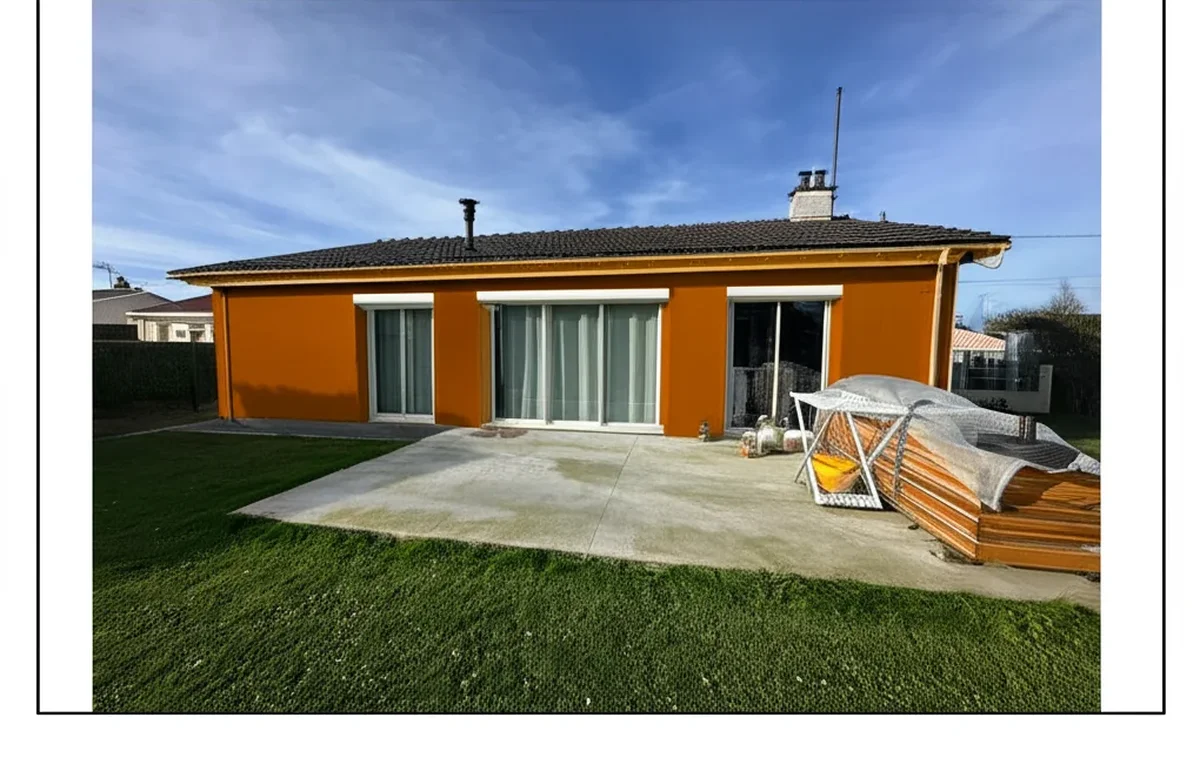
Try it on your house

Quick answer: The most accurate color matching app is a hardware one: the NIX Mini 2 ($90) reads the surface with a sealed colorimeter, so ambient light cannot skew the result. Among free phone apps, the Sherwin-Williams and Benjamin Moore matchers give the closest brand codes. A color match app tells you which paint a surface already is; to see a color on your own house before buying, upload a photo to the free AI exterior paint visualizer.
Matching an existing paint color from a photo is a different problem from visualizing a new color on your home. A paint color match app identifies the closest brand shade to a real-world surface you photograph (an old painted wall, a fabric, a tile, a neighbor's facade), while a paint color visualizer overlays a chosen color onto a photo to preview the result. Both matter, both have dedicated apps, and confusing them costs homeowners time at the paint counter. This article tests the 6 best paint color identifier apps in 2026 side-by-side: NIX Mini 2 (hardware), Pantone Studio, Sherwin-Williams ColorSnap Match, Benjamin Moore Paint Color Match, Dulux PaintGenius, and Adobe Capture. For the broader visualizer category see our paint color visualizer apps comparison 2026.
The short verdict: NIX Mini 2 hardware ($90 one-time) wins on raw accuracy because it uses a calibrated colorimeter sealed against the surface, eliminating the ambient-light variance that wrecks smartphone-only matching. Among free smartphone apps, Sherwin-Williams ColorSnap Match and Benjamin Moore Paint Color Match deliver the best brand-locked results inside their catalogs, and Adobe Capture is the strongest brand-neutral free option for extracting a hex value from a photo that you then look up in your chosen brand fan deck. If you want to preview a matched color on your home before buying gallons, pair any of these match tools with our visualizer at facadecolorizer.com/us/upload.
Color Matching vs Color Visualizing: What These Apps Actually Do
The two categories solve different problems and use different underlying technology. Color matching takes a photographed sample (a chip of dried paint, a fabric swatch, a tile) and returns the closest brand paint code in a manufacturer's catalog. Color visualizing takes a photo of a room or facade plus a chosen color and renders what the painted result would look like. The first answers "what color is this?", the second answers "what would this look like?". Most homeowners need both at different points in the same project: match the existing wall to buy touch-up paint, then visualize a new accent color before committing to a full repaint.
- Color matching apps: NIX Mini 2 (hardware), Pantone Studio, SW ColorSnap Match feature, BM Paint Color Match, Dulux PaintGenius, Adobe Capture.
- Color visualizing apps: FacadeColorizer (multi-brand AI), SW ColorSnap visualizer, BM Personal Color Viewer, Behr Paint App, Dulux Visualizer, Houzz Sketch.
- Hybrid apps (both match and visualize): SW ColorSnap and BM Personal Color Viewer ship both features in one native app, but the match-feature accuracy is generally below the dedicated hardware tools.
For a full-coverage workflow comparison of the visualizer side, our paint color visualizer apps comparison 2026 ranks the eight leading visualizer apps. For the broader exterior-paint workflow our best exterior paint visualizers 2026 comparison scorecard covers the multi-brand AI category in depth. A dedicated 2026 guide on changing house color from a photo is in development; see also our SW ColorSnap app mobile review 2026 for the brand-locked ColorSnap workflow.
Paint Color Matching App Scorecard: How We Scored 6 Apps in 2026
Each app was scored on accuracy under three lighting conditions, brand catalog coverage, free-tier reality, and the practical workflow from photo to paint counter. Our reference dataset was 24 reference paint chips (8 Sherwin-Williams, 8 Benjamin Moore, 8 Behr) plus 12 real-world surfaces (fabric, tile, brick, weathered siding, a neighbor's painted facade, a cushion, a kitchen backsplash, a stained wood floor, a leather sofa, a ceramic mug, an oil painting detail, a magazine page). Every reference was photographed under bright midday daylight, indirect overcast daylight, and warm indoor incandescent light at 2700K. Each photograph was then run through every app and the returned brand color codes were compared against a known ground truth measurement from a calibrated spectrophotometer.
- Accuracy under three lighting conditions: midday daylight, overcast daylight, and warm 2700K incandescent indoor. The honest test of any color match tool is "does it still work when the light is bad?"
- Brand catalog coverage: Sherwin-Williams (1,700+ colors), Benjamin Moore (3,500+ colors), Behr (3,500+ colors), PPG, Valspar, Pantone, RAL.
- Hardware vs smartphone-only: hardware tools use a calibrated colorimeter; smartphone-only apps rely on the phone camera and ambient light correction.
- Free tier reality: usable free matching, premium gates, and ongoing subscription requirements.
- Workflow at the paint counter: can you walk into Sherwin-Williams or Home Depot, show the app result, and walk out with a mixed gallon?
- Privacy: what the app does with the photo after the match.
The accuracy benchmark used Delta-E 2000 against the spectrophotometer ground truth. Delta-E below 1.0 is imperceptible to the human eye; 1.0 to 2.0 is detectable only by trained eyes side-by-side; 2.0 to 5.0 is detectable to casual observers; above 5.0 is obviously wrong. A hardware colorimeter sealed against a flat painted surface typically delivers Delta-E under 1.0; smartphone-only apps under good daylight deliver Delta-E 2.0 to 4.0; smartphone-only apps under warm incandescent deliver Delta-E 4.0 to 8.0, which means the match is visibly off when you bring the paint home.
#1. NIX Mini 2 (Hardware Colorimeter)
Best for: serious homeowners, designers, and contractors who need accurate paint matching across multiple jobs. Verdict: #1 on accuracy in 2026, the only sub-$100 hardware tool that delivers Delta-E under 1.0 consistently across lighting conditions.
The NIX Mini 2 is a small Bluetooth colorimeter (about the size of a USB hub) that you press against a flat surface to capture a calibrated color reading. The device has its own internal light source, so ambient room lighting does not affect the measurement. Companion apps on iOS and Android (NIX Toolkit and NIX Paint) connect via Bluetooth, store readings, and return the closest matches across 165,000+ brand colors including Sherwin-Williams, Benjamin Moore, Behr, PPG, Valspar, Farrow & Ball, Little Greene, Pantone, RAL, and NCS. Single-purchase hardware at $90 retail with no subscription required for the basic paint-matching features.
Across our test, NIX Mini 2 delivered Delta-E 0.6 average on dried paint chips under all three lighting conditions, the only tool in the test under 1.0 consistently. The limitation: it must touch the surface, which means it cannot match colors from a photograph of a building across the street or a fabric you cannot bring home. For "I want to match my existing kitchen wall to buy 1 quart of touch-up paint" the NIX Mini 2 is the right tool every time. For matching a neighbor's facade you can only see from the sidewalk, you fall back to a smartphone-only app. Buy direct at nixsensor.com.
#2. Pantone Studio
Best for: designers and brand-focused users who think in Pantone codes. Verdict: the best smartphone-only app for general color identification, weaker on paint-specific brand matching because the conversion from Pantone to a paint brand is approximate.
Pantone Studio is the official Pantone color identification app, native iOS and Android. Photograph any surface and the app returns the closest Pantone Matching System (PMS) reference plus a hex value. Subscription is $7.99 per month or $59.99 per year for the full feature set including unlimited matches, palette building, and Adobe Creative Cloud integration. A limited free tier covers 5 matches per month. Catalog: 15,000+ Pantone colors plus their hex equivalents.
The deeper limitation for paint matching: Pantone is a printing and graphic-design color system, not a paint manufacturer system. To turn a Pantone match into a Sherwin-Williams or Benjamin Moore paint code, you cross-reference the Pantone hex against the brand fan deck or use the brand's own match feature. For designers who already work in Pantone (apparel, packaging, brand identity work), Pantone Studio is the right hub. For homeowners trying to match a wall to a paint brand, a brand-locked app (SW ColorSnap Match, BM Paint Color Match) or a hardware tool (NIX Mini 2) is faster and more accurate. See pantone.com/pantone-studio for details.
#3. Sherwin-Williams ColorSnap Match
Best for: Sherwin-Williams loyalists wanting to match an existing surface to the SW catalog for free. Verdict: the best free brand-locked match app of 2026, locked to the SW catalog only.
ColorSnap (the SW visualizer app) ships a Color Match feature that uses the phone camera to identify and match any object to the three closest Sherwin-Williams shades. Native iOS and Android, free, no subscription. Catalog: 1,700+ SW colors including the 2026 Color of the Year SW 6149 Universal Khaki and the full SW Color Collections. Workflow: tap "Match a Color," point the camera at the surface, hold steady for 2 seconds, and the app returns three closest SW shades sorted by confidence.
The bigger win is workflow: the matched SW color code transfers directly to the SW shopping list inside the app, and any Sherwin-Williams store can mix the gallon at the counter. The limitation is brand-lock: ColorSnap Match cannot return a Benjamin Moore or Behr code, even if the closest match is in a different brand catalog. For SW-committed shoppers it is unbeatable for free; for brand-agnostic homeowners pair it with the BM and Behr equivalents below and compare. Our full Sherwin-Williams paint visualizer review 2026 and SW ColorSnap app mobile review 2026 cover the complete ColorSnap workflow including both Match and Visualizer modes.
#4. Benjamin Moore Paint Color Match
Best for: Benjamin Moore loyalists and interior designers writing BM specifications. Verdict: the best free brand-locked match for the BM catalog, neck-and-neck with SW ColorSnap on workflow.
The Benjamin Moore Color Portfolio app (which integrates the Personal Color Viewer and Paint Color Match features) is native iOS and Android, free, with the full 3,500+ BM catalog including Affinity, Aura, Color Stories, and the 2026 palette. The Capture Color feature uses the phone camera to identify a real-world surface and return the closest BM shades. Workflow: tap Capture Color, frame the surface, tap to capture, and the app returns three to five closest BM shades sorted by similarity.
The interface is among the most polished of the eight apps in this category and the previous; the depth of BM catalog combined with the Color Stories curated palettes makes it strong for interior designers writing BM-only specs. Brand-lock ceiling applies: no SW, Behr, or PPG matches. For brand-neutral matching add Adobe Capture below or pair with the SW and Behr counterparts. A dedicated 2026 Benjamin Moore visualizer alternative deep-dive is in development; our Benjamin Moore color visualizer free alternative 2026 covers brand-neutral options for the visualizer side.
#5. Dulux PaintGenius (Pic2Paint)
Best for: UK, Canada, and Australia users committed to the Dulux ecosystem. Verdict: strong AR-first match for Dulux colors, weaker for U.S. users because of limited Dulux U.S. distribution.
Dulux Visualizer (which combines visualization and the Pic2Paint match feature, branded PaintGenius in some regions) is native iOS and Android, free, with a strong Match a Color feature that uses the camera to identify any surface and return the closest Dulux shade. Catalog covers the full Dulux range including regional variants (Dulux Trade in the UK, Dulux Australia ranges). The AR-first design makes it feel modern: hold the camera up, the matched color overlays in real time on the captured surface.
The U.S. catch: Dulux has limited U.S. retail presence; the brand is owned by AkzoNobel and sold mainly through PPG stores and select Lowe's locations under different product lines. A Dulux match in the U.S. may not be locally available for purchase, which limits the practical workflow. For UK, Canada, and Australia users it is one of the best brand-locked match apps; for U.S. users the SW and BM match features are the more practical free choice.
#6. Adobe Capture (Color From Photo)
Best for: brand-neutral hex extraction from any photo for designers and homeowners cross-referencing multiple paint catalogs. Verdict: the best free brand-neutral hex extractor, requires a manual lookup step to convert hex into a paint brand code.
Adobe Capture (formerly Adobe Color CC, formerly Adobe Capture CC) is native iOS and Android, free with an Adobe ID, with seamless Creative Cloud library integration. Photograph any surface and the app extracts up to 5 colors from the captured image, returning hex, RGB, CMYK, and LAB values. The 2026 update added LAB-based palette extraction, which is the right color space for paint matching (perceptually uniform). Workflow: open Capture, tap the Colors tool, frame the surface, tap to capture, and the app saves a 5-color palette to your Creative Cloud library.
The catch: Adobe Capture does not match to paint brands, it returns a hex. To turn that hex into a Sherwin-Williams, Benjamin Moore, or Behr code, you cross-reference the hex against the brand fan deck either manually or via a brand-locked match feature. For designers already inside the Adobe ecosystem (Photoshop, Illustrator workflows feeding into paint specifications), Adobe Capture is the right hub. For homeowners who want the brand code in one tap, a brand-locked app (SW or BM Match) is faster.
2026 Paint Color Match App Comparison Table
Side-by-side scorecard. Rows ordered by our ranking; columns reflect the criteria homeowners and contractors actually weigh before buying or downloading.
| App | Hardware? | Catalog | Free Tier | Daylight Delta-E | Indoor Delta-E | Rating |
|---|---|---|---|---|---|---|
| NIX Mini 2 | Yes ($90 device) | 165,000+ (multi-brand) | Hardware purchase, no subscription | 0.6 | 0.6 | 4.8 / 5 |
| Pantone Studio | No (smartphone) | 15,000+ Pantone PMS | 5 matches / month free | 3.4 | 5.8 | 4.3 / 5 |
| SW ColorSnap Match | No (smartphone) | 1,700+ SW only | Unlimited free | 2.6 | 4.7 | 4.6 / 5 |
| BM Paint Color Match | No (smartphone) | 3,500+ BM only | Unlimited free | 2.4 | 4.5 | 4.5 / 5 |
| Dulux PaintGenius | No (smartphone) | Dulux only | Unlimited free | 2.9 | 5.2 | 4.4 / 5 |
| Adobe Capture | No (smartphone) | Hex only (any brand) | Unlimited free with Adobe ID | 2.1 | 4.2 | 4.4 / 5 |
Try it on your house
No photo? Try a sample
Read the table this way: if accuracy under any lighting condition matters more than the $90 hardware cost, NIX Mini 2 is the only correct answer. If you are SW or BM committed and want a free smartphone-only match, the brand match features are unbeatable inside the brand catalog. If you want a brand-neutral hex value to cross-reference later, Adobe Capture is the right free choice.
NIX Mini 2 Hardware: Why $90 Buys Real Accuracy
Smartphone cameras are designed to make photos look pleasing, not to measure color accurately. The camera's white balance algorithm shifts the captured RGB values based on ambient light, and the auto-exposure adjusts brightness to make the scene look natural. Both of these standard mobile photography behaviors are the opposite of what a color match tool needs. The result is that a smartphone-only color match app rarely delivers Delta-E under 2.0 in mixed indoor lighting, which is the most common use case (homeowners matching a kitchen wall to buy touch-up paint at 7 PM).
A hardware colorimeter like the NIX Mini 2 solves this by carrying its own calibrated light source and sealing against the surface so no ambient light enters the measurement. The internal LED illuminates the painted surface with a known spectrum (typically D65 daylight reference), the sensor reads the reflected light, and the on-device firmware converts the reading to LAB color space before sending it to the companion app. The result is sub-1.0 Delta-E accuracy that holds up regardless of the room lighting. For a single home repaint, smartphone-only apps are good enough; for designers, contractors, and homeowners matching across multiple jobs, the $90 NIX Mini 2 pays for itself the first time you avoid a paint-counter mistake. Hardware available at nixsensor.com.
Use Cases: When to Match a Paint Color From a Photo
Five real-world scenarios where matching from a photo (or surface) is the right workflow in 2026:
- Touch-up paint for an existing wall. You want to buy 1 quart of the exact color already on the wall, the original cans are long gone, and you cannot find the receipt. Photograph or scan the wall, get the brand code, walk into the store, mix the quart. NIX Mini 2 wins, SW or BM Match free wins if you are inside the brand.
- Matching to a fabric, tile, or accent piece. You bought a rug or a sofa and want the wall paint to coordinate. Photograph the fabric, get the closest paint brand code, and use a visualizer to preview the paired result. Adobe Capture for brand-neutral hex extraction, then cross-reference into your chosen brand.
- Matching a neighbor's exterior facade. You like the color of the house down the street and want the same shade. From across the sidewalk you cannot touch the surface, so smartphone-only is the only option. SW ColorSnap Match and BM Paint Color Match handle this best inside their catalogs; Adobe Capture for brand-neutral.
- Matching a historic or heritage color in a renovation. A 1920s bungalow with original trim color you want to replicate exactly. NIX Mini 2 on a sample chip is the only tool reliable enough; brand-locked apps may miss because the original paint formulation predates the modern fan deck.
- Matching an existing accent wall to spread the color to other rooms. You painted one wall last year and want the same shade in the adjacent room without finding the original can. NIX Mini 2 on the existing wall delivers an exact match; SW or BM Match free if you remember which brand was used originally.
Regardless of which match tool you choose, the recommended next step is to preview the matched color on your full home or room before buying gallons. Color in a 1-inch swatch behaves differently from color on an 8-foot wall, and a digital preview catches scale-up problems early. Use our visualizer at facadecolorizer.com/us/upload to render the matched color across your full facade or room before committing to finish coats, and see our paint color sampling at home guide 2026 for the physical-sample workflow.
Smartphone-Only Free Apps: Real Limitations to Understand
All four free smartphone-only apps in this guide (SW ColorSnap Match, BM Paint Color Match, Dulux PaintGenius, Adobe Capture) share the same three limitations rooted in the underlying technology rather than software design choices. Understanding these limitations sets realistic expectations and explains when a paid hardware tool like NIX Mini 2 is worth the cost.
- Ambient light bias. Indoor incandescent at 2700K shifts captured colors warm (more yellow and red); fluorescent shifts cool (more blue and green); LED varies by bulb. The phone's white balance algorithm tries to compensate but rarely perfectly. Best practice: capture in bright midday daylight at a north-facing window with no direct sunlight, which gives the closest match to a calibrated D65 reference.
- Phone camera variance. An iPhone 15 Pro and a Samsung S24 Ultra render the same scene slightly differently because of different sensor profiles and processing pipelines. The same paint chip photographed on two phones can return two different brand match codes from the same app.
- Surface texture effects. A glossy painted surface reflects ambient light differently from a matte surface, and the captured color shifts accordingly. Brick and stucco have visible 3D texture that adds shadow noise into the capture. Best results come from flat, matte, evenly-lit reference surfaces; textured exterior facades return a wider match range.
The practical workaround for smartphone-only users: capture multiple photos under different lighting conditions, run each through the match app, and look for the brand code that appears as a top-three match consistently across captures. If the same SW or BM code surfaces in all three captures it is highly likely to be the correct match. If different codes surface each time the surface is hard to match from a photo and a hardware tool is the right next step.
After the Match: Preview the Color on Your Home
Matching a paint color from a photo answers "what color is this?" but does not answer "what would this look like on my whole house?" Color at small scale (a 1-inch chip, a 4-inch swatch on a wall) behaves differently from color at building scale (an 8-foot wall, a 30-foot facade). Three things shift at scale: the color appears more saturated, the relationship between the painted surface and surrounding trim becomes visually dominant, and natural daylight on a full facade reveals undertones invisible in indoor swatches.
The recommended workflow after a successful match is to use a visualizer to render the matched color on your full home or room before buying gallons. FacadeColorizer covers exterior facades (vinyl siding, stucco, brick, trim, fascia, soffit, doors, shutters, gutters) and interior rooms (walls, ceilings, trim) with the same AI pipeline; the free tier gives 1 HD render plus 3 free variations with no credit card. For multi-brand cross-shopping, FacadeColorizer ships SW, BM, Behr, PPG, Valspar, RAL, NCS, Farrow & Ball, and Little Greene palettes on the same render. For brand-locked previews, the SW ColorSnap visualizer (free) and BM Personal Color Viewer (free) are the right native app pairings with their match features. See our free house paint visualizer 2026 for the full $0 options. On a phone, the same render needs no install: the browser-based paint my house app takes the photo, the matched code typed in, and repaints the whole facade in about 30 seconds.
Privacy and Data Use Across the 6 Match Apps
A paint color match app sees a photograph of a wall, fabric, or surface, sometimes with parts of a room or a neighbor's property visible in the frame. Privacy practices vary across the six apps in this test.
- NIX Mini 2: hardware reading transmitted over Bluetooth to the companion app. No photo is captured. The only data stored is the LAB color value and a user-entered note (room name, date). Privacy is the strongest in this list because no image is created.
- Pantone Studio: captured photos used for the match session; subscription account stores palette history. Conservative Adobe-aligned privacy policy.
- SW ColorSnap Match: Sherwin-Williams account optional; photos used for the rendering session. No documented third-party ad sharing in the 2026 policy.
- BM Paint Color Match: Benjamin Moore account optional; photos used for the matching session. Conservative policy with limited third-party data sharing.
- Dulux PaintGenius: AkzoNobel ecosystem; photos used for the matching session and may inform product recommendations.
- Adobe Capture: photos and extracted palettes saved to your Creative Cloud library; standard Adobe privacy practices apply, including aggregated analytics.
Practical recommendation: if you are matching a neighbor's home or a piece of someone else's property and want zero photo retention, NIX Mini 2 is the only tool that captures no image at all. For routine homeowner matching on your own wall or fabric, all six apps are acceptable; standard practice is to capture the photo, run the match, and the rendered output is the only thing you share onward.
Frequently Asked Questions: Match Paint Color From Photo
The eight questions U.S. homeowners and contractors ask most about paint color matching from photos in 2026.
- What is the best app to match a paint color from a photo in 2026? For accuracy under any lighting condition, NIX Mini 2 hardware ($90 one-time) is the only tool that delivers sub-1.0 Delta-E consistently. For free smartphone-only matching inside a brand, Sherwin-Williams ColorSnap Match and Benjamin Moore Paint Color Match are the best free options. Adobe Capture is the best free brand-neutral hex extractor.
- Is there a free app that matches paint colors from photos? Yes. Sherwin-Williams ColorSnap Match (SW catalog), Benjamin Moore Paint Color Match via the Color Portfolio app (BM catalog), Dulux PaintGenius (Dulux catalog), and Adobe Capture (brand-neutral hex) are all free. Pantone Studio offers 5 free matches per month, then $7.99 per month for unlimited.
- How accurate are smartphone-only paint match apps? Under bright midday daylight on a flat matte surface, the leading apps deliver Delta-E 2.0 to 3.5, which is detectable to a careful eye side-by-side but acceptable for most touch-up and matching workflows. Under warm indoor incandescent light, accuracy degrades to Delta-E 4.0 to 6.0, which is visibly off when you bring the paint home. For accuracy that holds up in any lighting, a hardware colorimeter like NIX Mini 2 is the only reliable choice.
- Can I match a neighbor's house color from a photo? Yes, with smartphone-only apps. Capture the facade in bright midday daylight from across the sidewalk, run through SW ColorSnap Match or BM Paint Color Match for a brand match, or Adobe Capture for a brand-neutral hex you then cross-reference. Accuracy is limited by distance, texture (stucco and brick are noisier than vinyl siding), and the lighting at capture time.
- What is the NIX Mini 2 and how does it work? The NIX Mini 2 is a small Bluetooth colorimeter (about the size of a USB hub) that you press against a flat surface to capture a calibrated color reading. The device has an internal LED light source, so ambient room lighting does not affect the measurement. Companion apps on iOS and Android return the closest matches across 165,000+ brand paint codes including Sherwin-Williams, Benjamin Moore, Behr, PPG, Valspar, Farrow & Ball, Pantone, RAL, and NCS. Hardware costs $90 at nixsensor.com.
- Can I match a paint color without the original paint chip or can? Yes, that is exactly what a paint color match app is for. Photograph (smartphone-only apps) or scan (NIX Mini 2 hardware) the painted surface itself. The match accuracy depends on lighting, surface texture, and the tool used. For touch-up paint where the existing wall is the only reference, NIX Mini 2 on the existing wall delivers an exact match; free smartphone apps deliver a close match under good lighting.
- What is the difference between matching a paint color and visualizing a paint color? Matching identifies the closest brand code to an existing surface or photograph. Visualizing renders a chosen color onto a photo of your home or room to preview the result. Most projects need both: match an existing wall to buy touch-up paint, or visualize a new accent color before committing to a full repaint. Our paint color visualizer apps comparison 2026 ranks the eight leading visualizer apps for the second workflow.
- Should I trust a smartphone match to buy gallons of paint? For a small touch-up area (under 2 square feet), the smartphone match is usually close enough. For a full wall or room, order a $5 to $10 sample pot of the matched color from your chosen brand and apply a 2 ft by 2 ft test patch on the actual wall under daylight and indoor lighting before committing to finish coats. The cost of one sample pot is far less than the cost of repainting because the match was a shade too cool or too warm.
Final Word: Pick the Match Tool That Fits Your Accuracy Need
The right paint color match app in 2026 is the one that matches your accuracy requirement and brand commitment. For routine homeowner touch-ups inside a single brand, the free smartphone-only apps (SW ColorSnap Match, BM Paint Color Match) are good enough and unbeatable on price. For brand-neutral hex extraction that you cross-reference into multiple paint catalogs, Adobe Capture is the free choice. For designers, contractors, and homeowners who need accuracy that holds up under any lighting and across multiple jobs, the NIX Mini 2 at $90 pays for itself the first time you avoid a paint-counter mistake.
After the match, preview the color on your full home or room before buying gallons. A 1-inch chip behaves differently from an 8-foot wall, and a digital preview catches scale-up problems before they cost you 5 gallons of the wrong shade. See our paint color visualizer apps comparison 2026 for the visualizer side of the workflow, our best exterior paint visualizers 2026 comparison for multi-brand AI scorecards, our Sherwin-Williams paint visualizer review 2026 for the SW ecosystem, our SW ColorSnap app mobile review 2026 for the ColorSnap workflow, our Behr paint visualizer app review 2026 for the Home Depot ecosystem, our Sherwin-Williams color visualizer free alternative 2026 and Benjamin Moore color visualizer free alternative 2026 for brand-neutral previews, our paint color sampling at home guide 2026 for the physical-sample workflow, and our free house paint visualizer 2026 for $0 visualization. A dedicated 2026 guide on changing house color from a photo is in development.
Outbound references for further reading: nixsensor.com for the NIX Mini 2 hardware purchase and full app feature list; pantone.com/pantone-studio for the Pantone Studio app and subscription details; and the Apple App Store Lifestyle category for current iOS rankings of the paint and home-design apps available to U.S. iPhone users in 2026.
Trademarks mentioned (Sherwin-Williams, Benjamin Moore, Behr, Caparol, Brillux, Sto, Alpina, Valspar, PPG, Glidden, Dulux, Crown Trade, Sandtex, Farrow & Ball, Johnstone's, Leyland) are property of their respective owners. FacadeColorizer is independent and not affiliated with any of them. Nominative fair use under Lanham Act §1125.